
Do you use Google Sheets? Do you want to turn Google Sheets into a powerful AI workspace? Google Sheets is an amazing online tool, but you need to use SheetMagic, which you will discover in this review, to easily turn the spreadsheet into a full AI and data automation workspace.
This means you can write one formula, drag it down, and generate content, images, audio, video, lead research, SERP data, and scraped web insights at scale.
This is an amazing AI online app to boost your productivity and generate more sales and profit!
That’s why many statistics state the importance of AI technology to enhance productivity and generate more profit:
- AI is estimated to create 133 million new jobs by 2030.
- By 2030, AI is projected to contribute over $15.7 trillion to the global economy.
- Businesses allocate up to 20% of their tech budget to AI, and 58% of companies will increase AI investments in 2026.
- Generative AI is the most popular AI technology, with 51% of companies using it for content creation, customer support, and process automation.
- The generative AI market is projected to hit $1.3 trillion by 2032.
- AI drives 37% of business leaders to upskill their employees in the next two or three years.
- Data privacy, security risks, and potential bias are the top concerns of AI usage among Gen Z business leaders.
Therefore, AI tools are a must-have for your online business, as they can take it to the next level.
That’s why you should leverage the best artificial intelligence software like SheetMagic in this review to enhance your business performance.
What are SheetMagic’s benefits?
SheetMagic is an amazing AI tool to easily make real benefits, such as:
- Generate hundreds or thousands of AI outputs in bulk with simple formulas
- Create product descriptions, emails, ad copy, and research summaries in minutes
- Generate and edit images directly from your spreadsheet
- Analyse screenshots, product images, and receipts with AI vision
- Scrape competitor pages, extract metadata, and monitor pricing at scale
- Pull search engine results for SEO research and competitor tracking
- Create speech and video assets without using separate creative tools
- Use top models from OpenAI, Claude, Gemini, and more in one workflow
- Bring your own API keys and pay providers directly with zero markup
- Increase your sales and revenue
- Save your money, time, and effort.
Therefore, SheetMagic is an amazing AI software tool for engaging your visitors with content that sells your business.
What Is SheetMagic?
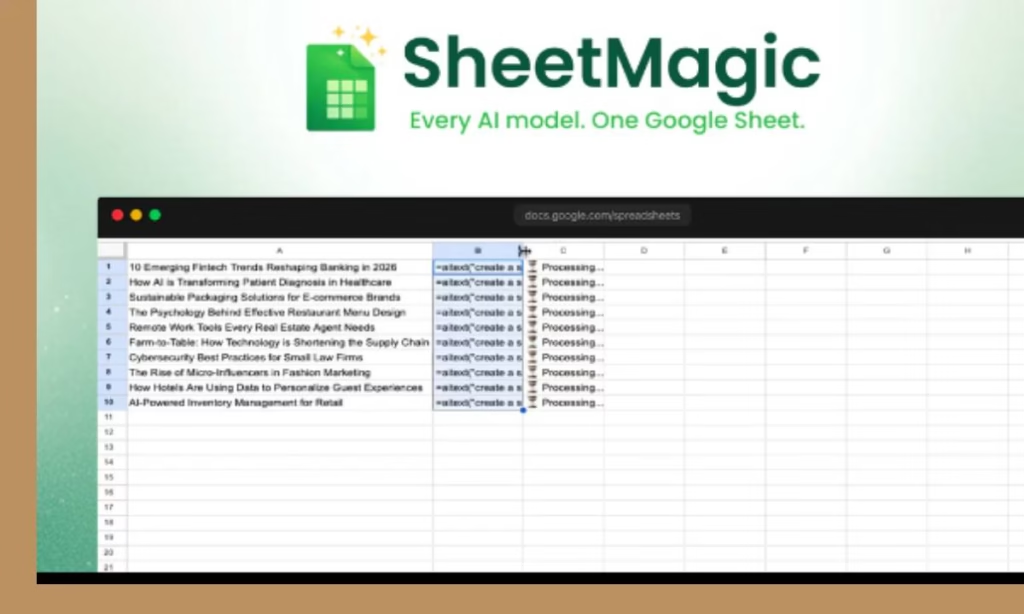
SheetMagic is a unique AI productivity tool to easily turn Google Sheets into an AI, scraping, and research engine with simple formulas.
This enables you to generate content, images, audio, video, and live web data without leaving your spreadsheet.
You can also:
- Scale repetitive workflows across hundreds of rows with no code required!
- Handle SEO, competitor tracking, and lead research in the same sheet.
- Scale from a few rows to thousands with drag-and-fill workflows.
- Use the AI models and providers that fit your budget and use case.
- Connect your own API keys with zero markup.
- Work in 100+ languages.
- Share access across your team without changing how you already work.
- And more.
Thus, SheetMagic is a powerful Google Sheets AI that will help you to scale your business and make real profit!
SheetMagic Review
Product Name: SheetMagic
Founder Name: Phil Nguyen
Front-End Price: $69.00 – Lifetime Deal
Guarantee: 30 Day Money Back Guarantee
Level Skill: All levels
Support: Great Support
Recommend: Highly Recommended
SheetMagic’s Key Features
AI text generation in bulk
Generate product descriptions, emails, ad copy, research notes, outlines, and more with simple formulas. Link prompts to cells for dynamic, row-by-row output, and process large batches without manual repetition.
AI image generation and editing
Create product visuals, social graphics, and branded assets from text prompts right inside Google Sheets. Generate at scale and refine results with multi-turn prompt workflows.
AI vision for image analysis
Turn images into usable spreadsheet data. Extract text, identify products, categorise visual content, and analyse screenshots or receipts without touching another tool.
Audio and video generation
Generate natural-sounding voiceovers and create marketing videos from simple prompts. Perfect for content teams, ecommerce brands, and campaign production at scale.
Powerful web scraping
Pull page content, metadata, headings, paragraphs, and images from websites with formulas. Monitor competitor pages, collect product information, and build live datasets without code.
SERP scraping for SEO research
Get search result titles, URLs, and snippets directly in Sheets. Track keywords, monitor competitors, and speed up SEO workflows that would normally take hours or days.
Works with top AI providers
Use models from OpenAI, Claude, Gemini, OpenRouter, Straico, and more. Choose the right model for the task instead of being locked into one ecosystem.
No-code workflow
No scripts. No complicated setup. If you can write a basic spreadsheet formula, you can automate serious AI and data workflows.
BYOK with zero markup
Bring your own API keys and pay providers directly. That means more control, more transparency, and no hidden markups on usage.
Team-ready collaboration
Share one subscription across your team and let everyone work from the same familiar spreadsheet environment.
Multi-language support
Generate and translate content in more than 100 languages, making SheetMagic useful for global teams, localised marketing, and multilingual operations.
Bulk processing is built in
Run workflows across hundreds or thousands of rows while SheetMagic handles the heavy lifting in the background.
How Does This Powerful AI Tool Work?
SheetMagic is an easy-to-use AI tool. You can just follow these simple steps:
1. Create an account and redeem your code.
First, you need to create an account with sheetmagic.ai and redeem your Dealify code(s).
Once this is done, you will be converted from a Free license to a SheetMagic license (identified as “lifetime deal” from Dealify).
From there, you would install the extension and proceed.
2. Install the extension
Add SheetMagic from the Google Workspace Marketplace in seconds.
Please be sure to do an “Individual Install” as opposed to an “Admin Install”: https://workspace.google.com/marketplace/app/sheetmagic_ai_for_sheets_with_web_scrapi/3628668520?flow_type=2
3. Connect your account
Go to Extensions> SheetMagic> Start SheetMagic (on a cold start).
If you’ve already “started” the SheetMagic extension, then Extensions> SheetMagic -> Authorize SheetMagic
SheetMagic licenses should be auto-detected and verified based on the logged-in user.
If you are logged in as a different user (into your Google account), then manually copying/pasting your SheetMagic license + the email associated with the license would be required.
4. Start using formulas
Use functions like =AITEXT(), =AIIMAGE(), =GPTV(), =VISIT(), and =SERP() to generate, analyse, scrape, and automate directly from your cells.
5. Scale with drag-and-fill
Write one formula once, drag it down across hundreds or thousands of rows, and let SheetMagic do the heavy lifting.
That is it!
SheetMagic Plan A’s Features
For this SheetMagic Plan A, you will get these great features during this review:
- 1 User license
- 1 Seat
- 1000 Credits
- Suite of popular Al models from numerous providers: OpenAl, Anthropic, Google, Perplexity, etc.
- BYOK: Use your own Al API keys for usage with zero upcharge
- AI text capabilities
- Al image capabilities
- Al video capabilities
- Al audio capabilities
- All web scraping functions
- Lifetime access to SheetMagic
- 30-day Money Back Guarantee
- One-time purchase of
So these are the main features you will get in this SheetMagic Plan A during this review!
However, SheetMagic provides more plans (Plan B and Plan C) to help you upgrade if you want more advanced features.
Who Can Use this Unique AI Productivity Tool?
You can leverage SheetMagic to quickly enhance your online businesses, such as:
- E-commerce teams: Bulk product descriptions, catalogue enrichment, competitor price tracking, image generation, and product research at scale
- SEO professionals and agencies: SERP scraping, metadata extraction, page analysis, competitor tracking, and faster keyword research
- Lead generation and sales teams: Prospect research, website scraping, list enrichment, and personalised outreach copy from spreadsheet rows
- Content marketers and creators: Blog ideas, ad copy, social assets, images, voiceovers, and video prompts in bulk
- Operations and research teams: Repetitive analysis, web data organisation, image-based processing, and lightweight research workflows
- Founders and no-code builders: Powerful AI workflows without coding, especially for teams already working in Google Sheets
- Teams scaling repetitive workflows: Turn repetitive content, research, and scraping tasks into simple formulas
- And much more…
So you can leverage SheetMagic to scale your business and generate more benefits efficiently.
Is SheetMagic Worth Your Investment?
SheetMagic is an amazing AI workspace to generate content, images, audio, video, and live web data without leaving your spreadsheet.
You can also handle SEO, competitor tracking, and lead research in the same sheet.
In addition, you can use top AI models, connect your own API keys, scale repetitive workflows across hundreds of rows with no code required, and keep everything in one familiar workspace.
This means SheetMagic is worth your investment because you will get powerful features to boost your company’s productivity, including lifetime access, a 30-day money-back guarantee, and more.
After this SheetMagic review, you have all the details you need to easily make the right decision.
Pros & Cons
Pros
- Easy to use – No skill needed
- For newbies and experts
- All your AI tools, inside Google Sheets. This will turn spreadsheets into live research, content, and automation engines
- Scale from a few rows to thousands with drag-and-fill workflows
- Use the AI models and providers that fit your budget and use case
- Connect your own API keys with zero markup
- Work in 100+ languages
- Share access across your team without changing how you already work
- Lifetime access to SheetMagic
- 30-day money-back guarantee
- One-time purchase of
Cons
- Limited lifetime offer
- You must redeem your code(s) within 60 days of purchase
Conclusion
SheetMagic is the best AI productivity tool because you will get all the AI tools needed inside Google Sheets. This turns spreadsheets into live research, content, and automation engines.
This means you will increase your business’s productivity, generate more sales, and profit.
So I hope this SheetMagic review will help you to make the right decision and boost your productivity and profit.
Feel free to leave your comments or suggestions.
Nada
Ziligma’s manager