
Workflow automation tools are powerful marketing tools to discover, such as Zapier or n8n Cloud. You build a few workflows, they work, and then the bill grows with your usage. Self-hosted n8n on Hostinger avoids that and offers you great self-hosting options.
What Is Self-Hosted n8n?
n8n is an open-source workflow automation tool. It connects your apps and data in one customizable platform without requiring code.
Self-hosting means running it on your own server instead of paying for the managed cloud version.
With Hostinger’s plans, you only pay for the VPS, and you get unlimited workflows, unlimited executions, and access to community-built nodes.
This makes it a profitable hosting option to easily build and scale your applications.
What Are the Benefits of Self-Hosted n8n?
With this type of hosting, you will profit from:
Cost:
- The Community Edition is free, with no per-execution or per-task fees.
- You only pay for the server, which can be a small VPS.
Unlimited usage:
- No caps on workflows, executions, or steps per workflow (beyond what your hardware can handle).
- High-volume automations, like syncing thousands of records or polling APIs frequently, stay affordable.
Data privacy and control:
- Data never leaves your infrastructure unless a workflow sends it out.
- Useful for GDPR, HIPAA, or client-confidentiality requirements, and for handling customer data, credentials, and internal documents.
- You decide where the data is stored (region, provider, on-premises).
Customization and more flexibility:
- Run custom code in JavaScript or Python inside workflows.
- Install community nodes or build your own.
- Use any npm packages (with the right configuration).
- Modify environment variables, execution settings, timeouts, and retention policies.
Network access:
- Connect to internal systems that aren’t exposed to the internet: private databases, intranet tools, local APIs.
- Run it alongside other services (databases, Redis, AI models) on the same network for low latency.
Performance and scaling:
- Scale as you choose: a single instance, or queue mode with multiple workers and Redis for heavy loads.
- Dedicate resources instead of sharing a multi-tenant platform.
Integration with local AI:
- Pair it with self-hosted LLMs (e.g., Ollama) for AI workflows with no API costs and no data sent to third parties.
No vendor lock-in:
- Workflows are exportable as JSON, and the source is available under a fair-code license.
- You aren’t affected by a provider’s pricing changes or feature removals.
Therefore, Self-hosting is the best option if you run many or high-volume workflows, handle sensitive data, or want full control.
However, if you want zero maintenance and minimal setup, n8n Cloud is simpler.
How Does the Self-hosted n8n on Hostinger Setup Work?
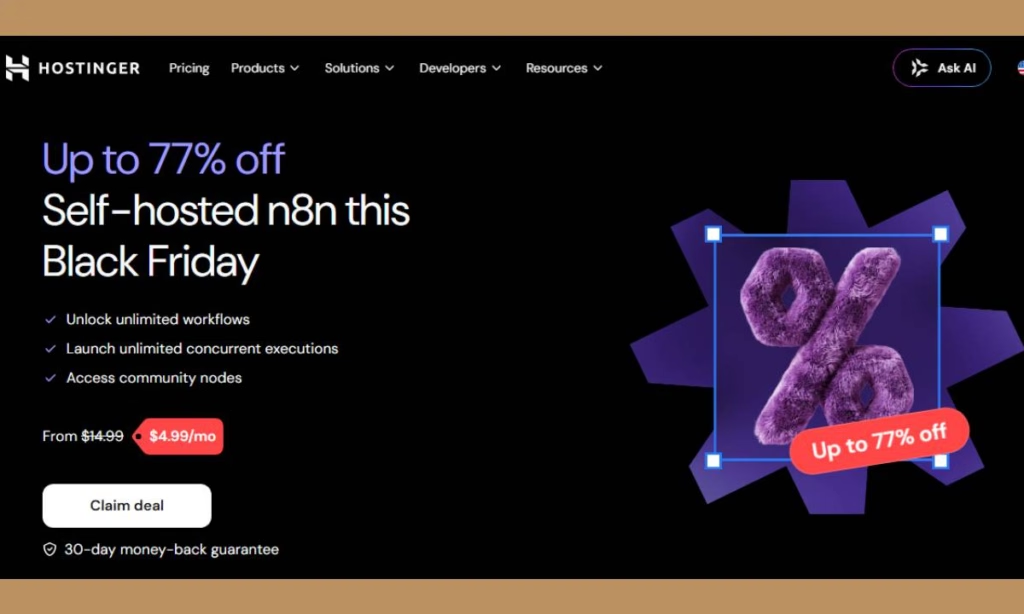
Self-hosting n8n means installing Docker, configuring the app, and handling SSL certificates.
Hostinger skips most of that with VPS templates. n8n comes preinstalled with the “Ubuntu 24.04 with n8n” template, running inside Docker.
Here are three template options:
- Standard n8n: the basic install, good for most people starting out.
- n8n with queue mode: built for better scalability when workloads grow.
- n8n with pre-made workflows: a template that includes access to 100+ ready-made workflows.
The basic flow looks like this:
- Choose a VPS plan.
- Select the n8n template during setup.
- Open the n8n interface, connect your services, and start building.
If you already have a VPS, you can install the template later through Hostinger hPanel by going to VPS, then Operating System, then choosing the n8n template.
Hostinger n8n Pricing
Fortunately, all Hostinger VPS plans include self-hosted n8n. The KVM tiers start at $4.99/month (KVM 1), $6.99/month (KVM 2), $9.99/month (KVM 4), and $19.99/month (KVM 8). Prices vary by region, billing term, and current promotions, and Hostinger’s own n8n page shows pricing from $6.49/month at the time of writing.
Plans are paid upfront, and the monthly rate is the total price divided by the months in your plan.
You should check the live pricing page before you invest in Hosting’s Self-Hosted n8n.
For comparison, one reviewer noted that n8n Cloud’s Starter plan costs $20/month and caps you at 2,500 executions and 5 concurrent executions. A self-hosted VPS has no such execution cap.
Managing Your Server with AI
Hostinger provides an AI assistant for server management. This allows you to monitor CPU, memory, and disk usage, manage firewall rules, SSH keys, and reverse DNS, and create backups and snapshots, restoring your VPS directly from chat.
This is a great option if you’re comfortable with automation but not with server administration.
n8n vs. Zapier
Zapier works on a task-based model, while n8n works on a workflow basis and is more customizable.
Zapier does have more connectors: around 5,000+ against n8n’s roughly 1,900. If you need a niche integration, check that n8n supports it.
For custom logic, AI agents, or high volumes, n8n on a VPS is usually the better fit.
Security and Data Control
Self-hosting means you decide who can access your data. Hostinger notes that whether you run in the cloud or locally, you retain full control of your data and choose who has access.
You can also use any AI model, plug in your own data, connect external tools, and use webhooks as triggers with a reverse proxy.
This offers you more flexibility to manage your applications using AI tools you like.
Hostinger n8n self-hosted: Keep in Mind
Self-hosting has trade-offs:
- Support scope is limited. Hostinger’s support covers the VPS environment, including installation and making sure n8n is running. It does not cover troubleshooting your internal workflows, configuration, or custom code.
- You handle maintenance. Updates and workflow design are your job.
- Pick the right tier. Heavy workflows or many concurrent executions may call for a larger plan or queue mode.
There’s a safety net, because Hostinger offers you a 30-day money-back guarantee.
Who is Hostinger n8n self-hosted for?
This self-hosted option is for many online businesses such as:
- Freelancers and solopreneurs who want to automate invoicing, email, and content publishing cheaply.
- Small businesses connecting payments, CRMs, and email without per-task fees.
- Developers and AI builders who want a flexible automation backend with MCP and AI nodes.
- Good fit for agencies and resellers: You can run separate instances per client, or host automations as a service without paying per-client platform fees.
- Zapier or n8n Cloud users if your bills are growing.
Conclusion
Hostinger’s self-hosted n8n gives you the power of n8n at a low, predictable monthly cost, with a template-based install.
So, if you’re comfortable with a little server ownership, it’s one of the most affordable ways to run serious automation.
If you need advanced self-hosted n8n, check this article to discover some great self-hosted websites.
If you need more details, feel free to contact the Ziligma team.


