


When you’re looking for the best website hosts for developers, assess each provider based on these criteria so you end up with a partnership that lasts as your project grows.
What Are the Best Website Hosts for Developers?

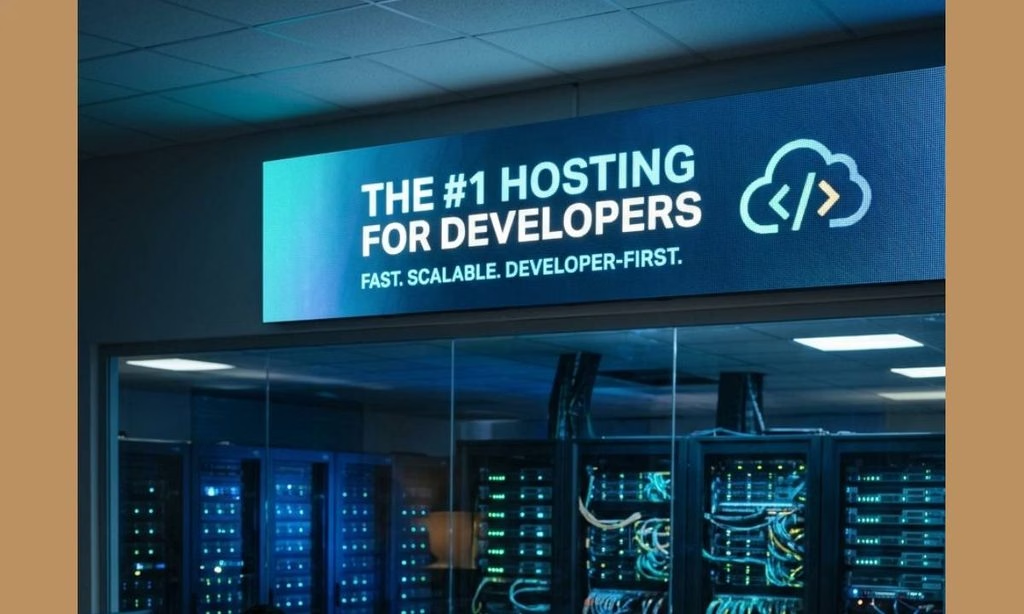
Developers and those running self-hosted applications have unique needs. A reliable hosting service improves performance while ensuring security, scalability, and flexibility.
Below, you will discover some of the best hosting providers that cater specifically to developers and their application requirements.
1. DigitalOcean
DigitalOcean is the best website host for developers due to its simplicity and powerful cloud infrastructure. With a range of services from virtual machines (Droplets) to managed databases, DigitalOcean allows developers to quickly deploy and scale applications. The pricing is transparent, and the user-friendly interface makes it easy to manage resources.
DigitalOcean’s Key Features: The Best Website Hosts for Developers
1. User-Friendly Interface
DigitalOcean has a very clean, straightforward interface which makes it pretty easy for developers to manage their cloud infrastructure.
It’s a platform that’s very easy to get to grips with, which in turn means you can spend a lot more time actually coding and a lot less time wrestling with the platform itself.
2. Affordable Web Hosting Pricing
Cost is a major factor for a lot of developers and startups. DigitalOcean has transparent, very reasonable pricing, and it’s on a pay-as-you-go basis, so you only pay for what you use. That gives you a great deal of control over your budget.
3. Powerful Features
From scalable Droplets through to Managed Databases, DigitalOcean has a whole range of offerings to suit different development scenarios.
You can get your apps up and running in a matter of moments with one-click apps, and of course you have the Kubernetes option if you’re in the container space.
4. Comprehensive Documentation and Community
DigitalOcean’s dedication to its developer community is clear in the depth of its documentation and tutorials. The community forums are very much alive, and developers can get help from the community as well as share their own best practices.
5. Strong Performance
With high-performance SSD-based storage and data centres all over the world, DigitalOcean is able to get applications up and running smoothly and efficiently.
That level of performance is obviously essential for developers who are trying to get their apps to scale and perform well.
Therefore, DigitalOcean is a very capable, affordable, and easy-to-use cloud platform that developers can have total confidence in.
Whether you’re just getting started or you’re a more experienced developer, DigitalOcean is one of the best website hosts for developers to help you move your development forward.
Check out DigitalOcean now and see how it can change your dev workflow!
2. InterServer Hosting
InterServer is one of the most comprehensive cloud hosting solutions available. With a wide range of services, it serves businesses of all sizes, making it a leading choice for developers who need flexibility and scalability. It offers services for compute, storage, databases, machine learning, and more.
InterServer’s Key Features:
1. Affordable Pricing Plans
InterServer has a pricing model that works for a very wide range of budgets. You can get a range of features at a low price, and that’s ideal for freelancers and small startups who are looking for a reliable host at a reasonable price point.
2. Scalable Hosting Solutions
One of the major advantages of InterServer is the ability to scale. You can start off on a small plan and then quite easily scale up as your project grows. That way, you’re not left with a plan that’s too small for your needs as your requirements increase.
3. Developer-Friendly Hosting Tools
InterServer has a range of developer-oriented tools available, including SSH access, support for a number of programming languages, and one-click installs for a whole host of common apps. That sort of thing makes the whole development process a lot easier and speeds up deployment.
4. Reliable Performance
99.9% uptime guaranteed. InterServer’s infrastructure and data centre facilities are built to cope with very high traffic and very demanding applications.
5. 24/7 Expert Support
InterServer’s support team is on hand 24/7 to assist developers with any issues they may come across. Their team is well-versed in the technology and can help to resolve any technical issues that may arise so that developers can get on with coding.
6. Free Migration Services
For those wanting to move to a different host, InterServer will do the migration for you free of charge. That can save developers a fair bit of time and trouble, and certainly makes the switch to their platform a lot easier.
This makes InterServer the best website host for developers to consider because it can save you more time and effort!
3. Cloudways Hosting
Cloudways provides developers with powerful virtual private servers that make deploying applications easy. Famous for its high performance and customer support, Cloudways is particularly favored for hosting web applications and APIs.
Cloudways’ Key Features:
1. Managed Hosting Experience
With Cloudways, you get a truly hassle-free managed hosting experience. You don’t have to worry about server management, updates, or backups at all; you can just get on and code.
All the server-side stuff is taken care of by Cloudways, so you can concentrate on what you actually do – building great apps.
2. Multiple Cloud Provider Options
Cloudways works with a number of cloud infrastructure providers (AWS, Google Cloud, DigitalOcean, Linode, Vultr, etc.
That gives the developer the ability to pick the provider that best suits their particular requirements in terms of performance, location, and cost.
3. Easy Deployment and Scalability
Deploying apps on Cloudways is as simple as a few clicks thanks to the excellent interface. You can scale your apps up or down in line with your traffic without any downtime at all, so your app can grow as you need it to.
4. Performance Optimization
Performance is key for any application, and Cloudways takes that very seriously. It has a range of built-in caching options (Varnish, Redis, Memcached) to get your apps running as fast as possible.
5. 24/7 Expert Support
Cloudways has excellent customer support via a team of dedicated experts on hand 24/7. You can always get help with any issues you’re having, or indeed with any questions you may have around best practices, etc.
Don’t miss this top website hosting to easily scale your online projects and generate real profit!
4. Hostinger
Hostinger is usually pitched at beginners building their first website, but it has grown into a platform that covers much more than that.
If you ship side projects, manage client sites, or run small production apps, it deserves a serious look.
This post walks through the features that matter to developers, the use cases where Hostinger shines, and the trade-offs to weigh before you commit.
Why Developers Consider Hostinger
Most developers choose a host on three criteria: cost, control, and speed to deploy. Hostinger competes mainly on the first and third, with enough of the second to be useful.
- Low entry cost. Hostinger is known for aggressive pricing, especially on longer terms. That makes it attractive for side projects, staging environments, and client sites where margins are thin.
- A clear upgrade path. You can start on shared hosting and move to cloud hosting or a VPS as a project grows, all inside one dashboard.
- A simple control panel. Its in-house panel, hPanel, is easier to learn than cPanel-style alternatives, which helps when you hand a site over to a non-technical client.
Developer Features Worth Knowing
- SSH and Git access for scripted deployments and version-controlled workflows.
- Multiple PHP versions so you can test and run legacy and modern code side by side.
- Staging environments for testing changes before pushing live.
- Cron jobs for scheduled tasks like cleanups, imports, and report generation.
- An API for automating parts of your account and VPS management, which is useful if you provision infrastructure as part of a repeatable workflow.
- Free SSL and a CDN on many plans, which cover the basics of security and performance.
A Sample Workflow
Here is how a small team might use Hostinger end to end:
- Develop locally and push to a Git repository.
- Deploy a staging copy on a shared or cloud plan to review with the client.
- Run automated checks, then promote to production.
- For heavier apps, deploy a containerized stack to a VPS with Docker and a reverse proxy.
- Use snapshots before risky changes so you can roll back quickly.
- Schedule backups and monitor resource usage as traffic grows.
Where Hostinger Works Best
- Freelancers and agencies hosting many small to mid-sized client sites on a budget.
- WordPress developers who want a simple, fast environment without managing servers.
- Side projects and MVPs that need to go live cheaply before there is revenue.
- Learners who want a real server to practice Linux, deployment, and DevOps skills.
Hostinger is a strong value pick for developers who want affordable, reasonably capable hosting with a gentle learning curve.
Conclusion
Choosing the best website hosts is crucial for developers and those operating self-hosted applications because it can destroy their projects.
The options highlighted above cater to a range of requirements, offering the flexibility, support, and features you need to manage and scale your applications successfully.
When selecting the best website hosts for developers, consider your specific needs, budget, and technical expertise to make a well-informed decision that fits with your development goals.
For more insights on web hosting or to discuss your specific requirements, reach out to Ziligma help.