Best Website Hosts

When you’re looking for the best website hosts for developers, assess each provider based on these criteria so you end up with a partnership that lasts as your project grows.

What Are the Best Website Hosts for Developers?

The Best Website Hosts for Developers with more the flexibility, great support, and features you need to manage and scale your applications successfully.

Developers and those running self-hosted applications have unique needs. A reliable hosting service improves performance while ensuring security, scalability, and flexibility.

Below, you will discover some of the best hosting providers that cater specifically to developers and their application requirements.

1. DigitalOcean

DigitalOcean is the best website host for developers due to its simplicity and powerful cloud infrastructure. With a range of services from virtual machines (Droplets) to managed databases, DigitalOcean allows developers to quickly deploy and scale applications. The pricing is transparent, and the user-friendly interface makes it easy to manage resources.

DigitalOcean’s Key Features: The Best Website Hosts for Developers

1. User-Friendly Interface 

DigitalOcean has a very clean, straightforward interface which makes it pretty easy for developers to manage their cloud infrastructure.

It’s a platform that’s very easy to get to grips with, which in turn means you can spend a lot more time actually coding and a lot less time wrestling with the platform itself.

2. Affordable Web Hosting Pricing

Cost is a major factor for a lot of developers and startups. DigitalOcean has transparent, very reasonable pricing, and it’s on a pay-as-you-go basis, so you only pay for what you use. That gives you a great deal of control over your budget.

3. Powerful Features  

From scalable Droplets through to Managed Databases, DigitalOcean has a whole range of offerings to suit different development scenarios.

You can get your apps up and running in a matter of moments with one-click apps, and of course you have the Kubernetes option if you’re in the container space.

4. Comprehensive Documentation and Community

DigitalOcean’s dedication to its developer community is clear in the depth of its documentation and tutorials. The community forums are very much alive, and developers can get help from the community as well as share their own best practices.

5. Strong Performance 

With high-performance SSD-based storage and data centres all over the world, DigitalOcean is able to get applications up and running smoothly and efficiently.

That level of performance is obviously essential for developers who are trying to get their apps to scale and perform well.

Therefore, DigitalOcean is a very capable, affordable, and easy-to-use cloud platform that developers can have total confidence in. 

Whether you’re just getting started or you’re a more experienced developer, DigitalOcean is one of the best website hosts for developers to help you move your development forward.

Check out DigitalOcean now and see how it can change your dev workflow!

2. InterServer Hosting

InterServer is one of the most comprehensive cloud hosting solutions available. With a wide range of services, it serves businesses of all sizes, making it a leading choice for developers who need flexibility and scalability. It offers services for compute, storage, databases, machine learning, and more.

InterServer’s Key Features:

1. Affordable Pricing Plans

InterServer has a pricing model that works for a very wide range of budgets. You can get a range of features at a low price, and that’s ideal for freelancers and small startups who are looking for a reliable host at a reasonable price point.

2. Scalable Hosting Solutions

One of the major advantages of InterServer is the ability to scale. You can start off on a small plan and then quite easily scale up as your project grows. That way, you’re not left with a plan that’s too small for your needs as your requirements increase.

3. Developer-Friendly Hosting Tools

InterServer has a range of developer-oriented tools available, including SSH access, support for a number of programming languages, and one-click installs for a whole host of common apps. That sort of thing makes the whole development process a lot easier and speeds up deployment.

4. Reliable Performance

99.9% uptime guaranteed. InterServer’s infrastructure and data centre facilities are built to cope with very high traffic and very demanding applications.

5. 24/7 Expert Support

InterServer’s support team is on hand 24/7 to assist developers with any issues they may come across. Their team is well-versed in the technology and can help to resolve any technical issues that may arise so that developers can get on with coding.

6. Free Migration Services

For those wanting to move to a different host, InterServer will do the migration for you free of charge. That can save developers a fair bit of time and trouble, and certainly makes the switch to their platform a lot easier.

This makes InterServer the best website host for developers to consider because it can save you more time and effort!

3. Cloudways Hosting

Cloudways provides developers with powerful virtual private servers that make deploying applications easy. Famous for its high performance and customer support, Cloudways is particularly favored for hosting web applications and APIs.

Cloudways’ Key Features:

1. Managed Hosting Experience  

With Cloudways, you get a truly hassle-free managed hosting experience. You don’t have to worry about server management, updates, or backups at all; you can just get on and code.

All the server-side stuff is taken care of by Cloudways, so you can concentrate on what you actually do – building great apps.

2. Multiple Cloud Provider Options 

Cloudways works with a number of cloud infrastructure providers (AWS, Google Cloud, DigitalOcean, Linode, Vultr, etc.

 That gives the developer the ability to pick the provider that best suits their particular requirements in terms of performance, location, and cost.

3. Easy Deployment and Scalability  

Deploying apps on Cloudways is as simple as a few clicks thanks to the excellent interface. You can scale your apps up or down in line with your traffic without any downtime at all, so your app can grow as you need it to.

4. Performance Optimization 

Performance is key for any application, and Cloudways takes that very seriously. It has a range of built-in caching options (Varnish, Redis, Memcached) to get your apps running as fast as possible.

5. 24/7 Expert Support  

Cloudways has excellent customer support via a team of dedicated experts on hand 24/7. You can always get help with any issues you’re having, or indeed with any questions you may have around best practices, etc.

Don’t miss this top website hosting to easily scale your online projects and generate real profit!

4. Hostinger

Hostinger is usually pitched at beginners building their first website, but it has grown into a platform that covers much more than that. 

If you ship side projects, manage client sites, or run small production apps, it deserves a serious look. 

This post walks through the features that matter to developers, the use cases where Hostinger shines, and the trade-offs to weigh before you commit.

Why Developers Consider Hostinger

Most developers choose a host on three criteria: cost, control, and speed to deploy. Hostinger competes mainly on the first and third, with enough of the second to be useful.

  • Low entry cost. Hostinger is known for aggressive pricing, especially on longer terms. That makes it attractive for side projects, staging environments, and client sites where margins are thin.
  • A clear upgrade path. You can start on shared hosting and move to cloud hosting or a VPS as a project grows, all inside one dashboard.
  • A simple control panel. Its in-house panel, hPanel, is easier to learn than cPanel-style alternatives, which helps when you hand a site over to a non-technical client.

Developer Features Worth Knowing

  • SSH and Git access for scripted deployments and version-controlled workflows.
  • Multiple PHP versions so you can test and run legacy and modern code side by side.
  • Staging environments for testing changes before pushing live.
  • Cron jobs for scheduled tasks like cleanups, imports, and report generation.
  • An API for automating parts of your account and VPS management, which is useful if you provision infrastructure as part of a repeatable workflow.
  • Free SSL and a CDN on many plans, which cover the basics of security and performance.

A Sample Workflow

Here is how a small team might use Hostinger end to end:

  1. Develop locally and push to a Git repository.
  2. Deploy a staging copy on a shared or cloud plan to review with the client.
  3. Run automated checks, then promote to production.
  4. For heavier apps, deploy a containerized stack to a VPS with Docker and a reverse proxy.
  5. Use snapshots before risky changes so you can roll back quickly.
  6. Schedule backups and monitor resource usage as traffic grows.

Where Hostinger Works Best

  • Freelancers and agencies hosting many small to mid-sized client sites on a budget.
  • WordPress developers who want a simple, fast environment without managing servers.
  • Side projects and MVPs that need to go live cheaply before there is revenue.
  • Learners who want a real server to practice Linux, deployment, and DevOps skills.

Hostinger is a strong value pick for developers who want affordable, reasonably capable hosting with a gentle learning curve. 

Conclusion

Choosing the best website hosts is crucial for developers and those operating self-hosted applications because it can destroy their projects. 

The options highlighted above cater to a range of requirements, offering the flexibility, support, and features you need to manage and scale your applications successfully. 

When selecting the best website hosts for developers, consider your specific needs, budget, and technical expertise to make a well-informed decision that fits with your development goals. 

For more insights on web hosting or to discuss your specific requirements, reach out to Ziligma help.

Install WordPress on cPanel

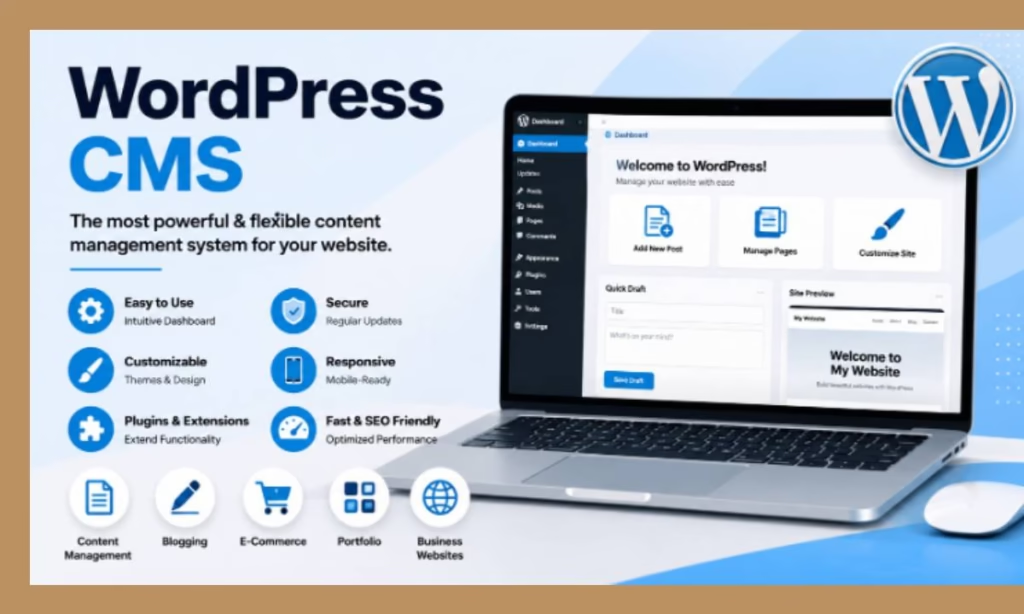
Installing WordPress on cPanel is fairly simple and takes just a few steps if you know how to do it. You don’t need to hire any freelancer or agency to set up your WordPress website.

Below is a thorough guide to help you get your WordPress site installed and start marketing your business.

What Is WordPress?

WordPress has been the go-to content management system (CMS) since 2003, and it’s a very well-established platform. It’s open source and offers many benefits for businesses, bloggers, and individuals.

The best part is that you can use many plugins, templates, and web tools to customize your WordPress site for free.

You can also get the premium version of those web tools to streamline your website and generate more profit.

That’s why many web statistics show the power of using the WordPress CMS to market your business online:

  • In total, 43.5% of all websites use WordPress. 
  • Nearly 9 out of 10 WordPress sites are running on the most recent version 6.
  • The average loading time for a WordPress website is 2.5 seconds on desktop and 13.25 seconds on mobile.
  • Worldwide searches for WordPress average 16 million per month.
  • More than 59,000 free plugins are available in the WordPress directory.
  • Ecommerce stores using WooCommerce generate around $25M to $50M in annual revenue.
  • More than 4.6 million online stores use WooCommerce as their ecommerce platform.

So these online statistics show the benefits of using WordPress, a powerful CMS, to market your business online.

What Are The Benefits of WordPress?

Here are some of the key advantages of using the WordPress CMS:

  • User-friendly interface
  • Highly customisable with themes and plugins.
  • SEO friendly.
  • Responsive and mobile-optimised. 
  • Strong community support. 
  • Security features.
  • E-commerce capability.
  • Scalability.
  • Cost-effective. 
  • Multilingual capability.

Therefore, WordPress is a great platform that enables you to create a professional, secure, and scalable website to meet your vqnzltln surkr.

How to Install WordPress on cPanel?

Follow these steps to easily install WordPress on cPanel and start your online journey:

Step 1: Access cPanel

1. Log in to your cPanel account (go to yourdomain.com/cpanel and log in).

Step 2: Locate the Software Section

2. Find the WordPress Installer (it’ll be in the Software section of cPanel as the Softaculous Apps Installer or the WordPress Installer.

Step 3: Begin the Installation

3. Select WordPress (this takes you to the install interface).

4. Click on the ‘Install Now’ button. You’ll be prompted to fill in many fields.

Step 4: Configure Installation Settings

5. Choose your domain from the dropdown menu (the domain you want to install WordPress on).

6. Set the site name and description (you can do this later if you wish).

7. Admin Account Details:

  •    – Admin Username: Pick a unique username.
  •    – Admin Password: Create a strong password.
  •    – Admin Email: Enter a valid email address to receive notifications.

8. Select Language: Choose the language you’d like for your WordPress site.

9. Advanced Options (optional)

   – You can set your database name and table prefix here, though the defaults are generally fine for the majority of users.

Step 5: Choose Plugins and Theme

10. Select any optional plugins that you’d like to include (tick them if you do).

11. Choose a theme (you can do this during the installation process or later via the WordPress dashboard). You can also use a premium website theme if you want to get more advanced options!

Step 6: Complete the Installation

12. Click Install. Once you’ve confirmed all your settings, just click Install, and the installation will take a few moments.

And it’s done!

Step 7: Accessing Your WordPress Site

13. Installation complete: you’ll see a success message along with your site URL and admin URL.

14. Visit your WordPress site (use the URL provided to view your site). To get to the admin area, go to yoursite.com/wp-admin and log in with your admin details.

Step 8: Customize your WordPress Website

Now, you can edit your WP website as you want. You have many free plugins and website templates to use.

If you have any inquiries, you can visit the WordPress community to get more information about any website theme or plugins.

You can also visit the WordPress documentation to discover more details about all WordPress products.

Moreover, there are online reviews about those WordPress plugins and website themes, which can easy help you to choose the right one for your website.

All those online solutions make WordPress the perfect CMS platform you need to build a reliable online business.

Conclusion

Now, you know how to easily install WordPress on your cPanel. You can also start to customise your WordPress website, add your content, and discover the various WordPress themes and plugins available to improve your website performance. 

You can also use premium plugins and themes to build stunning websites that will provide an amazing user experience to your audience.

If you have any problems at all with the WordPress installation or any other WordPress products, then you should contact Ziligma’s team!

Why Using WordPress

When building a stunning website, you need to choose a powerful CMS platform to succeed online. One of the most popular platforms out there is WordPress CMS, and there’s a very good reason to use WordPress. 

Here are a few of the reasons why you should consider using WordPress for your next website.

What Is WordPress CMS?

WordPress has been the go-to content management system (CMS) since 2003, and it’s a very well-established platform. It’s an open-source platform and provides a huge number of benefits to businesses, bloggers, and individuals.

The best part is that there are many plugins, templates, and web tools to use and customize your site for free.

You can also get the premium version of those web tools to streamline your website.

What Are The Benefits of the WordPress CMS Platform?

Here are some of the key advantages of using WordPress:

1. User-friendly interface: 

It is absolutely user-friendly and designed for users of all abilities. The dashboard is very straightforward to use, and it’s easy to get around. 

You can create, edit, and manage your site content with ease even if you’ve never done it before.

2. Highly customisable with themes and plugins.

There’s a massive range of themes and plugins available for free, so you can tailor your site to a huge degree. 

This means you can build a site that is exactly to your specification in terms of both look and feel without having to write a single line of code.

You can just use free website templates and plugins to create an amazing WP website.

This makes WordPress a powerful CMS that many users and companies use to market their business.

3. SEO friendly: 

WordPress was built with SEO in mind. This means there are SEO plugins available to help you with your SEO. 

You’ve got custom permalinks and all sorts of metadata management to play with.

The best is that there are website themes that are optimized for SEO, which is a great factor to help your rank higher in Google.

4. Responsive and mobile-optimised. 

Given that so much of the internet traffic is via mobile devices, your site must be responsive. 

Most of the WordPress themes are designed to be mobile-friendly, so your website will look great and work well on all devices.

This is another key to ranking your website on search engines and generating real profit for free!

5. Strong community support. 

It’s one of the most popular online platforms in the world and, as such, has a massive community of developers and users.

As these statistics show, the power of WordPress:

  • In total, 43.5% of all websites use WordPress. 
  • Nearly 9 out of 10 WordPress sites are running on the most recent version 6.
  • The average loading time for a WordPress website is 2.5 seconds on desktop and 13.25 seconds on mobile.
  • Worldwide searches for WordPress average 16 million per month.
  • More than 59,000 free plugins are available in the WordPress directory.
  • Ecommerce stores using WooCommerce generate around $25M to $50M in annual revenue.
  • More than 4.6 million online stores use WooCommerce as their ecommerce platform.

 If you’re having any problems or need any kind of customisation, then it’s very likely that someone else has already come across that issue and has either written a solution or can point you in the right direction.

6. Security features:

Whilst no platform is going to be 100% secure, WordPress is constantly being updated to deal with any vulnerabilities that may be found. 

There are also several powerful security plugins available that will go a long way to help secure your site.

This means it’s a secure CMS platform to build a reliable online business because it offers all the security tools needed to strengthen your website.

7. E-commerce capability: 

WordPress can be easily turned into a full-blown e-commerce site using plugins such as WooCommerce. 

This allows you to easily sell your products and services online, manage your inventory and your transactions all in one place.

You have all the e-commerce plugins needed to handle a strong online store with zero problems.

8. Scalability: 

Whether you’re starting a blog or you’re running a large e-commerce site, WordPress can grow with your business. 

It can cope with high volumes of traffic and large databases, so it is an adaptable solution for any type of online business.

This makes WordPress the strongest online platform to launch and manage your business online.

9. Cost-effective. 

A WordPress site can be set up for a lot less than other CMS solutions. It’s free to use, and there are so many free themes and plugins available that you can end up with a pretty decent site for very little out of pocket.

You can also use premium versions of these plugins and website themes to strengthen your website.

This offers you unlimited free and premium web tools to build a powerful website.

10. Multilingual capability: 

If you want to reach a global audience, WordPress can be used to create multilingual sites. The WPML plugin makes it very easy to translate and localise your content.

Therefore, WordPress is a great platform that enables you to create a professional, secure, and scalable website to meet your individual requirements.

Conclusion  

Whether you’re a blogger, a small business, or a creative professional, WordPress CMS is a great online platform to easily build your WordPress website.

It’s a very flexible and powerful CMS platform with many free plugins and website themes, combined with the strength of the community behind it all, making it a powerful CMS content management system to use. 

Have a look at WordPress now and see what it can do for you.

Best VPS for AI Tools

Today, the best Virtual Private Servers (VPS) for AI tools are better than ever. With the rapid growth of AI applications, having good VPS hosting that can manage the rising demands for processing power, speed, and security is vital for your business aiming to stay competitive. Here’s a detailed roundup of the best VPS options to consider for your AI needs.

What Is VPS Hosting?

VPS hosting means a single physical server (Virtual Private Server) that is divided into multiple virtual servers.

Each of these VPS functions independently, which allows you to install custom software and manage its resources without impacting others.

This type of web hosting is very useful and profitable for your business because it gives you personal resources and options that you can manage and control as you like.

Why Choose a VPS for AI Tools?

A VPS offers dedicated resources that are essential for running AI applications smoothly. Unlike shared hosting, a VPS gives you the control and power to manage your environment easily. 

This makes it perfect for you if you are a developer or you have a business that needs to deploy machine learning models, handle big data, or train deep learning algorithms.

What Are The Key Factors to Consider in a VPS for AI?

To choose the best VPS for AI tools, you need to consider these key factors:

1. Performance and Speed: AI applications usually need significant computing power. 

You need to look for a VPS with high CPU performance and enough RAM. SSD storage can further improve speed.

Speed is very important for your business because it improves your user experience, which is crucial for building online credibility and achieving higher search engine rankings. 

2. Scalability: As your AI tools develop, your infrastructure should too. A good VPS will offer you amazing options to scale resources up or down based on your business needs.

This will save you more money, time, and effort!

3. Security: AI often involves handling sensitive data. Choose a VPS provider that emphasizes security with features like DDoS protection, firewalls, and regular backups.

Therefore, high security will allow you to grow your business faster and build powerful credibility online.

4. Support for AI Frameworks: Make sure your VPS is compatible with popular AI frameworks like TensorFlow, PyTorch, and Scikit-learn. 

This compatibility makes deployment easier and boosts productivity.

What Are The Best VPS for AI Tools in 2026?

This year, you can discover these best VPS hosting providers for small businesses:

1. DigitalOcean: The Best VPS Hosting to Consider

Known for its simplicity and developer-friendly features, DigitalOcean’s VPS solutions provide excellent performance for AI workloads. 

DigitalOcean’s flexible resource allocation and competitive pricing make it a top choice to consider.

Here is an overview of some of DigitalOcean’s features to consider:

Scalability and Flexibility

DigitalOcean for AI projects offers you a great ability to scale. As your AI application grows and needs more resources, DigitalOcean allows you to adjust your infrastructure easily. 

Whether you are training machine learning models or running complex algorithms, DigitalOcean provides amazing flexible plans and resource options that can meet your changing requirements.

User-Friendly Interface

DigitalOcean’s easy-to-use control panel makes managing your virtual servers straightforward. 

This allows you to focus on building AI applications instead of getting stuck on complicated setups. 

This feature matters for you if you may lack extensive DevOps knowledge, ensuring everyone can deploy and manage their AI tools effectively.

Cost-Effectiveness

DigitalOcean is also known for its competitive pricing that is perfect for you if you are a startup or small business wanting to use AI technologies without high costs. 

This means DigitalOcean provides cheap plans that offer great value. With clear pricing structures, organizations can plan their budgets for AI projects effectively.

Performance and Reliability

DigitalOcean is known for its strong performance and reliability, which are essential for AI applications. 

With high-performance SSD disks, fast networking, and robust data centers, DigitalOcean ensures that your applications run smoothly. 

This reliability reduces downtime and makes sure your AI solutions are always available to users.

Comprehensive Documentation and Community Support

The best part is that DigitalOcean offers extensive documentation and a supportive community. 

This feature is a great option if you are a developer because you will find many resources, tutorials, and forums that help with setting up and optimizing your AI tools. 

This environment allows you to solve problems quickly and promotes knowledge sharing among users.

Visit DigitalOcean Sales Page

Therefore, DigitalOcean is the best VPS for AI Tools because you will get a powerful and flexible platform for deploying AI tools, making it a great choice for your business. 

2. Hostinger Is Another Best VPS Server for AI Tools

With a range of performance options and data centers worldwide, Hostinger is a great choice for businesses needing fast deployment and reliable access, making it ideal for AI applications.

This means Hostinger is the best VPS for AI Tools because it provides powerful features with a free trial to discover them, such as:

Scalability VPS Hosting

AI applications often need different amounts of resources as they develop. Hostinger VPS allows for easy scalability, so users can adjust their resources, like CPU, RAM, and storage, based on their project needs. 

This is crucial for AI tools that may require more power as data sets grow or model complexity increases.

Performance

Hostinger VPS offers you amazing dedicated resources that are not shared with others. 

This leads to faster response times and better performance for your AI applications. The high-quality hardware used by Hostinger, combined with SSD storage options, ensures quick and efficient data processing.

Control and Customization

With Hostinger VPS, you get full root access to your VPS, which enables you to set up your server to meet your specific needs. 

This flexibility is vital for your AI tools, especially if you are a developer, because you need to install and configure specialized software or frameworks. 

You can also choose your preferred operating system, manage firewall settings, and install the custom libraries or dependencies required for your projects.

Strong VPS Hosting Security

Online Security is a headache concern for your business dealing with sensitive data, including AI tools that may handle confidential information. 

Hostinger VPS offers you strong security features, such as DDoS protection, automatic backups, and regular updates. 

These features help protect your AI applications from potential threats and vulnerabilities.

Cost-Effective Solution

If you are a startup or small business wanting to implement AI solutions, budget limitations can be a significant hurdle.

That’s why Hostinger VPS provides competitive pricing with various plans to suit different budgets. 

Visit Hostinger Sales Page

This makes Hostinger a top VPS hosting provider if you need powerful hosting without overspending.

3. Verpex: Another Best VPS for AI Tools

Offering strong performance and scalability, Verpex provides a reliable environment for deploying AI solutions. 

This means it provides amazing features to powerful AI tools with zero downtime errors, such as:

Performance and Reliability

Performance is crucial to running a VPS for AI tools because you often need a lot of computing power and memory, which Verpex can provide. 

With fast SSD storage and resources that you can adjust as needed, you can easily scale your server capabilities.

 This flexibility ensures that your AI tools run smoothly, whether you are using complex algorithms or managing large datasets.

 User-Friendly Management

Verpex provides a simple management interface that makes server administration easier. 

With straightforward access to settings and configurations, you can manage your VPS easily with limited technical skills!

This will allow you to focus on developing AI solutions and direct your efforts toward innovation instead of server upkeep.

Strong Security Measures

Security is crucial in AI applications because your data privacy matters. That’s why Verpex addresses this with strong security features, including firewalls, DDoS protection, and regular software updates. 

These steps offer reassurance, allowing you to concentrate on your AI projects without worrying about potential security issues.

Competitive Pricing

Verpex is a good VPS with great hosting pricing plans that fit various budgets. This affordability makes it appealing to you, whether you’re a startup or an established company. 

With clear pricing and the ability to scale resources as needed, Verpex is the best virtual private server you need to maximize your investment without overspending.

Customer Support

Verpex VPS hosting is a strong option because it provides an amazing commitment to customer support. 

It also offers you a great support team available 24/7; this offers you help whenever you face challenges. 

This powerful support is especially crucial for your AI business, where timely assistance can significantly impact project timelines and results.

Visit Verpex Sales Page

Therefore, Verpex has established itself as the best VPS for AI tools because it combines dependable performance, easy-to-use interfaces, strong security, competitive pricing, and outstanding customer support. 

Conclusion

Choosing the best VPS for AI tools is crucial to boost your AI efforts easily and advance your business. With DigitalOcean, Hostinger, and Verpex, you can choose the best VPS server hosting to build a powerful AI business.

For more information and personalized recommendations, feel free to contact Ziligma.

Thank you.

Nada 

Ziligma’s manager

Speed Up Your WordPress Website

A fast-loading website is crucial for your business online because it’s key for user experience and SEO ranking. That’s why you should speed up your WordPress Website!

Fortunately, there are several effective strategies to speed up your site and improve its performance. Here’s a guide to help you achieve better loading times and provide a seamless experience for your visitors.

Why Do You Need a Fast-Loading Website?

You should build a fast website because it will generate real profit, such as:

  • Impact your visitors with a professional website
  • Improve your user experience
  • Easily engage your visitors
  • Help your visitors find what they need
  • Easily market your business
  • Generate more sales and profit
  • Scale your online business
  • Save your money, time, and effort

All these benefits come from building a fast website that your visitors will enjoy navigating.

How to Speed Up Your WordPress Website

These are the main keys you should leverage to easily speed up your WordPress website:

1. Choose the Best Website Hoster

The speed of your website starts with your hosting provider. This means you should choose a reliable hosting service that focuses on WordPress. 

You need to look for options that offer SSD (Solid State Drive) storage, which is faster than traditional HDDs. 

You can also consider managed WordPress hosting for better performance, security, and support.

Here, you will find a great post about the best web hosting websites to easily choose the best one that fits your needs!

2. Optimize Your Images

High-quality images make your site visually appealing but can slow it down. That’s why you should use image optimization plugins like Smush or EWWW Image Optimizer to compress images without losing quality. 

Additionally, you need to choose the right file types (JPEG for photos, PNG for graphics) to balance quality and loading speed.

This will help you to easily speed up your WordPress website and generate real profit.

3. Use Caching Plugins

Caching plugins are one of the best ways to speed up your WordPress website. By creating a static version of your pages, caching plugins like WP Super Cache or W3 Total Cache can significantly reduce load times. 

You just need to configure these plugins properly to maximize their benefits and speed up your WordPress site.

4. Minimize HTTP Requests

Each element on your webpage (images, scripts, stylesheets) requires an HTTP request to load. 

This means you need to reduce these requests by combining CSS and JavaScript files and cutting down on the number of elements on each page. 

You should also remove any unnecessary plugins that might slow down your site. This can improve your WordPress site’s speed and save you more time and effort!

5. Enable GZIP Compression

With GZIP compression, you can reduce the size of files sent from the server to the browser, which will improve your website loading times

 That’s why most good hosting sites enable GZIP compression by default, but you can turn it on through plugins like WP Rocket or manually by adding code to your .htaccess file.

This key is also powerful for speeding up your WordPress website and improving your site’s performance.

6. Use a Content Delivery Network (CDN)

A CDN stores copies of your website on multiple servers worldwide, delivering content to users from the closest location. 

This speeds up loading times and boosts your user experience. That’s why you need to leverage powerful CDN services like Cloudflare or StackPath, which can help you set up a CDN easily.

CDN is a crucial element you should consider when you are building your WordPress website or store, because it will save you more money, time, and effort.

7. Clean Up Your Database

Over time, your WordPress database can collect unnecessary data, which can slow down your site. 

That’s why regularly cleaning up your database with plugins like WP-Optimize which will help you remove spam comments, post revisions, and transient options.

8. Choose a Lightweight Theme

Choosing an amazing WordPress theme is a great key to speeding up your WordPress website because not all WordPress themes perform the same. 

Some come with unnecessary features that can slow down your website. That’s why you need to pick a lightweight theme that focuses on performance while still offering the design elements you want. 

Fortunately, there are many great website themes, like Astra or GeneratePress, available for free, or premium themes with more advanced options to consider.

This post will help you easily choose the right website theme for your business!

9. Limit External Embedded Media

While embedding videos, social media posts, and other external media can enrich your content, these can also slow down your loading speed. 

That’s why you need to limit the use of external content and consider alternatives like self-hosting videos or using lazy loading for media.

These options are perfect to speed up your WordPress website and build a reliable business online.

10. Monitor Your Website’s Speed

Check your website’s speed performance regularly using page speed tools like Google PageSpeed Insights, GTmetrix, or Pingdom; it’s a must-have because these tools provide helpful insights and recommendations for further improvements.

This will help you to easily fix any website speed issues and provide an amazing user experience!

11. Online Apps to Fix  All Your Slow Website Loading Times

You can also use some powerful online tools to easily check and fix your website loading issues, such as WP Website Speedy.

This online app will help you to fix all your slow website loading times on desktop and mobile devices, which will increase your conversion rate as well.

You can discover more details about WP Website Speedy in this full review.

Conclusion

These are the main strategies you should implement to speed up your WordPress website, improve user experience, and boost your search engine rankings. Because a fast website is essential for your online success.

For more information on optimizing your website, feel free to contact us at Ziligma. 

We’re happy to help you improve your online presence and reach your business goals!

Thanks

Nada’s Ziligma manager

Migrate from Shopify to Kinsta

Are you looking to migrate your online store from Shopify to Kinsta? Switching to a managed WordPress hosting service can give you better performance, security, and scalability.

 In this blog post, we’ll guide you through migrating your Shopify store to Kinsta and ensure a smooth transition for your eCommerce business.

Kinsta provides an excellent WooCommerce solution for building a stunning e-commerce website. 

E-commerce is a profitable niche you can leverage to build a powerful online brand using the right strategy.

According to multiple e-commerce statistics, there is a huge demand for thousands of products to market online.

  • 49% of customers start and end their shopping journeys on retailer websites or apps.
  • Over half of customers prioritize fast and reliable shipping.
  • 47% of customers seek assistance via live chat.
  • Smartphones are the top choice for online shopping among 70% of shoppers.
  • 24% of online shopping happens during the holiday season.

This means e-commerce is a great industry that you should leverage to generate real profit.

Why Do You Choose Kinsta?

Kinsta WooCommerce Hosting is a powerful web host that will allow you to generate more benefits, such as:

  • Build a fast e-commerce website that will help you sell your products online.
  • Improve your online store speed by up to 200%.
  • Offer solid online security to your clients.
  • Provide a great user journey for your visitors.
  • Boost your conversion rate.
  • Reach more customers.
  • Build powerful credibility online.
  • Strengthen your online business.
  • Boost your sales and profit.
  • Easily scale your e-commerce business.
  • Save your money, time, and effort.

How to Migrate from Shopify to Kinsta?

To move your online store from Shopify to Kinsta WooCommerce Hosting, you should follow these simple steps:

Step 1: Choose the Right Kinsta Plan

Before starting the migration process, it’s important to select a Kinsta plan that fits your business needs. Kinsta offers different plans for various traffic levels and resource use. Take some time to look through the options and pick the plan that works best for you.

Step 2: Prepare Your Shopify Data

1. Export Your Shopify Data

 Start by exporting your product, customer, and order data from Shopify. Go to the Shopify admin, select the relevant section (Products, Customers, Orders), and use the “Export” feature. This data will be important for your new WordPress site.

2. Backup Your Current Store

Always keep a backup of your Shopify store data before making any changes. This gives you a restore point if something goes wrong during the migration.

Step 3: Set Up Your Kinsta Environment

1. Create a New WordPress Installation

 Log in to your Kinsta dashboard and set up a new WordPress installation. Kinsta’s one-click installation makes this easy.

2. Install eCommerce Plugins

 To create an online store similar to your Shopify setup, install essential WooCommerce plugins like WooCommerce and any other tools you need, like payment gateways or shipping solutions.

Step 4: Import Your Shopify Data to WordPress

1. Use a Migration Plugin

To import your Shopify data into WooCommerce, consider using a migration plugin like Cart2Cart or LitExtension. Follow the plugin’s instructions to make sure your data is imported correctly.

2. Manually Add Content if Necessary

While many migration plugins handle most of the process, you may still need to manually add blog posts, pages, and any other content that didn’t transfer.

Step 5: Design Your New Site

1. Choose a Theme

Pick a WordPress theme that fits your brand and improves user experience. There are many free options available in the WordPress theme repository or from third-party providers that offer paid e-commerce themes of high quality.

2. Customize Your Site

 Use the WordPress customizer to change colors, fonts, and layout settings. Ensure that your new site looks appealing to your existing customers.

Step 6: Test Your New Site

Before redirecting users from Shopify to your new WordPress store, test your new site thoroughly:

1. Check All Functionality

 Make sure that all features, like product pages, shopping carts, and checkout processes, are working properly.

2. Review Mobile Compatibility

Test your site’s responsiveness across multiple devices to ensure a consistent shopping experience for all customers.

Step 7: Redirect Your Domain

Once you’re sure that your new site is fully functional, it’s time to switch your domain:

1. Update DNS Settings

Log in to your domain registrar and update the DNS settings to point to your new Kinsta WordPress installation.

2. Set Up 301 Redirects

Set up 301 redirects from your old Shopify URLs to your new WordPress URLs to keep your SEO rankings and ensure users can access your old links seamlessly.

Step 8: Monitor Performance and Analytics

After the migration is finished, monitor your website’s performance closely. Use Google Analytics and other tools to track user behavior, sales performance, and any issues that may arise.

Fortunately, there are many online apps you can leverage to boost your online store’s performance and generate more profit.

Visit Kinsta WooCommerce Sales Page

Conclusion

Migrating from Shopify to Kinsta can feel overwhelming, but with careful planning and execution, you can successfully move to a strong WordPress platform.

This change not only improves your online store’s performance but also gives you more control and flexibility over your eCommerce operations. 

If you need help during the migration process or have questions about Kinsta’s services, feel free to reach out to Ziligma. 

Take your online business to the next level with Kinsta WooCommerce web hosting today!

So I hope this ” How to migrate from Shopify to Kinsta: A Step-by-Step Guide” will help you to build a stunning WooCommerce website! 

Thank you,

Nadda Ziligma’s manager

Best n8n Hosting Providers

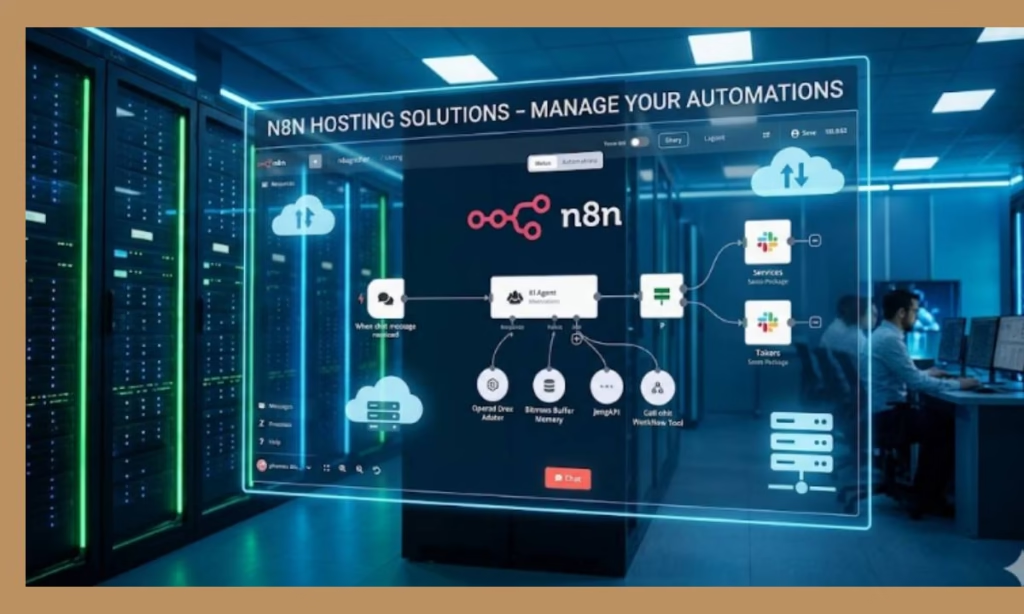
In today’s digital world, automation is essential for streamlining processes and boosting productivity. One effective tool that has gained popularity is n8n, an open-source workflow automation platform. But what does n8n hosting mean? How can it help your organization? And what are the best n8n hosting providers? Let’s explore.

What is n8n?

n8n (pronounced “n-eight-n”) is an automation tool that lets users easily connect different apps and services. It offers a user-friendly interface for creating workflows that automate repetitive tasks, making it simpler to manage data and streamline operations. 

With n8n, users can design custom automations without needing extensive coding skills.

That’s why many online statistics emphasize the importance of using powerful hosting technology, which will provide your audience with a unique experience.

  • Website performance remains critical, with 47% of users expecting a site to load in 2 seconds or less.
  • Power issues drive 54% of major data center outages.
  • 68% of businesses report data privacy compliance concerns.

This means you need to build a fast-loading online business, because users want more speed and an amazing online journey.

Why Consider n8n Hosting?

While you can self-host n8n on a local server or cloud platform, there are strong reasons to choose dedicated n8n hosting services:

1. Ease of Setup 

Hosting n8n can be complicated if you need to manage servers, databases, and infrastructure. With dedicated n8n hosting, you can avoid these technical challenges and start right away.

2. Performance Optimization: 

Professional hosting services offer optimized environments specifically designed for n8n, ensuring better performance and reliability. This leads to faster workflow execution and an improved overall user experience.

3. Scalability hosting

As your business expands, so do your automation needs. Dedicated hosting solutions offer scalable options, allowing you to adjust resources based on your changing requirements without downtime.

4. Security and Backups 

Hosting providers prioritize security, implementing measures that may be hard for individuals to handle. 

This includes regular backups, data protection, and compliance with security standards, giving you peace of mind.

5. Support

With professional hosting services, you usually have access to customer support when issues come up. This can be especially helpful for troubleshooting and ensuring your automations function smoothly.

Choosing the Right n8n Hosting Provider

When choosing a reliable hosting for n8n workflows, you should consider the following:

1- Reputation and Reviews

Look for n8n providers with positive feedback and a solid history in hosting services.

This is crucial to building a reliable business online because people share their stories online and on social media.

2- Features Offered

 Make sure the provider supports the specific features you need for your workflows, including integrations with other services.

3- n8n Hosting Pricing

Compare pricing plans to find an option that suits your budget while still meeting your needs.

You should do deep research online to compare and understand the right and the cheap n8n hosting options that suit your business goals.

4- Customer Support

Check the level of customer support available, including response times and expertise.

Web hosting support is very important when you build your online business, because it can save your business from many problems!

What Are The best n8n Hosting Providers?

In this list, you can explore these powerful n8n web hosting companies that focus on reliability, performance, customer support, and pricing.

1. DigitalOcean

DigitalOcean is known for its simple cloud infrastructure and scalability. With strong performance and fair pricing, it is a top choice for developers. Their droplet-based setup makes it easy to launch n8n instances quickly. 

Additionally, with DigitalOcean’s managed databases and other tools, you can easily connect various components.

Pros
  • User-friendly interface
  • Flexible pricing options
  • Excellent community support
Cons
  •  Limited automated backups on basic plans

Visit DigitalOcean Sales Page

2. AWS Lightsail

Amazon Web Services (AWS) Lightsail is an affordable and easy-to-use option for hosting n8n. It offers various plans for different needs with clear pricing. Lightsail’s built-in features, like a static IP and DNS management, simplify running your n8n instance without added complications.

Pros
  • Integrated AWS services
  • Reliable performance
  • Good scalability options
Cons
  • Slight learning curve compared to simpler platforms

3. A2 Hosting (Hosting)

A2 Hosting focuses on fast and reliable shared hosting that suits n8n deployments well. With a commitment to performance, A2’s turbo servers guarantee quicker page loads. 

Hostin.com (or A2 Hosting) provides great 24/7 support, which will help you to fix any n8 hosting errors. 

Pros
  • High-speed performance
  • Reliable customer service
  • Money-back guarantee
Cons
  • Shared hosting may not be ideal for high-traffic needs

Visit Hosting.com Sales page

4. ScalaHosting

Scalahosting’s n8n service is known for its intuitive user interface. Whether you’re a tech novice or a seasoned developer, the platform makes it easy to create and manage workflows. 

It also provides other amazing features like reliable performance, customization options to suit your specific needs, robust integrations, and more.

Pros
  • Competitive pricing
  • Customization option
  • Great integrations
  • Great support
Cons
  • Limited to creating more complex workflows

Visit Scalahosting Sales Page

Conclusion

n8n hosting offers a practical solution for your businesses to leverage automation without the headaches of managing infrastructure. 

By choosing a reliable n8n server hosting, you can make the most of n8n, enjoying benefits like improved performance and strong security.

Whether you’re just starting with automation or you’re an experienced user looking to expand, understanding n8n hosting can help you make better choices. 

I hope these best n8n hosting providers will help you to easily build a stunning online business.

If you have any questions or need help with n8n, please feel free to contact Ziligma Web Apps.

Nada 

Ziligma’s manager

What is Managed WordPress

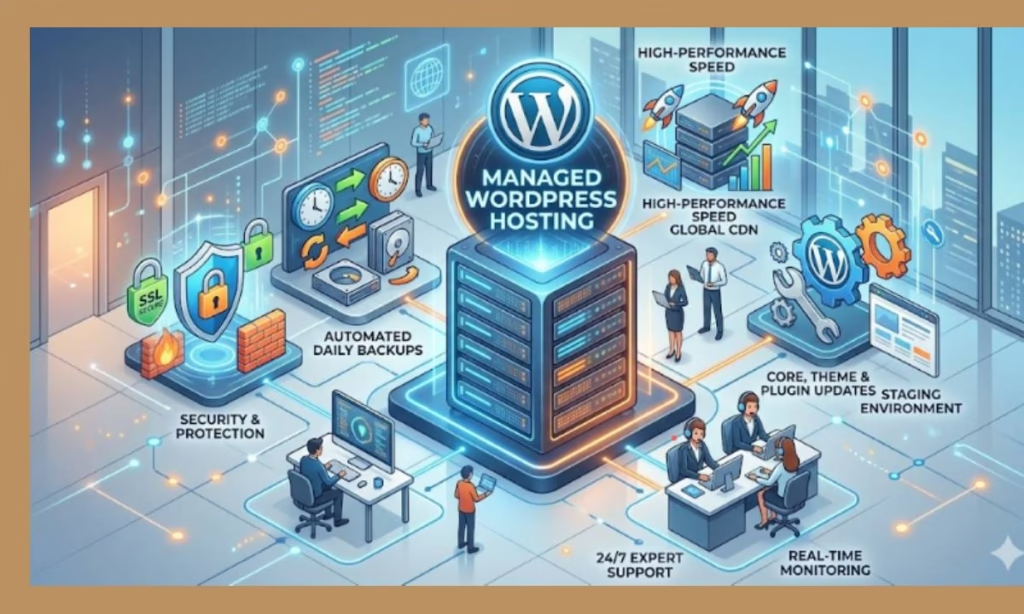
Managed WordPress hosting is a specialized service that delivers high performance, security, and convenience for WordPress websites. Unlike regular hosting, which offers general server space, managed WordPress hosting is specifically designed for WordPress users’ needs. 

This makes it an appealing choice for bloggers, startups, businesses, and developers.

That’s why many online statistics state the power of the Manage WordPress service in the market:

  • WordPress powers over 43.6% of all websites.
  • It has been the fastest-growing CMS since 2014.
  • People Google the word “WordPress” around 2.7 million times a month.
  • WordPress users publish 70 million new posts monthly.
  • More than 409 million people view about 20 billion pages on WordPress every month.
  • WordPress is translated into more than 200 languages.
  • You can find around 60k add-ons in the WordPress plugin repository.

This means WordPress is a powerful Content Management System (CMS) to consider if you want to build a stunning website!

Why Do You Need Managed WordPress?

One of the main benefits of managed WordPress hosting is the level of care and support it offers. Hosting providers handle important tasks, like automatic updates for WordPress core, themes, and plugins. This allows you to focus on creating content rather than dealing with technical maintenance.

Security is another key aspect of managed WordPress hosting. Providers often use strong security measures, such as malware scanning and removal, firewalls, and DDoS protection. These features help keep your website safe from potential threats. Many managed WordPress hosts also provide daily backups, allowing you to restore your site if any problems occur quickly.

Performance improves through server setups that are specifically made for WordPress. This includes caching solutions that speed up page load times and content delivery networks (CDNs) that share your content worldwide for quicker access by users.

Additionally, managed hosting usually comes with expert customer service. Support teams are made up of people who understand WordPress well. They can help you with any issues that come up, from technical questions to tips for improving performance.

Managed WordPress hosting can cost more than regular shared hosting, but many users find the benefits, like better performance, improved security, and dedicated customer support, make it worth the extra expense.

For these reasons, you need to use the best managed WordPress hosting providers in the market!

What Are the Best Managed WordPress Hosting Providers?

Managed WordPress hosting has become essential for both individual bloggers and businesses.

With powerful web hosting, you will ensure top performance, security, and ease of use. 

Below, you will discover the best-managed WordPress hosting companies on the market.

1. Kinsta

Kinsta quickly built a reputation for its excellent service and performance. Backed by Google Cloud, Kinsta offers a fast and reliable hosting solution. It includes features like automatic backups, free CDN, and an easy-to-use dashboard that works for users at any skill level. 

Additionally, Kinsta emphasizes security with active threat detection and monitoring, keeping your website safe from vulnerabilities.

Visit the Kinsta sales page to explore its managed WordPress plans.

Thus, Kinsta is a powerful web hosting option you should consider because it provides the best solution you need to efficiently manage WordPress websites in the market.

2- Hostinger 

Hostinger is a powerful website hosting company that you need to build a reliable and secure business online because it offers you all the features you need to host and create professional websites for any business, including the Managed WordPress option.

This allows you to engage your visitors with amazing web pages that can create amazing experiences for those visitors.

With Hostinger, you can easily manage your WordPress website because you will get all the tools and resources you ever need to scale your WordPress site.

For more details, you can visit Hostinger to explore managed hosting for WordPress plans. 

Therefore, Hostinger is a recommended web hosting provider to easily create your business online and generate real benefits.

3- Hosting (A2 Hosting)

A2 Hosting (It is now Hosting.com) is a good web host to easily create secure and fast websites for any business.

That means you can use A2 Hosting whether you need a simple blog, want to highlight your business, sell products through an eCommerce website, or need an enterprise-level, powerhouse machine for a custom application. 

The best of all, Hosting provides multiple managed WordPress options, like Managed cPanel VPS, Managed VDS hosting, and Managed WordPress.

Visit Hosting.com to discover its managed web hosting plans.

This makes Hosting.com ( A2 Hosting) the best web hosting solution that is both blazing fast and ultra-reliable to efficiently build amazing websites for any business.

Conclusion

In summary, if you want a worry-free WordPress experience that keeps your website secure, fast, and well-maintained, managed WordPress hosting is a great option. 

Whether you run a personal blog or a business site, choosing the right hosting provider can greatly affect your site’s success.

Feel free to contact us today for more information about choosing the best hosting option or building stunning websites for any business, or to discuss your specific situation. 

Thanks

nada

Ziligma’s manager

Hosting Premium

With the growth of the Internet, web hosting can significantly impact your company’s online presence and performance. As websites have become more complex and the demands users place on them have continued to grow, understanding what makes hosting premium is increasingly important. 

In this post, you will discover the basic characteristics of premium hosting, because powerful web hosting is crucial for business, according to many statistics:

  • The bounce rate increases by 32% as page load time goes from 1 second to 3 seconds.
  • 63% of smartphone users are more likely to purchase from companies whose mobile sites or apps offer them relevant recommendations on products they may be interested in.
  • 60% of smartphone users have contacted a business directly using the search results (e.g., “click to call” option).
  • 58% of smartphone users feel more favorable toward companies whose mobile sites or apps remember who they are and their past behavior.

This means you need to invest in the best website hosts, because it will help you to build a powerful online business, which will save more time, money, and effort. 

What Are the Benefits of Premium Hosting?

Hosting premium is a great option, you should consider generating real profit, such as:

  • Build a reliable online business with zero downtime errors.
  • Provide an amazing journey for your visitors.
  • Boost your rankings.
  • Reach more users.
  • Easily sell your business.
  • And generate more profit.

For these benefits, you need to use the top-rated web hosting in the market, because it will take your website to the next level.

Fortunately, there are several website hosting providers that provide professional hosting services to enhance your online presence and help you to build a stunning website online.

You can also get good hosting sites with a unique lifetime subscription that offers you reliable web hosting services!

What Makes Hosting Premium?

1- Enhanced Performance and Speed

The most notable features of premium web hosting services are their superior performance and speed of delivery.

Premium web-hosting services will typically use SSD (Solid-State-Drive) storage as their primary storage medium.

One of the primary advantages of using an SSD is that it provides faster data-read speeds than traditional HDDs.

This website’s speed loading is crucial for your user experience, because users will leave a slow website and will not return!

With many premium web-hosting services also utilizing CDNs (Content Delivery Networks), most web-hosting services can store your content closer to the end-user, which allows for faster download speeds for your site, regardless of where your visitors may be located.

2- Enhanced Security Features

Another significant factor that distinguishes premium web-hosting services from lower-cost (or budget) services is enhanced physical and electronic security.

Most premium web-hosting service providers will offer you a variety of security features, such as SSL certificates, firewalls, DDoS protection, and frequent malware scanning, in order to protect sensitive data from unauthorized access and to safeguard the security of the web-hosting provider’s customers, their sites, and end users.

3- 24 Hour Customer Support

When it comes to customer support, most premium web-hosting services make providing support a priority.

Many leading web-hosting companies provide 24-hour support from professional-level technicians who have a wealth of experience to provide you and your website with top-notch customer service.

4- Scalability

Scalability is important as a business grows because, as its hosting requirements change, most hosting providers have the ability to scale up or down to accommodate these changes.

Premium hosting companies typically offer you a variety of flexible hosting packages that can accommodate growing traffic levels and resource usage requirements.

Therefore, if your business needs to upgrade the hosting solution, it is easy to upgrade to an equal or higher level of hosting service with the same hosting provider without having to migrate its website to another hosting provider.

This will help you to easily grow your business and save more money, time, and effort!

5- Advanced Features and Customization

Premium Internet hosting services provide advanced features that will improve your overall experience.

Some of these features include auto-scaling, test environments for testing and developing changes, as well as custom server configurations that provide the best performance for a specific application.

These advanced features will also help provide an optimal user experience when they visit your business’s website.

Conclusion

These are the main factors to consider when making your hosting premium, because it is worth your investment.

This premium hosting will provide your businesses with a high-quality hosting solution, with several additional advantages, including improving your performance, enhancing security, strengthening customer support, and the ability to easily scale. 

Therefore, if you want to build a strong business, you should invest in amazing premium hosting.

Contact us today for more information about choosing the best hosting option for your business, or to discuss your specific situation. 

Choosing the best internet hosting provider can be the difference between having a successful long-term business and providing your users with a positive online experience.

Thanks

nadda

Why Change Your Web Hosting Provider

Powerful web hosting is crucial for building stunning websites and providing an amazing user experience. This will increase your profits and easily scale your business. In some cases, you need to change your web hosting provider to improve your web pages’ performance.

In this article, you will discover the reasons you should change your web hosting company. Let’s dive in!

What is web hosting

Website hosting is an online server that makes your website available on the internet. Those hosting offer you a secure online space to easily store your website’s files, like images, texts, codes, and so on.

This means you should choose a good web hosting to make your site accessible online and more secure, and load faster. 

Fortunately, there are multiple website hosting services, such as Shared hosting, Managed hosting, VPS hosting, Cloud hosting, e-commerce hosting, and more.

What Are the Benefits of Website Hosting?

The best web hosting is a must-have for your business, as it generates real benefits such as:

  • Build fast-loading websites for your company.
  • Get the support to fix any web hosting problems.
  • Offer a great user experience. 
  • Build strong websites with zero downtimes. 
  • Boast your business’s performance.
  • Create powerful online credibility. 
  • Get high rankings and drive more web traffic! 
  • Generate more sales and revenue. 
  • Save your money, time, and effort. 

These are some great benefits you will generate if you use a good web hosting service to build your sites.

Why should you change your web hosting provider?

A good website hosting is an essential factor you should invest in to strengthen your website’s performance.

For some reason, you can have a bad experience with your website hosting, which can lead to changing your web hosting provider, such as:

1- Having Website Downtime 

Downtime is a headache that can affect your user experience and profits as well. That’s why you should fix it by searching for the reasons or change your web hosting company to another powerful one.

According to many web statistics, downtime is the biggest problem that will harm your online business:

  • 44% of firms report that hourly downtime costs exceed $1 million to over $5 million.
  • 91% of organizations report that one hour of downtime for critical servers and applications costs over $300,000 in lost business

Regular downtime will kill your website’s credibility if you don’t take action to save your online business.

2- Boost your Website Performance

A fast-loading website is a crucial factor to improve your user experience and get more rankings in search engines.

No one likes a slow site, which will lose you more web traffic, leads, and sales.

This means you should invest in a top-rated web hosting to generate more profits and grow over time with ease and accuracy.

3-  Strengthen Your Website Security

Building secure websites is a main factor you should consider when you change your web hosting provider.

Cyberattacks and malware can easily affect your credibility if you have a bad web hosting service. According to these online statistics, many businesses face dangerous online attacks (Source: nu.edu):

  • 72% of businesses worldwide were affected by ransomware attacks!
  • 85% of mobile phishing attacks happen outside of email, through messaging apps, social networks, or games.
  • 93% of organizations expect to increase cybersecurity spending over the next year!
  • 66% of businesses expect their cybersecurity budget to grow in the coming year.
  • 60% of small businesses go out of business after being victims of cyber attacks.

That’s why you should use good hosting sites that offer a powerful security process within their features.

This security process can prevent you from many online attacks, which will secure your business data and enhance your credibility.

4- Grow Your Business Online

Scaling your website over time is a must-have, as your audience will grow, which includes more web host resources, such as storage, for example.

This means you should upgrade your web hosting plan to generate more traffic and profits.

If your web host does not offer scalability within its features, you need to change your web hosting provider to easily grow your business and reach more customers.

Therefore, scalability is a crucial element that leads you to upgrade or change your web hosting.

5- Change Your Web Hosting Provider to Get Fast Support

Fast support is very important to fix any web host error. It will save you more time and effort.

The best hosting sites with live chat support are a great investment you should consider.

This live chat support will help you to enhance your website’s performance and offer an amazing user experience.

Thus, you should leverage the best website provider with daily live chat support.

6- Save Your Web Hosting Budget

In some cases, you pay your website host more than you get. Changing to a new best website and domain hosting can get you more features with less investment.

This will help you to get more advanced features with a competitive web hosting price, which will improve your website’s performance.

So, you can get great web hosting services tailored to your website’s needs and your budget. 

7- Changing Your Types of Web Hosting

In some cases, you can change your web hosting provider if they do not provide an upgrade to the plan you need. 

For example, you need to upgrade to the VPS web hosting plan, which your host provider does not offer.

Generally, most recommended web hosting companies offer all types of web hosting services, which you need to upgrade over time.

Conclusion:

These are the main reasons to change your web hosting provider and get a powerful web hosting service where you can solve all your hosting issues.

Therefore, protecting and scaling are worth investing in the best web hosting website.

Feel free to contact Ziligma for more information about web hosting solutions and other marketing tools to grow your online business.

Thank you.

Nada Ziligma’s manager

Choose Exceptional Domain Name

Building a powerful website for your company is a crucial factor in marketing your business and reaching real clients. That’s why you need to choose an exceptional domain name for your website.

In this great article, you will discover the right tips you need to leverage for selecting a unique domain name for your business online.

According to many online businesses’ statistics, you need a professional website to market your company on the web successfully:

  • 56% of consumers prefer online shopping.
  • 27% of people worldwide regularly shop online. 
  • By 2040, it’s estimated that a staggering 95% of all purchases will likely be made online.
  • 71% of businesses have a website in 2023!
  • 82% of consumers want the brands they buy from to share their values.

These amazing online statistics state the importance of building a stunning website for your company to generate more profits.

What is a Domain Name? 

A domain name is an easy-to-remember name for your website, associated with a physical IP address on the web.

A domain name is like your website’s street address, which helps users search for and remember your website’s name.

This allows users online to type, research, and easily access your website, where you display your products or services.

Therefore, each IP address will have a domain name, which simplifies searching and browsing on the Internet.

What are the Benefits of Using a Great Domain Name for Your Website?

A standing domain name can get your company more profits, such as:

  • Easily remember and search on the internet.
  • Create a strong online presence.
  • Quickly building a powerful credibility online.
  • Building unique branding.
  • Create great email marketing addresses.
  • Stand out from the crowd.
  • Generate more search engine optimization profits.

So, these are some great benefits you can get from using an exceptional domain name for your web pages.

How to Choose an Exceptional Domain Name for Your Sites?

To efficiently find the perfect domain name for your websites, you should leverage these best tips, such as:

1- Make a Short, Memorable Domain Name

You should make your domain name easy to use online. This means it should be easy to spell, pronounce, and type on a search, which can allow users to remember it.

This will get your domain name more awareness, which will help your business to stand out and build an amazing brand.

Thus, you need to create a simple, memorable domain name for your sites.

2- Implement the Relevant Keywords within Your Domain Name

The right keywords are a profitable element to drive high rankings for your website. 

These relevant keywords should reflect your business. This will help your website to quickly rank higher on search engines and generate more traffic.

You can also use the key phrases that your target audience types into the search as your domain name. That allows you to quickly reach the right clients for your business and save more time, effort, and money.

This is the best tip: you can use a domain name for your website. 

3- Use a Unique Name for Your Website

Leveraging a unique domain name is a powerful key, you should consider because it will help you to stand out from the crowd.

Many businesses use this great strategy to build great branding online, which will get you more awareness and traffic.

Therefore, a standing domain name will make your site unique and memorable.

4- Think about a Powerful Domain Name Extension 

A domain name extension is a great tip you should use to build an amazing business online.

This means you should align your business with the right domain name extension. If you build an e-commerce website, you should use the right extension, such as .com or .shop.

If you are creating an educational business website, you use extensions like .edu, .study, or .training.

These are some domain name extensions on the internet. You can use the perfect domain registration to easily use the right extension for your website.

5- Use the Right Domain Name to Create a Powerful Brand

Your domain name should align with your brand identity. This will help you to easily build a standing online brand.

A standing brand can market your business successfully, which saves you more money, time, and effort. 

So, an exceptional domain name means building a great brand that can quickly grow with your company and serve you more in the future.

6- Create a Clear Domain Name

In this amazing tip, you should use a clear keyword that avoids any confusion for users.

This means you should use letters in your domain name, and avoid double letters, numbers, and hyphens because they can confuse the internet’s users. 

This confusion can harm your brand, which limits your business online from growing and reaching a larger audience.

Therefore, you should avoid any confusion to perfectly choose an exceptional domain name that will help your website grow.

7- Check your Domain Name Availability

Before making your final domain name decision, you should check its availability on the web.

Fortunately, many internet domain registries provide fee availability checking, which allows you to efficiently find the best domain name you need.

Checking your domain name availability is a crucial step to finalize your search.

If it is not available, you can search for a good domain name using the same strategy.

In addition, many of these good domain registrars offer multiple suggestions according to your search, with many extensions.

You should just take more time to discover the best domain name that suits your company.

Conclusion

These are the 7 essential tips you should leverage to choose an exceptional domain name for your websites with efficiency.

All these tips will prevent your online business from many issues in the future and will save you more money, time, and effort.

Thank you for reading.

Nada

Feel free to leave your comment below.

Prevent Website Downtime

Building a website is crucial for your company because it can generate tangible profits. This means you need to consider and prevent website downtime if you want to scale your business. Fortunately, there are many powerful tips to strengthen your web page’s performance.

In this helpful guide, you will discover the best tips to keep your website running smoothly and prevent downtime.

What is Website Downtime?

Website downtime refers to a period when your website is unavailable or is experiencing errors, preventing it from running smoothly online.

This can affect your rankings, your user experience, and credibility. That will seriously harm your business because you will lose real profits, as these downtime statistics indicate:

  • 44% of firms report that hourly downtime costs exceed $1 million to over $5 million.
  • 91% of organizations report that one hour of downtime for critical servers and applications costs over $300,000 in lost business

These downtime statistics state the importance of empowering your online business through leveraging the perfect marketing tools.

What is The Impact of Downtime for Your Website?

Downtime has a hard impact on your websites, such as: 

  • Decrease your rankings
  • Loss of web traffic
  • Loss of leads and sales
  • Damage online credibility
  • Reduce of productivity
  • Loss of your online business

This will have a powerful impact on your websites and your business online. 

That’s why you should strengthen your websites and make your business more stable and reliable.

 How Can You Prevent Website Downtime?

Here, some unique tips you should implement within your online business to empower your websites, such as:

1- Use the Best Website Hosting Services

A good web hosting is crucial for your websites because it will keep them running securely and smoothly.

This will generate more profits for your business online, including a great user experience, increased engagement, a good trust and reputation, and more. 

To reap these benefits, research the best web hosting options available in the market, focusing on the following key factors: reading online reviews from real customers, ensuring 99.9% uptime, having good support (live chat support is particularly crucial), security, and the web hosting’s performance.

Remember that cheap web hosting is not a good option if you want to scale your business over time.

2- Keep updating your application or site

Updating your machine is crucial for maintaining business stability and providing a seamless user experience.

Users search for the best online journey to solve their problems and want a high-quality experience, according to these amazing statistics:

  • 88% of users are less likely to return after a bad user experience.
  • 83% of consumers believe that a seamless user experience across all devices is essential.
  • 80% of people are willing to pay more for a better user experience.
  • 80% of consumers agree that the experience a company provides is as important as its products and services

This means you should update your software and ensure to provide an amazing online experience and security to your audience.

3- Implement Powerful Online Security within Your Websites

Website security is a must for your visitors because they want to protect their sensitive information.

This means you should leverage the perfect web application protection to secure your users’ data and protect your websites from any cyber attacks.

These cyberattacks can cause you downtime, which will impact your online reputation and cost you more profits as well. 

Therefore, you need to consider safe browsing to prevent any website downtime.

4- Use a Powerful Backup Software 

A powerful backup system is another best tip you should implement on your websites because it can prevent many web issues.

This backup software is essential for your websites because it allows you to quickly backup and restore your website if there is a cyberattack or online error.

This means you can easily solve and minimize any website downtime.

5- Leverage an Amazing Site Downtime Monitor

You should consider website uptime monitoring to track website downtime and quickly take action.

In the market, there are many powerful online apps to perfectly monitor downtime website and know everything. 

These apps allow you to get instant notifications about any downtime, with deep insights about your website’s performance.

This allows you to quickly take the needed action if there is an issue with your site’s performance.

6- Optimize Your Website

Optimizing your web page is a great tip you should use, as it can prevent website downtime.

This means you can prevent downtime by optimizing some of your website’s elements, such as image sizes, files, code, and more. 

Thus, you can easily streamline your site’s performance and ensure you are creating a strong online reputation.

7- Use CDN Services

CDN or Content Delivery Network is a powerful factor you should consider when you are building your websites.

This great online tool saves you more time and effort, as it will empower your site’s performance, fast-load your web page, increase your website’s security against cyberattacks and malware, and improve global reach for your site. 

For these reasons, CDN is a crucial online app for your websites. Fortunately, there are many online platforms that provide this great service. 

The best of all, some of the best hosting services offer CDN features for free within their web plans.

8- Analyze Your Website Regularly

Keep a close eye on your website. You should test and analyze if there are any broken links, theme issues, or any other errors.

This close attention to your website can quickly prevent website downtime before it affects your web page and then the user experience.

Therefore, testing and analyzing are a crucial tips you should consider to efficiently strengthen your business online.

9- Scaling Your Business Online

You should consider scaling your business when you build stunning websites, as you will drive more traffic over time.

This can slow down your web page and cause your website downtime, which will affect your site’s performance and reliability.

Therefore, don’t forget to leverage a powerful web page hosting company that offers upgrading plans to easily scale and take your online business to the next level.

Conclusion

These are the 9 best tips you should implement within your business online to easily prevent website downtime and enhance your business’s performance.

All these 9 tips are used by professional online marketers to empower their websites. 

Therefore, implement them within your web pages to keep running your business online and save your money, time, and effort.

Thanks for reading.

Nada

Feel free to leave your comment below.

The Best Hosting Services

Before building your business online, you should choose the best website hosting services as they are an essential factor in creating powerful websites and engaging your visitors to generate real profits.

This means you need to consider several key factors when looking for the best website hosting services on the market.

In this rich guide, you will discover these main keys that will help you choose the perfect website hosting company to start your online business. 

Why Top Web Hosts Matter 

Selecting the perfect website hosting company can get you real benefits, such as 

  • Build fast-loading websites for your company 
  • Get the support to fix any web hosting problems 
  • Get great scalability opportunities 
  • Offer a great user experience 
  • Build strong websites with zero downtimes 
  • Boast your business’s performance
  • Create powerful online credibility 
  • Get high rankings and drive more web traffic 
  • generate more sales and revenue 
  • Save your money, time, and effort 

Therefore, a great web hosting is a goldmine for your websites because it gets real profits that matter for generating sales and growth. 

What are the Perfect tips to choose the best website hosting services 

To build fast-loading websites, you should leverage these great tips to easily choose amazing web hosting services that can boost your site’s performance, such as:

 1- The Type of Your Websites

This means you should determine your niche and the type of your site because it matters; a simple blog is different from an e-commerce website.

This is very important when you plan to host your business online because it will allow you to scale your business with ease and accuracy.

Good planning will also help you to invest perfectly in a good web hosting and save your money and effort to market your business and make real profits.

So your niche is very important when you are looking for the best hosting sites in the market. 

2- The Performance of Your Webpages 

Fast-loading websites need the best website hosting services. It’s a must-have for your websites to create amazing user performance because many online statistics focus on the website loading time:

  • The probability of bounce increases by 32% as page load time goes from 1 second to 3 seconds.

This makes your visitors happy to search your website, which increases engagement, credibility, and profits.

3- Great Web Hosts Offer Reliability and Uptime

This great tip is crucial for your website because it provides stability, zero downtime, a great user experience, and more web traffic.

For these reasons, you should leverage a top website hosting service that offers at least a 99.9% uptime guarantee.

That’s why online uptime statistics state the importance of choosing the best website hosting services for your web pages:

  • Website search result rankings will drop 30% after six hours of downtime on average. 

Downtime for your website means losing credibility, rankings, web traffic, leads, sales, and growth.

Thus, good hosting sites mean stability, running rankings, great user experience, profits, and scaling.

4- Web Page Hosting Company with Great Customer Support 

Great customer support is crucial when you choose a web hosting provider because it will help you to fix any web hosting issue that will make your websites stable.

This means you need a website hosting that offers 247 customer support via multiple channels, including live chat, email, and phone.

Live chat support is very important because it allows you to quickly act and contact your web host company if your website has any problems.

You can also ensure if this web hosting has a good reputation from real reviews.

So, excellent customer support is crucial when you choose the best website provider.

5- Great Web Hosting Features 

Amazing features are very important for your websites because they help your sites improve their performance and generate more profits.

Here, you should focus on security features, which are very important for all online users.

Security features are a major concern for your website. That’s why you should look for hosting companies that provide robust security features like SSL certificates, firewalls, malware protection, and more to keep your site safe.

 6- The Best Hosting Services Provides Scalability 

Scalability is crucial for your business online because you need it to grow your website over time.

This scalability will help you scale your business online, reach more users, drive more traffic, and make profits.

Therefore, you should consider scalability when you build your websites.

7- Read Reviews and Testimonials 

You need to read real reviews from current and past customers to know the real reputation of this website host before diving in.

Those real reviews will give more information about the reliability and performance of this web hosting company.

You can search online to get good reviews about any web host, and then you can make your decision with ease and efficiency. 

8- Additional Features 

You can look for additional features that can improve your website’s performance and save you time, effort, and money!

Some good website hosting providers offer additional features, such as free domain registration, website builders, email hosting, daily backup, and more.

These additional features can empower your websites and save you money, time, and effort! 

9- Read and Compare Pricing Plans 

These pricing plans are very important. You should read and compare them before making your web hosting decision.

Don’t look for cheap web hosting because it can limit your website’s performance.

Look for the best option to build real and stable websites and scale your online business with efficiency.

You should just compare the web hosting investment and the quality of services you get!

Remember that the perfect web hosting services mean a good investment!

Conclusion 

These are some powerful tips you should consider when choosing the best website hosting services to build reliable websites for your business.

You should take your time, search, and analyze every factor before making your decision to ensure the best web hosting choice for your website.

Thank you for reading.

Nada

Feel free to leave your comments below.

Create Stunning Landing Pages

Online presence, stunning landing pages are crucial to turn your visitors into loyal clients. That’s why you need a powerful landing page that serves as a virtual welcome page to guide your visitors to a specific action. That means you should create stunning landing pages in WordPress!

This comprehensive guide will teach to build great WordPress landing pages for free easily. This will help you discover the main methods and tools to make a perfect landing page in WordPress that converts. Let’s dive in.

What Makes an Amazing Landing Page?

A powerful landing page is more than just an attractive design. It’s a powerful marketing tool designed to generate real benefits such as:

  • It is for a single goal: This means you should guide the visitor towards one specific action. It can include any marketing action, such as signing up for a newsletter, requesting a demo, or making a purchase.
  • It delivers a clear message: You should immediately communicate the benefits of what you’re offering.
  • It creates a compelling Call-to-Action (CTA): The persuasive CTA button encourages visitors to take the desired action. Here, you can use verbs like “Download Now,” “Get Started Today,” or “Claim Your Discount.”
  • It builds strong trust and credibility: Implement testimonials, social proof, and guarantees within your landing pages to reassure visitors and build trust and credibility.
  • It optimizes for mobile: Mobile is an essential device in online business because many users use it to search online. That’s why you should create stunning landing pages that are responsive for all devices.

Why a Stunning Landing Page is Crucial

Many rich web statistics state the importance of marketing your business via a great landing page:

  • 43.6% of marketers identify lead generation as their goal with landing pages.
  • 35% of B2B marketers claim that the landing page was the most successful method for collecting newsletter subscribers.
  • 27% of marketing decision-makers report using automation for landing pages.
  • Mobile drives 82.9% of traffic to landing pages!

Thus, these online statistics state the power of using a great landing page to sell your products.

What Are the Best Methods for Creating Landing Pages in WordPress For Free?

You have many options to create an amazing landing page within WordPress for free. Each of these methods has its pros and cons, so choose the one that best fits your technical knowledge and business needs.

1. Use WordPress Block Editor

You can use WordPress Block Editor to easily create your stunning WordPress landing pages. WordPress provides all the tools and features you need to start for free and build your web pages from scratch.

How to use it:

  1. Open your WordPress dashboard and create a new page.
  2. Give it as a headline.
  3. Start creating, add, and customize your design using WordPress features like blocks, buttons, widgets, and more.
  4. You can use several WordPress features to create stunning landing pages for free and with ease.

With WordPress tools, you should just learn and know how to design using these tools, because there are many options you can leverage.

2. Leverage Your WordPress Theme’s Features

Many modern WordPress themes provide pre-designed landing page templates for free that you can customize to suit your needs. 

Some WordPress themes provide more free options, which will simplify the task of designing powerful web pages.

This is the simplest method you should consider if you don’t have the skills to design your landing pages from WordPress blocks.

How to use this method?

  1. Check your theme documentation for landing page templates or layout controls. 

In many cases, you can disable the header, footer, and sidebar to create a focused landing page experience.

In this WordPress Theme’s Features method, you don’t need any additional plugins, and it is easy to add and customize the existing theme’s features.

However, most of these WordPress themes provide limited options in the free version. This can limit your options for designing stunning landing pages.

3. Use Free WordPress Page Builders

WordPress offers many free WordPress page builder plugins that will save you more time and effort to quickly make a landing page in WordPress.

These WordPress plugins are great page builders because they provide a powerful drag-and-drop feature that is an essential element for designing an amazing landing page perfectly. 

Best of all, these page builders provide great features like Pre-built blocks, templates, widgets, library, and more.

So this will help you to add and customize your design using the drag-and-drop editor.

However, the main problem with these WP page builders is that their free versions have limited features compared to premium ones.

This does not provide a huge elements to make stunning landing pages as you like, but you can start using its free version.

What are the Best Free Page Builders?

1-Elementor is the best one in the market because it provides great features to create converting landing pages in WordPress for free.

Its premium version is very amazing because it offers more advanced features that professional web designers use.

2- You can also use Beaver Builder and many other great free page builders that can help you to make converting landing pages for your business.

How to use these great page builders?

It is easy to use these web builders because they are very simple. You can follow these easy steps to start using them:

  1. Install and activate your chosen page builder plugin. 
  2. Create a new page in WordPress.
  3. Select the page builder editor.
  4. Use the drag-and-drop interface to add and customize your designed landing page.

What makes a High-Converting Landing Page?

To make high-converting landing pages, you need to focus on the main elements that a landing page should include to sell your business, such as:

  • Compelling headlines that communicate the benefits of your business.
  • Focus on the benefits of your products and not the features.
  • Use amazing visuals and videos to present your products and engage your visitors.
  • Implement real customer reviews and testimonials to convert your visitors into real buyers.
  • Use a powerful Call-to-Action button to grab the attention of your audience.
  • It is better not to use any navigation in your landing pages.

Therefore, these are the main factors your landing pages should include because they are essential to guide your visitors to take the desired action you want.

Some Marketing Tips to Improve Your Free Landing Page WordPress

You should consider some other perfect marketing tips when you are creating your stunning landing pages, such as:

  • Write a powerful copy to easily market your business and generate more profits.
  • Understand your audience and their needs and desires because you should offer them a solution to solve their problems.
  • Analyze brand landing pages to know what works within your niche!
  • Optimize your WordPress landing pages to drive more web traffic.
  • Test, analyze, and edit your cool landing pages!

Conclusion

In this comprehensive guide, you have learned that it is easy to create stunning landing pages in WordPress. You should just leverage some WordPress block editor, the features of your theme, and free page builder plugins to build effective landing pages that drive conversions. 

Thank you for reading – nada

Feel free to leave your comment below.

How to Start Business Online

Building a powerful online presence is no longer optional for businesses. It’s essential for getting more leads, sales and growth. Whether you’re a budding entrepreneur or an established brick-and-mortar store looking to expand your reach, start business online from scratch can unlock a world of opportunities. 

This comprehensive guide will walk you through the essential steps that will teach you to build your business online.

This means you should from creating a business plan to launching your thriving ecommerce website.

Start you online business is profitable

Building your online business is very profitable according to good web statistics:

  • 56% of consumers prefer online shopping!
  • 27% of people worldwide regularly shop online
  • 95% of all purchases will likely be made online!
  • 71% of consumers have switched brands at least once.

Therefore, building a powerful business online is very profitable because there are huge demand online.

Essential Steps to Start your Business Online from Scratch

To start your business journey, you should follow these great steps to easily build your business online:

1. Creating Your Business Plan

Before diving into the process of making a business website or setting up your e commerce store, you need a solid foundation: a well-defined business plan. 

This perfect document serves as your roadmap and should address the following key areas:

  • Executive Summary: It’s an overview of your business, its mission, and its goals.
  • Company Description: Detail your products or services, target audience, and competitive advantages.
  • Market Analysis: Analyze your industry, identify your competitors, and understand your target market’s needs and behaviors.
  • Marketing and Sales Strategy. It outline how you plan to attract and engage the right customers, promote your products or services, and drive sales. This is crucial for your business building online.
  • Financial Projections: Analyze and estimate your startup costs, revenue projections, and profitability forecasts. This will help you secure funding and track your progress.

A deep researched business plan will not only guide your decisions. It will also serve as a powerful tool when seeking funding or partnerships.

2. Choosing the perfect Online Platform: Ecommerce Shop or Business Website?

The next step is selecting the type of online marketing platform that best suits your business goals and needs.

  • Ecommerce Store: Perfect for businesses selling physical or digital products directly to consumers. Good Online platforms such as: Shopify, WooCommerce, BigCommerce and many other sale channels provide amazing marketing tools. This will help you to perfectly market your business, manage inventory, process payments, and handle shipping.
  • Business Website: Ideal for businesses offering services or providing information. A business website can showcase your expertise, generate leads, build brand awareness and generate more sales. That’s why you should leverage powerful online platforms like: WordPress, Wix, and Squarespace. These platforms offer you user-friendly interfaces, customisables templates and many other marketing solutions.

You should also choose a hybrid approach. If you primarily offer services but also sell related products, you can integrate an ecommerce shop within your business website.

3. Building Powerful Online Presence: Website Design and Development

Once you’ve chosen your online platform to start your online business, it’s time to focus on business website making. 

Whether you hire a professional web developer or use a DIY website builder, you should consider these main elements:

  • User-Friendly Design: You need to make your website easy to navigate, visually appealing, and mobile-responsive. This is very important for first impressions.
  • Compelling Content: You should create high-quality content that informs, engages, and persuades your target audience.
  • Search Engine Optimization (SEO): You should optimize your website for search engines. This will improve your visibility, ranking and attract more organic traffic.
  • Secure Payment Gateway (for Ecommerce): You should choose a reputable payment gateway to secure transactions and build customer trust. This is very important for your clients!

4. Marketing Your Business Online: Reaching Your Target Audience

Creating an online store is only the first step. You need to successfully market your business to reach your target audience. This means you should consider these perfect marketing strategies:

  • Search Engine Optimization (SEO): Easily improve your website’s ranking in search engine results pages (SERPs).
  • Social Media Marketing: Perfectly engage with your audience on social media platforms like Facebook, Instagram, Twitter, YouTube, TikTok and more.
  • Email Marketing: Effectively build a powerful email list and send targeted messages to nurture leads and drive more sales.
  • Paid Advertising: Use advertising platforms like Google Ads, Microsoft Ads and social media advertising platforms. Those advertising platforms can drive you more traffic and reach a wider audience.
  • Content Marketing: Perfectly create engaged marketing content, such as: blog posts, videos, audios, infographics, and social media content . This great content is essential to quickly attract and engage potential customers.

5. Launching and Scaling Your Business Online

Once you’ve finalized your website, your marketing strategy, and your operational processes, it’s time to launch your ecommerce store or business website. 

You should start your business online small, gather feedback, and iterate based on your findings. Continuously analyze your performance insights, such as: website traffic, conversion rates, customer behavior, and customer satisfaction. This will allow you to make the right adjustments you needed to perfectly optimize your results.

So Making a business website and building a successful online business from scratch requires dedication, perseverance, and a willingness. Those steps will help you to perfectly adapt to the ever-changing digital landscape. 

Conclusion

By following these essential steps and continually learning and improving, you can build a thriving digital presence. This can drives you more profits, growth and easily achieves your business goals. 

Remember that building a profitable business online is an ongoing process and requires constant attention, learning and refinement to stay competitive.

Thanks

nadda

Feel free to leave your feedback