DigitalOcean

DigitalOcean is a top website hosting option to consider, and a developer-friendly cloud that is expensive for raw compute. It is best for US-focused teams that want managed databases, strong docs, and a formal SLA.

It is a weaker fit for pure compute-cost optimization, European audiences, and budget CPU-heavy workloads.

Rating: 4/5 for developers, startups, and small production apps. However, it drops to roughly 3/5 if you only want cheap VMs.

What DigitalOcean Hosting Offers?

DigitalOcean is the best website hosting for building a reliable online business.

The core product is the Droplet, a Linux VM. Shared-CPU Basic plans sit alongside four dedicated-CPU families: General Purpose, CPU-Optimized, Memory-Optimized and Storage-Optimized. 

Around that, it sells:

  • Managed databases: PostgreSQL, MySQL, MongoDB, Valkey, Kafka and OpenSearch
  • Managed Kubernetes
  • Spaces object storage, a container registry and load balancers
  • App Platform, a PaaS layer
  • GPU Droplets

DigitalOcean is also offering AI Technology. It launched Managed Agents in public preview in September 2026, and AI customer ARR reached $234 million in Q2 2026, up 212% year-on-year.

In October, it followed with Agent Droplets for AI agents. Treat these as early-stage products.

DigitalOcean Hosting Pricing

DigitalOcean hosting plans start at $4 per month, and the price depends on RAM, CPU, SSD storage, and included bandwidth. 

For a typical Basic ladder, per one independent review:

SpecPrice
1 vCPU / 1 GB / 25 GB$6/mo
2 vCPU / 2 GB / 60 GB$18/mo
2 vCPU / 4 GB / 80 GB$24/mo
4 vCPU / 8 GB / 160 GB$48/mo

Billing details that affect your costs:

  • Droplets have been billed per second since January 2026, with a monthly cap. Outbound transfer beyond the included allowance costs $0.01/GiB.
  • Weekly automated backups add 20% to the Droplet price, and daily backups add 30%. Snapshots cost $0.06/GB per month.
  • Reserved IPs are free while attached, but unassigned ones cost $5/month.
  • New accounts get $200 in credit for the first 60 days.

One caution: the Droplet is the compute line, not the total hosting bill. Backups, databases, load balancers, and support tiers add up. 

It has also been adjusting plans this autumn, so confirm current numbers on its pricing page before budgeting.

Web Hosting Performance

These figures come from one independent benchmark of the $24 plan, so treat them as a single data point.

  • CPU is the weak spot. Geekbench 6 scored 772 single-core and 1,384 multi-core, which the reviewer called below average for 2026.
  • Disk is a strength. Random 4k I/O reached about 54.2k IOPS, which beat Hetzner’s comparable plan despite costing four times as much.
  • US network is excellent. Tests to Los Angeles reached 8.06 Gbits/sec receive at 11.6 ms. Transatlantic and Asian routes were merely serviceable.
  • Provisioning is fast, at about 55 seconds from clicking Create.

Ease of use and docs

The control panel is clean and quick to learn. Creating a Droplet is a single page covering region, OS, plan, and SSH key, with hourly and monthly prices shown on each plan card. 

The documentation and tutorial library is widely regarded as among the best in the industry. 

This is a real differentiator against cheaper providers.

Hosting Support and Reliability

  • SLA: A 99.99% uptime SLA with credit-backed compensation covers the network, power, and virtual server availability.
  • Support tiers: Free support has a 24-hour response time. Paid tiers cost $24/month (8 hours), $99/month (2 hours, with live chat), and $999/month (30 minutes, with Slack and video).
  • Weak point: User reviews report slow responses during critical incidents on the free tier, and at least one case of a server being blocked without adequate notice. If you run production on DigitalOcean, budget for at least the Standard tier.

DigitalOcean Managed services

  • Databases: The smallest PostgreSQL cluster is $15.15/month and includes daily backups with point-in-time recovery, failover, and connection pooling. The entry tier is single-node with no high availability.
  • Spaces: S3-compatible storage starts at $5/month for 250 GiB with 1 TB of outbound transfer and a built-in CDN.
  • Kubernetes: The control plane is free. You pay only for worker nodes and associated resources.
  • App Platform: Static sites are free, and dynamic apps start at $5/month.

Pros and Cons

Pros

  • Very fast, simple provisioning and a clean UI
  • Excellent docs and tutorials
  • Strong disk I/O and US network quality
  • Mature managed databases and Kubernetes
  • Formal 99.99% SLA
  • Per-second billing with a monthly cap
  • Good API and Terraform support

Cons

  • Costly for raw compute. A 2 vCPU / 4 GB Basic Droplet costs $24/month versus about $9.49 for Hetzner’s CPX22 after its April 2026 price change.
  • Below-average shared-CPU performance
  • Weak free support, with fast response locked behind paid tiers
  • Fewer compliance certifications than the hyperscalers
  • Less cost-effective for European or Asia-Pacific audiences

Who Should Use DigitalOcean Hosting?

You can use this best hosting company as:

  • Startups and small teams shipping web apps or API in the US
  • Developers who want managed Postgres or MySQL without running it themselves
  • Agencies hosting client apps who value stability and good docs
  • Anyone prototyping with the free credit

Conclusion

DigitalOcean is a recommended web host for building a reliable online business with strong performance and solid security.

So I hope this DigitalOcean review will help you to make the right decision and start building a stunning website to easily market your business. 

Nada

Ziligma’s manager
Self-Hosted n8n on Hostinger

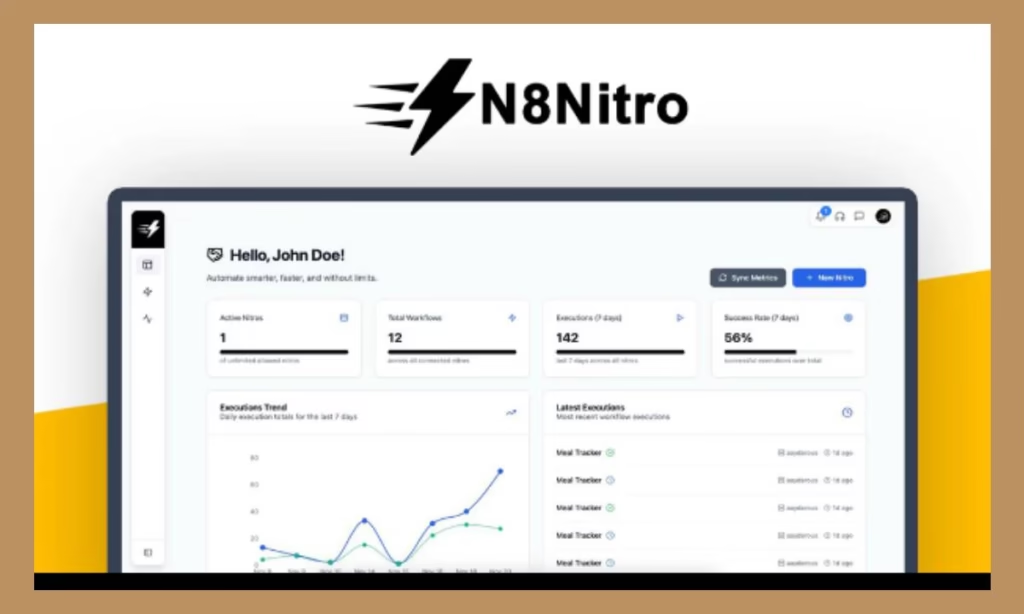
Workflow automation tools are powerful marketing tools to discover, such as Zapier or n8n Cloud. You build a few workflows, they work, and then the bill grows with your usage. Self-hosted n8n on Hostinger avoids that and offers you great self-hosting options.

What Is Self-Hosted n8n?

n8n is an open-source workflow automation tool. It connects your apps and data in one customizable platform without requiring code. 

Self-hosting means running it on your own server instead of paying for the managed cloud version.

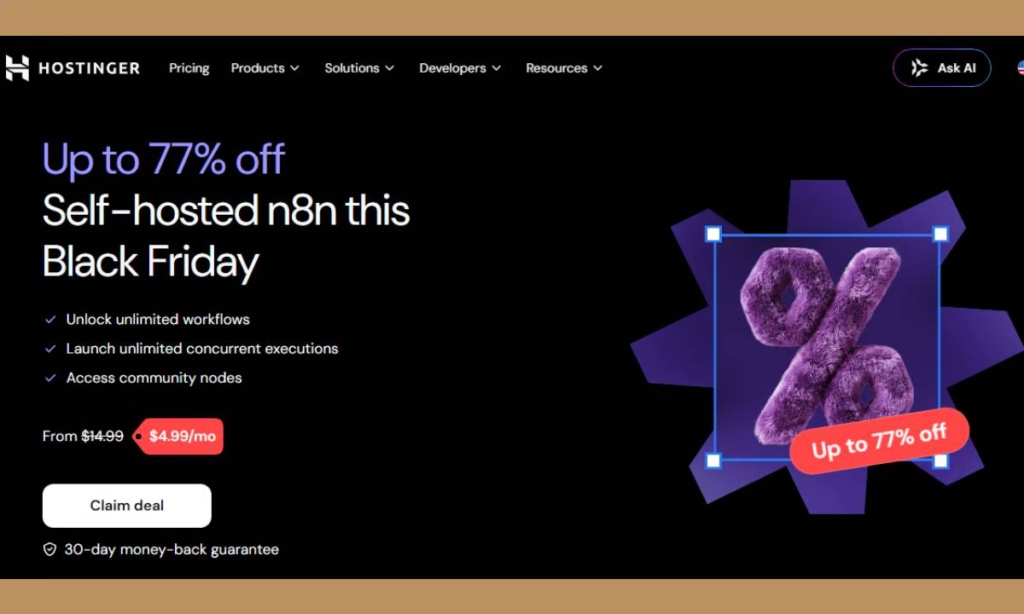
With Hostinger’s plans, you only pay for the VPS, and you get unlimited workflows, unlimited executions, and access to community-built nodes.

This makes it a profitable hosting option to easily build and scale your applications.

What Are the Benefits of Self-Hosted n8n?

With this type of hosting, you will profit from:

Cost:

  • The Community Edition is free, with no per-execution or per-task fees.
  • You only pay for the server, which can be a small VPS.

Unlimited usage:

  • No caps on workflows, executions, or steps per workflow (beyond what your hardware can handle).
  • High-volume automations, like syncing thousands of records or polling APIs frequently, stay affordable.

Data privacy and control:

  • Data never leaves your infrastructure unless a workflow sends it out.
  • Useful for GDPR, HIPAA, or client-confidentiality requirements, and for handling customer data, credentials, and internal documents.
  • You decide where the data is stored (region, provider, on-premises).

Customization and more flexibility:

  • Run custom code in JavaScript or Python inside workflows.
  • Install community nodes or build your own.
  • Use any npm packages (with the right configuration).
  • Modify environment variables, execution settings, timeouts, and retention policies.

Network access:

  • Connect to internal systems that aren’t exposed to the internet: private databases, intranet tools, local APIs.
  • Run it alongside other services (databases, Redis, AI models) on the same network for low latency.

Performance and scaling:

  • Scale as you choose: a single instance, or queue mode with multiple workers and Redis for heavy loads.
  • Dedicate resources instead of sharing a multi-tenant platform.

Integration with local AI:

  • Pair it with self-hosted LLMs (e.g., Ollama) for AI workflows with no API costs and no data sent to third parties.

No vendor lock-in:

  • Workflows are exportable as JSON, and the source is available under a fair-code license.
  • You aren’t affected by a provider’s pricing changes or feature removals.

Therefore, Self-hosting is the best option if you run many or high-volume workflows, handle sensitive data, or want full control.

However, if you want zero maintenance and minimal setup, n8n Cloud is simpler.

How Does the Self-hosted n8n on Hostinger Setup Work?

Self-hosting n8n means installing Docker, configuring the app, and handling SSL certificates. 

Hostinger skips most of that with VPS templates. n8n comes preinstalled with the “Ubuntu 24.04 with n8n” template, running inside Docker.

Here are three template options:

  • Standard n8n: the basic install, good for most people starting out.
  • n8n with queue mode: built for better scalability when workloads grow.
  • n8n with pre-made workflows: a template that includes access to 100+ ready-made workflows.

The basic flow looks like this:

  1. Choose a VPS plan.
  2. Select the n8n template during setup.
  3. Open the n8n interface, connect your services, and start building.

If you already have a VPS, you can install the template later through Hostinger hPanel by going to VPS, then Operating System, then choosing the n8n template.

Hostinger n8n Pricing

Fortunately, all Hostinger VPS plans include self-hosted n8n. The KVM tiers start at $4.99/month (KVM 1), $6.99/month (KVM 2), $9.99/month (KVM 4), and $19.99/month (KVM 8). Prices vary by region, billing term, and current promotions, and Hostinger’s own n8n page shows pricing from $6.49/month at the time of writing. 

Plans are paid upfront, and the monthly rate is the total price divided by the months in your plan. 

You should check the live pricing page before you invest in Hosting’s Self-Hosted n8n.

For comparison, one reviewer noted that n8n Cloud’s Starter plan costs $20/month and caps you at 2,500 executions and 5 concurrent executions. A self-hosted VPS has no such execution cap.

Managing Your Server with AI

Hostinger provides an AI assistant for server management. This allows you to monitor CPU, memory, and disk usage, manage firewall rules, SSH keys, and reverse DNS, and create backups and snapshots, restoring your VPS directly from chat. 

This is a great option if you’re comfortable with automation but not with server administration.

n8n vs. Zapier

Zapier works on a task-based model, while n8n works on a workflow basis and is more customizable. 

Zapier does have more connectors: around 5,000+ against n8n’s roughly 1,900. If you need a niche integration, check that n8n supports it. 

For custom logic, AI agents, or high volumes, n8n on a VPS is usually the better fit.

Security and Data Control

Self-hosting means you decide who can access your data. Hostinger notes that whether you run in the cloud or locally, you retain full control of your data and choose who has access. 

You can also use any AI model, plug in your own data, connect external tools, and use webhooks as triggers with a reverse proxy.

This offers you more flexibility to manage your applications using AI tools you like.

Hostinger n8n self-hosted: Keep in Mind

Self-hosting has trade-offs:

  • Support scope is limited. Hostinger’s support covers the VPS environment, including installation and making sure n8n is running. It does not cover troubleshooting your internal workflows, configuration, or custom code.
  • You handle maintenance. Updates and workflow design are your job.
  • Pick the right tier. Heavy workflows or many concurrent executions may call for a larger plan or queue mode.

There’s a safety net, because Hostinger offers you a 30-day money-back guarantee.

Who is Hostinger n8n self-hosted for?

This self-hosted option is for many online businesses such as:

  • Freelancers and solopreneurs who want to automate invoicing, email, and content publishing cheaply.
  • Small businesses connecting payments, CRMs, and email without per-task fees.
  • Developers and AI builders who want a flexible automation backend with MCP and AI nodes.
  • Good fit for agencies and resellers: You can run separate instances per client, or host automations as a service without paying per-client platform fees.
  • Zapier or n8n Cloud users if your bills are growing.

Conclusion

Hostinger’s self-hosted n8n gives you the power of n8n at a low, predictable monthly cost, with a template-based install.

So, if you’re comfortable with a little server ownership, it’s one of the most affordable ways to run serious automation.

If you need advanced self-hosted n8n, check this article to discover some great self-hosted websites.

If you need more details, feel free to contact the Ziligma team.

Verpex VPS Hosting Plans

Finding the best hosting sites for your websites can be daunting. Verpex hosting has entered the VPS web hosting market, offering a range of plans designed to cater to various levels of performance and scalability. 

In this review, you will discover the benefits and the features of Verpex’s VPS hosting plans and assess their suitability for different types of users.

Verpex VPS Hosting’s Benefits

Verpex is a recommended web hosting provider to consider because it will:

  • Speed up your website.
  • Boost your website’s performance.
  • Strengthen your online security.
  • Create a great user experience for your audience.
  • Easily upgrade to get more features and improve your website.
  • Save your time, money, and effort

Therefore, Verpex VPS is a profitable web hosting option to consider because it can boost your online presence and provide a unique user experience to your audience.

Overview of Verpex VPS Hosting

Verpex provides a cloud-based VPS hosting solution that aims to deliver high performance, flexibility, and user-friendly management features. 

Their infrastructure is built on cutting-edge technology, providing customers with the resources required for efficient web applications and websites.

That’s why many web statistics highlight the power of using a powerful VPS hosting company:

  • 10.3% of the entire web hosting market consists of VPS platforms.
  • More than 2,500 companies offer VPS hosting.
  • Managed VPS plans have an even more impressive CAGR of 16.5%.
  • About 60% of all VPS servers run Linux.
  • KVM is the most popular virtualization technology.
  • VPS adoption in the Asia Pacific region is booming!
  • VPS-hosted sites load between 15% and 35% faster than those hosted on shared plans.
  • VPS hosting solutions start at between $20 and $50 per month and can go up to around $180 per month for the more powerful solutions.

This will help you to build a fast website that your visitors will enjoy to search for getting their needs.

Verpex Hosting Key Features

Here are some key features that set Verpex’s VPS hosting apart:

1. Scalability

Verpex offers you great hosting plans that are easily scalable, allowing you to upgrade your resources without substantial downtime. 

This is particularly useful for growing businesses that may need to adjust their capabilities quickly.

2. Hosting Performance

Verpex web hosting is built on SSD storage and optimized for speed; this enables Verpex to compete with other powerful VPS companies by providing fast loading times and high availability, which are crucial factors for websites of all sizes.

Many websites are suffering because of bad website hosting services!

3. Management

The Verpex platform includes a user-friendly control panel that allows you to easily manage your VPS environment, including tasks like updating software, managing files, and monitoring resource usage.

This is a great feature because it can save you more time and effort, and help you to focus more on marketing tasks!

4. 24/7 Support 

Verpex has a dedicated support team available around the clock to assist users with any issues that may arise, ensuring minimal disruption to services.

This great support is crucial for your online presence because it allows you to easily fix any hosting problem.

5. Online Security

With advanced security features, including DDoS protection and firewalls, Verpex aims to keep your data safe from malicious activities.

This means your business is protected against web attacks and malware, boosting your reliability.

Verpex Hosting Pricing Plans

Verpex offers a range of pricing tiers for its VPS hosting plans, serving both small businesses and larger enterprises. 

The hosting pricing structure is transparent, with no hidden fees, making it easier for you to choose a plan that fits your budget and your needs. 

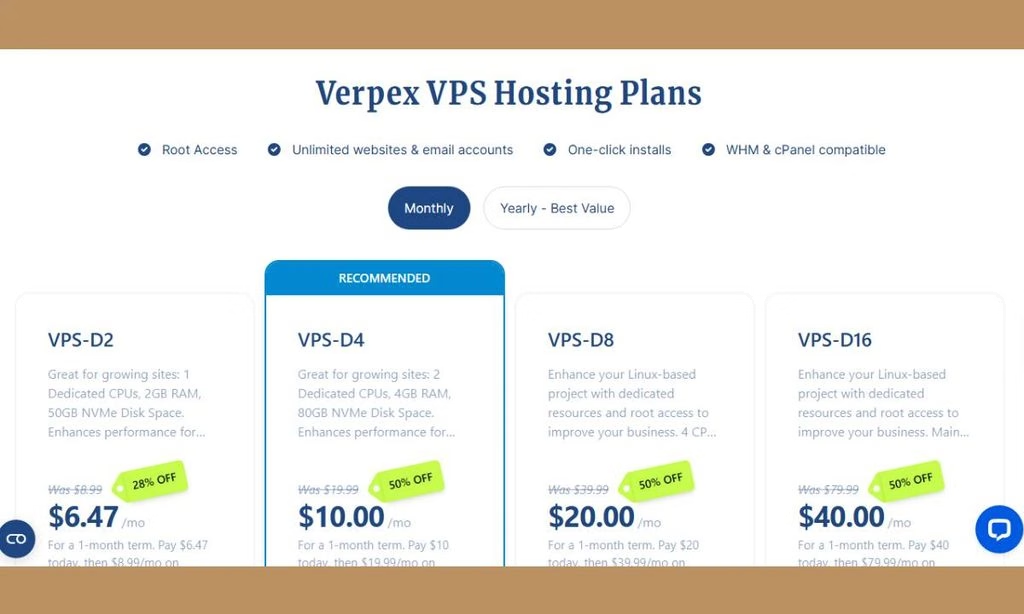
Verpex VPS-D2 Plan

This VPS hosting plan is designed for basic hosting needs, which typically include essential features and sufficient resources.

It is a great hosting option for growing sites: 1 dedicated CPU, 2GB RAM, and 50GB NVMe Disk Space that will enhance your website’s performance.

Verpex VPS-D4 Plan

This VPS hosting plan enhances performance and offers additional resources, suitable for medium-sized businesses that require more robust capabilities to handle increased traffic.

It provides amazing hosting features such as: 2 Dedicated CPUs, 4GB RAM, 80GB NVMe Disk Space. 

VPS-D8 Plan

This VPS plan is tailored for large websites and applications that demand the maximum performance and scalability. 

This website hosting plan typically includes dedicated resources, enhanced support, and more features like 4 Dedicated Xeon vCPU’s, 8GB Dedicated RAM, 160GB Dedicated NVME Disk Space, Unlimited Traffic, Optional cPanel/WHM, Root Access, and more.

Verpex VPS-D16 Plan

It is a powerful VPS hosting option to enhance your Linux-based project with dedicated resources and root access that can take your online business to the next level.

In this amazing VPS hosting plan, you will get advanced web hosting features such as  8 Dedicated Xeon vCPU’s, 16GB Dedicated RAM, 320GB Dedicated NVME Disk Space, Unlimited Traffic, Optional cPanel/WHM, Root Access, and more!

Visit the Verpex VPS Sales Page

Conclusion

Verpex offers a competitive range of VPS hosting plans that provide a powerful VPS hosting solution to easily build a reliable website and market your business.

With its focus on performance, scalability, and support, Verpex VPS plans are a great hosting option to enhance your online presence. 

Finally, it is better to carefully evaluate your specific needs and compare features before making a decision.

For further inquiries or assistance, feel free to contact the Ziligma team.

Hosting Black Friday Deals

As Black Friday approaches, many consumers and businesses are looking for substantial savings. Web hosting services are a great area where you can find attractive Hosting Black Friday Deals. 

If you are thinking about setting up a website or moving to a new hosting plan, now is the ideal time to make use of the offers available.

What Benefits Do These Hosting Black Friday Deals Offer?

1. Reliability: 

Their servers provide an uptime of 99.9 per cent, which means that your website will always remain accessible to your customers.

2. Speed: 

The user experience can be improved through load times that are extremely fast, thanks to the use of the latest technology.

3. Support: 

An amazing customer service team is on hand around the clock to help you with any questions or problems, so that you can concentrate on the things that are most important: running your business.

What to Expect This Black Friday Hosting?

On Black Friday many good website hosting usually provide excellent discounts which can help you to invest on reliable website hosting services. 

The web hosting offers may include:

Reduced rates: 

Hosting plans can offer you a much lower price than their normal rate, with discounts sometimes as high as 80% for the first year.

Free Domain Registration: 

When you sign up for a hosting plan, many companies provide a free domain registration for the first year.

Enhanced Features: 

A number of website hosting providers offer extra advantages, including more storage space, stronger security features, and better website performance metrics.

Why You Should Consider Upgrading Your Web Hosting Plan

For anyone who is serious about building a strong online presence, it is important to invest in recommended web hosting, since with competition in the digital field becoming so fierce, using a top-rated web hosting provider is a crucial factor that separates success from failure. 

The best web hosting website guarantees that your website stays accessible, responsive, and secure, which in turn results in improved user experiences and greater conversion rates.

Choosing the Perfect Web Hosting Plan

When evaluating your options during this Hosting Black Friday sale, you should consider:

1. Assess your needs: 

Decide which type of hosting service you need; whether it’s shared, VPS, or dedicated hosting, depending on the size and type of your website.

2. Compare the different website hosting providers: 

Don’t just go by the price. You should compare their hosting features, customer support, uptime guarantees, and real customer reviews to make certain that you select a reputable host.

3. Check the renewal rates: 

Although discounted hosting prices may be attractive, be aware of the renewal rates since they could go back to normal pricing after the first contract period.

What Are the Best Hosting Sites to Consider During This Black Friday?

You need to keep a close eye on these good hosting sites:

1- Hostinger

It is offering cheap online hosting up to 85% OFF with a 30-day money-back guarantee, including many other web hosting features that will boost your online presence.

The best part is that Hostinger offers this Black Friday discount on its web hosting plans!

So don’t miss the Hostinger Black Friday Sale.

2- Hosting.com 

Hosting (A2hosting) provides up to 89% off this Black Friday with a reliable, secure, and backed service by real people. No re-platforming, no ceilings, no surprises.

This means you will get a powerful website hosting services that will help you to build a strong online business.

It also includes many free hosting features like a free domain name, free managed migration, a free SSL Certificate, and more!

Take action and discover Hosting Black Friday!

3- ScalaHosting Black Friday Offers

From October 19th to December 1st, you will get up to 72% off Entry Cloud and Managed Cloud Hosting, which are the most powerful and best-reviewed products from ScalaHosting.

It also provides powerful hosting features, including Free app installation, website transfer, 24/7 Immediate support from industry Experts, an unconditional Money-back Guarantee, and more.

Don’t miss ScalaHosting Black Friday Hosting Sale!

4- ZipWP Hosting

All ZipWP hosting plans will be up to 47% off from November 5 to December 7, with brand-new one-time plans starting at $79. 

No coupon is needed because the web hosting discount is applied automatically!

The best part is that ZipWP is launching one-time plans this Black Friday.

Pay once, build professional AI WordPress sites with hosting included, and skip the renewals.

So you should take and get this ZipWP Black Friday hosting now!

5- Verpex Web Hosting Black Friday Sale    

Verpex hosting provides a powerful Black Friday hosting sale, which offers:

  • ResellerWelcome: Up to 64% OFF Reseller Hosting (first order)
  • Servers sale: Up to 50% OFF Managed WordPress and VPS (first order)
  • MOVEME: Up to 90% OFF Shared, Cloud, and WordPress Hosting (first order)

No need to enter the coupon codes manually! The applicable discount will be automatically applied at checkout based on the selected plan.

These are amazing website hosting plans you should leverage.

Why Should You Act Now?

The advantages of using a great web host are essential to the success of your business online!

This special offer will not only cut your costs but also give you access to premium features that can improve the experience for your website visitors.

Conclusion

Black Friday is a great chance to get good quality web hosting at a low price. If you take the time to research and compare the different Hosting Black Friday Deals, you’ll be able to choose a great plan that fits both your requirements and your budget.

You should not miss this opportunity to improve your online presence at the same time as saving money.

Feel free to contact us if you need any further details about any other web hosting deals.

Nada

Ziligma’s manager.

Best Managed WordPress Hosting

WordPress is one of the most widely used platforms for building a website, but running a WordPress site can be difficult, especially if you don’t have a technical background. That is why you need the best managed WordPress hosting to launch your WordPress website.

In this blog post, you will discover some of the perfect managed WordPress hosting services on the market, what they offer, and why they stand out from the competition.

What Is Managed WordPress Hosting?

Managed WordPress hosting is a service that has been specifically designed to optimize WordPress websites. 

It usually provides a range of services, including automatic updates, security improvements, backups, and performance optimization. 

For people or businesses who would like to concentrate on producing content rather than dealing with the technical aspects, selecting a managed WordPress provider can give them peace of mind as well as a number of benefits, according to many hosting statistics.

What Are the Benefits of Managed WordPress Hosting?

The best managed WordPress hosting is a great option for your business because it will offer your website:

  • Amazing performance and speed.
  • Automatic updates.
  • Strengthened online security.
  • Great staging environments.
  • Great scalability and uptime.
  • Saves you more time and effort.

That’s why you should choose a powerful WordPress hosting platform to boost your website performance and generate more profit!

Web Hosting Criteria to Consider

Selecting the best managed WP hosting involves evaluating several key criteria:

Performance:

Since user experience and SEO depend on speed and uptime, a reliable provider must provide fast load times and high availability.

This is essential to improve your Google rankings, reach real customers, and sell your products! ranking

If your website is sucking, no one will visit it. This means you are killing your online business!

Security:

Since the number of cyber threats is increasing, it is necessary to have solid security hosting measures in place. 

That’s why you should choose the best managed WP hosting that provides proactive security features, such as carrying out daily malware scans and using web application firewalls.

This is crucial for your online business because it strengthens your website and allows you to build strong trust with your audience.

Support:

 Good customer hosting support can make a great difference whenever there are problems. 

This means you should check the web hosting support channels offered (such as chat, email, and phone) and look at their working hours.

The best channel of support is live chat because it will save more time and effort to fix any hosting errors.

Scalability:

 When your website increases in size, your hosting requirements might also change. 

The best managed WordPress hosting should provide simple upgrades and have powerful scalability options.

This can save you more money, time, and effort.

Backups:

 Backups is another important feature because regular backups will help you to avoid losing data. 

That’s why you should select the best managed WordPress hosting who gives automatic backups as well as simple options for restoring the data.

What Are The Best Managed Hosting Options?

1. Kinsta WordPress Hosting

   Overview:

Kinsta hosting is a well-known brand in the field of managed WordPress hosting, famous for its high performance and good customer support.

 Kinsta Features:

 It includes automatic updates, daily backups, security monitoring, and a global CDN.

 Ideal for:

Companies that want strong performance and scalability.

2. Hostinger Managed WordPress 

 Overview:

 Hostinger provides multiple WordPress hosting services such as Premium, Unlimited, and the Ecommerce Startup Plan.

It is based on strong hosting features, with an emphasis on speed, powerful security, and great support.

Features:

Daily backups. Free site migrations. Fast and secure. Zero setup. AI tools built in. 24/7 customer support and more!

 Ideal for:

 Solo entrepreneurs, developers, and teams who want to rely on its performance and reliability.

3. Hosting.com: Managed Hosting for WordPress

 Overview:

 Hosting.com has built up its reputation thanks to excellent customer service and its dedication to features that are specific to WordPress.

Features:

Hosting provides great managed hosting features such as WP Rocket + Object Cache Pro built in, WordPress-tuned Cloudflare Enterprise CDN + full-page caching, WordPress-specific firewall and malware rules, and a support team that only does WordPress.

Ideal for:

Hosting is ideal for small to medium-sized businesses that want outstanding managed WordPress hosting services.

4. ScalaHosting 

Hosting Overview:

ScalaHosting is a recommended web hosting provider that provides an easy-to-use platform, making it ideal for people who are new to the field with great hosting features.

Features:

There is a one-click installation option, Staging Environments, Managed Updates and Backups, upgrades in a matter of seconds, 24-hour support is available, and more!

Most suitable for:

 People who are new to it and want a simple setup.

5. Cloudways’ Fully Managed Hosting for WordPress

Hosting Overview:

Cloudways is the best managed WordPress hosting for designers and agencies, offering features that are tailored to meet the needs of your business.

Hosting Features:

Providing a stress-free experience. No need for an in-house IT team; fast, stable, and reliable infrastructure keeps everything humming behind the scenes.

Most suitable for:

People who are creative and work on clients’ websites.

Conclusion

These are the best managed web hosting options to consider when you build your WordPress website to market your business online.

All these managed WordPress hosting services have their own advantages, and the one that is best for you will depend on your particular requirements and your budget. 

If you take into account factors such as performance, security, support, scalability, and backup options, you can make a well-informed decision that will prove beneficial for your site in the long term.

Whatever choice you make, whether you go for a well-known provider such as Hostinger, Hosting.com, ScalaHosting, Cloudways, or a more specialized one like Kinsta web hosting, making sure that you have good managed hosting is an essential move for achieving a successful online presence. 

If you have any questions, please feel free to get in touch with Ziligma’s team.

Nada

Ziligma’s Manager.

Best Dedicated Hosting Providers

Building a competitive online business means you need to choose the right hosting provider for your website if you want to easily success. If you need strong performance, security, and control, the best dedicated hosting providers are a great hosting option. 

In this post, you will explore amazing dedicated hosting providers that offer great services to help your business grow easily.

What Is Dedicated Hosting?

Dedicated hosting is a type of web hosting service where a single server is dedicated entirely to one client or website. This means the server’s resources, including CPU, RAM, and storage, are used only by that user. 

This can easily boost your website’s performance and help you to manage more web traffic, according to many statistics:

  • 32.7 million dedicated hosting technology detections in July 2026!
  • The United States recorded 13.5 million dedicated hosting detections.

These online statistics state the importance of having the best dedicated hosting service!

Here are some key features and benefits of dedicated server web hosting: 

Why Do You Need a Dedicated Server Hosting Service?

1. Performance 

Since the server isn’t shared with other clients, dedicated hosting usually offers better performance and speed, making it suitable for high-traffic websites.

This means you can offer a great user experience for your visitors, which can get you more sales and profit!

2. 100% Control

You have complete control over the server, including the operating system, hardware setup, and installed software. 

This level of customization allows you to set up the server to match your business needs.

3. Online Security 

The best dedicated hosting providers offer strong online security compared to shared hosting. 

This means you aren’t exposed to vulnerabilities that come from sharing a server with others. 

You can also choose to implement custom security measures, which will strengthen your web security!

4. Reliability 

With dedicated server hosting service, you will experience better uptime and reliability. Your site isn’t affected by other users’ activities on the server.

This is a great feature that will speed up your website and help you to build reliable online business! 

5. Hosting Scalability

 The best dedicated hosting service can often be upgraded or adjusted as your business grows, allowing you to add more resources as needed.

This allows you to easily adjust your hosting according to the web traffic you get, which can save you more time and money.

6. Hosting Support

 Many dedicated server providers offer 24/7 support, ensuring that any issues are quickly resolved.

This means the perfect dedicated web host is a powerful hosting solution for your business with high traffic, specific performance needs, and unique security requirements. 

It also offers you the resources and flexibility to run complex applications and manage large amounts of data.

This will allow you to improve your website’s performance, which is essential for mobile searches according to many web statistics:

  • Mobile devices account for 63.05% of all web traffic globally.
  • 74% of the world’s population, about 6 billion people, are online!
  • The average bounce rate across all industries was around 45%!

That’s why the best dedicated hosting provider can boost your website performance and help you to easily manage more web traffic. 

What Are These Best Dedicated Hosting Providers?

1. Interserver Hosting

Interserver Web Hosting stands out as a leading dedicated hosting provider, offering specially designed servers for performance. They have an impressive uptime guarantee of 99.999% and provide 24/7/365 support from hosting experts to keep your website running smoothly. 

With amazing hosting services, you can concentrate on growing your business while they take care of the technical aspects. Choosing Interserver hosting means prioritizing reliability and expert help.

Outstanding Features:

  • Fully managed server solutions
  • Superior uptime reliability
  • Round-the-clock expert support
  • Flexible server configurations

2. Hostwinds Hosting

Established in the hosting industry, Hostwinds Hosting delivers the best dedicated hosting service that meets various business needs. With SSD storage included, your site will load faster, improving user experience. 

Their excellent customer support and a 30-day money-back guarantee let you try their services with no risk. When you choose Hostwinds, you’re choosing performance and peace of mind.

Main Features:

  • Lightning-fast SSD storage
  • 24/7 dedicated support
  • Risk-free 30-day money-back guarantee
  • Hassle-free website migration

3. Hosting (A2Hosting) – The Best Dedicated Hosting Provider

Enjoy exceptional speed with Hosting’s high-performance dedicated server options. Their Turbo servers can greatly reduce page load times, offering your users a seamless experience. 

Additionally, Hosting prioritizes security with free SSL certificates and proactive monitoring to safeguard your data. 

With great 24/7 customer support and a money-back guarantee, Hosting is a smart choice for any business that wants to grow.

Outstanding Features:

  • Turbo-boosted performance
  • Strong security features
  • Comprehensive 24/7/365 support
  • Satisfaction-guaranteed money-back policy

4. DigitalOcean – The Top Dedicated Hosting Provider

For tech-savvy businesses and developers, DigitalOcean is a top cloud infrastructure provider. Their dedicated droplets allow for extensive customization to fit your specific needs. 

With a strong developer community and competitive pricing, DigitalOcean offers a great dedicated hosting option to get unique flexibility and high performance. 

Choosing DigitalOcean means investing in the future of your online presence.

Main Features:

  • Highly customizable scalability
  • Engaging the developer community
  • Competitive pricing structures
  • Great spport

Conclusion

Selecting the best dedicated server provider is the key to streamlining your online presence. Each of these top dedicated server providers will offer you amazing advantages that cater to your specific goals, whether you’re an aspiring entrepreneur or a large enterprise. 

Take the time to assess your needs and contact Ziligma if you have any questions. 

Your online success starts with the right infrastructure; make your choice wisely!

Nada

Ziligma ‘s Manager

Playix.Cloud Review

Do you need the best video hosting services? This platform hosts and protects your video content. It is Playix.Cloud, which you will discover in this review.

Playix.cloud is a great video hosting platform because it uses AI to securely host, stream, subtitle, translate, dub, and repurpose your videos from one place.

This is an amazing hosting solution to create and host your videos securely, because video content is essential to marketing your business and reaching more users, according to many statistics:

  • 91% of businesses use video marketing in 2026.
  • 93% of video marketers consider video an important part of their overall strategy!
  • 93% of video marketers consider video an important part of their overall strategy.
  • 63% of online users prefer to learn about a product through a short video!
  • 46% of marketers allocate a third or less of their marketing budget to video.

All those statistics state the power of using great videos to sell your business, because customers prefer to watch videos before making a purchase.

That’s why you need to create and host your videos securely using a powerful video hosting platform, such as Playix.cloud!

What are Playix.cloud’s Benefits?

Playix.cloud is an amazing online platform to host videos and generate real benefits such as:

  • Combine secure video hosting with AI-powered tools for subtitles, translation, dubbing, voiceovers, and short-form content. 
  • Protect your videos with secure HLS streaming and expiring links.
  • Add editable subtitles and translate them into 29 languages.
  • Create AI-dubbed versions without recording a new voice track.
  • Turn long-form videos into ready-to-post vertical shorts.
  • Embed a fully branded player on your own website or course platform.
  • Track views, watch time, and audience retention in detail!
  • One upload. One platform. Everything your video content needs.
  • Save your money, time, and effort.

Therefore, Playix.cloud is an amazing video hosting website to protect and host your video content.

What Is Playix.Cloud? 

Playix.Cloud is a powerful video hosting platform to securely host, stream, subtitle, translate, dub, and repurpose your videos from one place.

The best part is that it replaces multiple tools: Combine protected video hosting and AI-powered video localization in one platform, with your own branding and one streamlined workflow.

This will save you more money, time, and effort because Playix.cloud uses AI technology for subtitles, translation, dubbing, voiceovers, and short-form content. 

This means you should just upload your video once and handle everything from one place, without sending files between multiple platforms or relying on a video editor.

For more details, you can watch this video intro!

So Playix.Cloud is the best video hosting platform you ever need to handle your video hosting and focus on marketing your business.

Playix.Cloud Review

Product Name: Playix.Cloud

Front-End Price: $59.00 – Lifetime Subscription

Sales Page: Click Here

Guarantee: 30 Day Money-Back Guarantee

Level Skill: All levels

Support: Great Support

Recommend: Highly Recommended

What makes Playix.Cloud Different?

You do not need one platform to host your videos, another to create subtitles, and a third to localize or repurpose them when everything can happen in one place.

This means you will get all the video tools you need in one dashboard:

Hosting and AI tools together: Replace the need to combine a video host with separate subtitle, translation, or repurposing tools.

Protect your premium content: Use HLS streaming and expiring signed links to make direct video downloads much harder.

Reach global audiences: Translate subtitles into 29 languages or upload your own subtitle files.

Sell in new languages: AI dubbing creates new voice tracks while preserving the original timing.

Keep your brand front and center: Add your logo, brand colours and preferred player theme, with no Playix branding on paid plans.

Create more content from every upload: Generate shorts, chapters, metadata and other publishing assets directly from your hosted video.

Understand viewer behaviour: See views, watch time, and exactly where audiences stop watching.

Simplify your workflow: Upload once instead of constantly moving video files between different services.

What Are the Key Features of This Best Hosting for Video Website?

In this Playix.Cloud lifetime license, you will get these amazing key features:

Protected video hosting: Deliver your content through HLS streaming with expiring signed links. Videos aren’t exposed through simple direct file URLs.

Automatic transcoding: Every upload is converted into multiple qualities automatically, providing smoother playback across different connections and devices.

Editable AI transcription: Turn speech into accurate, time-stamped text, then edit it directly in your browser. Download transcripts as SRT, VTT, or plain text.

Subtitles in 29 languages: Translate your subtitles into 29 languages with a click, or upload your own SRT or VTT file when you need another language or custom wording.

AI dubbing: Create a new voice track in another language while matching the original video’s timing. Expand your courses and content into new markets without a reshoot.

AI voiceovers: Have a silent screen recording? Playix.cloud can analyze the video, create a script, and generate an AI narration that you can edit before publishing.

One-click shorts: Let AI identify strong moments from your video and turn them into vertical 9:16 clips with burned-in captions.

Smart trimming: Automatically remove silences, filler words, and false starts, or delete sentences from the transcript and let Playix.cloud re-cut the video.

Music and audio tools: Replace an audio track or add background music beneath the voice while controlling the audio level.

Branded embeds: Add your logo, colours and preferred player theme. Embed videos on your own website or course platform and restrict playback to approved domains.

Global delivery: Store your content on enterprise-grade cloud infrastructure and deliver it quickly to viewers around the world.

Detailed analytics: See views, watch time, and audience retention, with filters by date, media, and content type. Understand not just how many people watch, but how much they actually watch.

Playix.Cloud Plan A Features – Lifetime Subscription

During this Playix.cloud review, you will get those great features for Plan A:

  • 100 GB storage
  • 1 TB bandwidth/month
  • 100 AI credits/month
  • Detailed analytics & retention
  • Embed player
  • Advanced download protection
  • Your logo on the player
  • 30-day Money Back Guarantee
  • One-time payment
  • You must redeem your code(s) within 60 days of purchase

So these are the main features you will get in this Playix.cloud Plan A during this limited lifetime deal!

However, Playix.cloud in this review provides another lifetime Plan B to easily upgrade if you want more advanced features.

Who Can Use This Best Video Hosting Platform

You can use Playix.cloud to securely host videos for many online businesses such as:

Course creators: Protect premium lessons from easy downloads, translate your courses for international students, and see exactly how much of each lesson your audience watches.

Podcasters: Host video and audio content with a polished player, generate transcripts, and turn episodes into additional content such as show notes, articles, and short clips.

Coaches and consultants: Share premium video with members, control where it can be played, and repurpose your content into promotional shorts without adding another editing tool.

Small businesses and teams: Host branded video on your own website, control access, and turn existing recordings into localized and social-ready content.

 Is Playix. Cloud worth your investment?

In this review, Playix.Cloud provides professional video hosting because you shouldn’t have to pay for one tool to host your videos and another to subtitle, translate, or repurpose them.

You will also get all the video tools you need to securely host, stream, subtitle, translate, dub, and repurpose your videos from one place.

That means Playix.cloud is worth your investment because you will get powerful features to host and protect your video content with a lifetime license, a 30-day guarantee, and more.

After this Playix.cloud review, you have all the details you need to easily make the right decision.

Pros & Cons

Pros

  • Easy to use – No skill needed
  • For newbies and experts
  • Secure video hosting with AI-powered tools for subtitles, translation, dubbing, voiceovers, and short-form content. 
  • Upload your video once and handle everything from one place, without sending files between multiple platforms or relying on a video editor.
  • Turn long-form videos into ready-to-post vertical shorts
  • Embed a fully branded player on your own website or course platform
  • Track views, watch time, and audience retention in detail
  • Lifetime access to Playix.Cloud
  • 30-day money-back guarantee
  • One-time purchase of

Cons

  • Limited lifetime offer
  • You must redeem your code(s) within 60 days of purchase

Visit the Playix.Cloud Sales Page

Conclusion

Playix.Cloud is a powerful video hosting platform that lets you securely host, stream, subtitle, translate, dub, and repurpose your videos from one place.

With Playix.cloud, you shouldn’t have to pay for one tool to host your videos and another to subtitle, translate, or repurpose them.

So I hope this Playix. cloud review will help you make the right decision and start hosting your videos securely!

Nada

Feel free to rate Playix.Cloud.

Cloudways vs Hostinger

When hosting your website on a powerful web hosting provider, you will get a reliable hosting service that will help to scale and grow your business online with zero downtime. In this article, you will find a detailed comparison of Cloudways vs Hostinger. 

The purpose of this article is to give a serious and informative comparison of these two hosting platforms so that you can make a well-informed decision according to your own requirements.

This means you can choose the best web hosting that suits your business needs and helps you to scale easily whenever you need it!

According to many hosting statistics, a powerful hosting service is essential to build a reliable business online and generate real profits:

  • 56% of consumers prefer online shopping.
  • 27% of people worldwide regularly shop online.
  • 71% of businesses have a website in 2023!
  • 82% of consumers want the brands they buy from to share their values.

What Are The Benefits of Good Web Hosting?

Hosting and launching your website within a top-rated web hosting is crucial for your business because it allows you:

  • Build a stunning website.
  • Engage your visitors.
  • Create an amazing user experience for your visitors.
  • Stand out from the crowd and build a powerful brand easily!
  • Get a powerful web hosting service with zero downtime.
  • Have a fast-loading website.
  • Reach more users and customers.
  • Scale your business online easily.
  • Market your business successfully.
  • Generate real profit.
  • Save your time, money, and effort!

All those benefits need to have a powerful website hosting provider like Cloudways and Hostinger!

Why Cloudways vs Hostinger?

Both are powerful web hosting companies that provide amazing hosting services for millions of users all over the world.

This means they are famous and reliable website hosts that can help you to build a stable business online and scale whenever you need it easily.

This makes Cloudways and Hostinger great web hosts to consider when you want to launch a professional website.

Cloudways vs Hostinger

Overview of Hosting Services

Cloudways Hosting

Cloudways is a managed cloud hosting service that enables users to deploy their applications on a number of cloud providers such as DigitalOcean, AWS, Google Cloud, and others. 

This makes it especially popular among developers and businesses who value scalability and flexibility.

Hostinger Web Hosting 

However, Hostinger is famous for its cheap shared hosting options and, as a result, is a favourite with newcomers and small businesses. 

It also provides a variety of services, such as shared hosting, VPS, and cloud hosting, to meet the different needs of users.

 Performance and Speed

Regarding performance, both companies have some merits that are worth mentioning. 

Cloudways achieves fast loading times and good performance by combining advanced caching techniques with hosting on SSDs. The platform also includes automatic scaling, which can be advantageous during periods of increased traffic.

Although Hostinger mainly focuses on shared hosting, it has made substantial infrastructure investments, including LiteSpeed servers that improve speed and performance, especially in its cloud hosting services.

Pricing Structure Hosting

When it comes to making a decision, hosting price is usually one of the most important factors.

Cloudways uses a pay-as-you-go system, so you are charged only for the resources you actually use. This approach can be economical for users who value flexibility but might be more complicated for individuals who prefer simple pricing.

Hostinger also offers clear and competitively priced tiered plans, which makes it easy for users to choose one that suits their budget; its low-cost starter deals are especially attractive to new users who may not need a lot of resources.

Hosting Customer Support 

The quality of customer support can have a major effect on your hosting experience.

That’s why you should choose the top website hosting that will offer you the best customer support, which will help you to solve any hosting problem on your website!

Cloudways provides amazing 24/7 support through live chat and its ticketing system and is frequently praised for the knowledge of its staff, particularly when it comes to dealing with complex hosting environments.

Hostinger also offers you powerful 24-hour customer support through live chat and by submitting tickets, but user reviews show that response times can differ. Although a number of users consider the support to be satisfactory, others have mentioned experiencing delays during busy periods.

Web Hosting User Interface and Ease of Use

This feature is very important for you, as a new user or as an expert, because it allows you to manage your website easily!

Cloudways has an intuitive interface together with simple management features. That said, people who are not used to cloud hosting might find it a bit difficult to learn.

Visit Cloudways Sales Page

However, Hostinger is built with simplicity as its aim to get more customers. The user-friendly control panel means you can easily manage your hosting without having to possess any technical knowledge.

Visit Hostinger Sales Page

Conclusion

After this Cloudways vs Hostinger comparison, you have richer knowledge to choose the right website hosting that suits your business needs.

This means Cloudways and Hostinger each have their own advantages depending on your particular requirements. 

Cloudways is a good choice if you need a solid cloud hosting solution that provides scalability and flexibility. 

However, Hostinger might be more suitable for you if you are a beginner or if you run a small business and are working with a limited budget.

These are the main differences between these two recommended web hosting providers: Cloudways and Hostinger!

Take your requirements seriously and look at things like your budget, the level of technical expertise you have, and your performance needs if you are to make a decision that is in keeping with your objectives.

Thank you. If you need more information or suggestions about any other web hosting, feel free to contact Ziligma.

Nada

Ziligma’s manager

OpenClaw vs Hermes Hosting

Whenever you want to build a powerful online business, you need to choose an amazing web hosting service; deciding which provider to select can be a difficult matter. In this OpenClaw vs Hermes comparison, you will get rich details to choose the best hosting company that suits your needs.

In this article, you will find in-depth details from this comparison so you can make a well-informed choice. Many online statistics (according to HostingAdvice) state the importance of choosing the top-rated web hosting:

  • 63.3% of websites whose CMSs are public use WordPress.
  • 47% of mobile users won’t wait longer than two seconds for a website to load.16
  • 61% say they’ll go to another site if they don’t find what they’re looking for within about five seconds.
  • 58.33% of global website traffic was generated by mobile devices.

This means you need to host your website with a great web host that can provide an amazing hosting service and help you to scale your business online easily!

What Are the Best Web Hosting Benefits?

 A good web hosting service is crucial for your website because it allows you to derive real benefits, such as:

  • Build a fast-loading website
  • Create a great user experience
  • Market your business easily
  • Scale your business
  • Boost your sales
  • Save your time, money, and effort

These are the main benefits you will generate using recommended web hosting, like OpenClaw!

Overview of OpenClaw

OpenClaw is known for its strong infrastructure and its focus on the needs of its customers. 

OpenClaw is a hosting service offered by Cloudways that provides amazing hosting to run your AI agent on managed hosting.

This company boasts an ability to provide high-speed performance through dedicated server options that are suitable for both small businesses and large enterprises. 

This will save you more money and time because it provides powerful features that allow you to scale your business easily!

The best OpenClaw key features are:

Performance

The servers used by OpenClaw have been optimised for speed; this means very little or zero downtime and fast load times.

This will boost your user experience and market your business online successfully.

Scalability

OpenClaw enables smooth upgrades, which makes it an appropriate option for businesses that are expanding.

You can select the plan that suits your needs and upgrade whenever you need it easily!

Customer Support

OpenClaw is also known for its responsive customer service, providing support around the clock, a feature which is important for your business because it might experience problems outside normal business hours.

Visit the OpenClaw Sales Page

Overview of Hermes Hosting

Hermes Hosting, by contrast, stresses affordability without having to sacrifice quality and is therefore a good option for startups and individuals who are looking for cost-effective hosting solutions. 

The main features of Hermes Hosting are:

 Hermes provides a variety of hosting plans suited to different budgets, which makes it suitable for you as startups and personal project.

User-friendly Interface

The dashboard of the platform is intuitive and makes it easy for users who are not technically minded.

Basic Support Options

 Although customer support is available from Hermes, it is not necessarily as thorough or quick to respond to as that offered by OpenClaw.

Performance Comparison – OpenClaw vs Hermes Hosting

In terms of performance, OpenClaw usually beats Hermes, especially when it comes to speed and reliability of uptime. 

The company’s commitment to using advanced technology and allocating specific resources guarantees that its servers work at their most efficient level. 

However, Hermes can have some periods of downtime or slower response times, which can be a drawback for your business that places a high value on performance.

Pricing Structure – OpenClaw vs Hermes Hosting

Hosting price usually plays a decisive role when businesses are selecting a hosting provider. 

The prices charged by OpenClaw are higher than those of Hermes because you will get the premium services they offer. 

Even though OpenClaw delivers better performance and support, it might not be the most suitable option for people working with a tight budget. 

However, Hermes has competitive prices but might not have the same level of resources and reliability.

Customer Support – OpenClaw vs Hermes hosting

Customer support has a crucial role in the web hosting industry; that’s why OpenClaw provides an amazing 24-hour-a-day support, which is a major plus since it gives users peace of mind when they need immediate help. 

Visit OpenClaw Sales Page

However, Hermes has support available only during limited hours, which might not be enough to deal with urgent problems.

Conclusion

Choosing between OpenClaw and Hermes as your hosting provider comes down to the particular needs of your online business. 

OpenClaw might be the best hosting option for an AI agent if your main concerns are performance, scalability, and reliable customer support, even though it does come at a higher price. 

Visit OpenClaw Sales Page

However, if you are a startup or a single individual in need of a more affordable solution, Hermes could meet your needs quite well, with certain compromises in terms of performance and support.

If you would like personalized recommendations or more information, please contact us at Ziligma.

Nada

Feel free to leave your comment or suggestion.

Best VPS for AI Tools

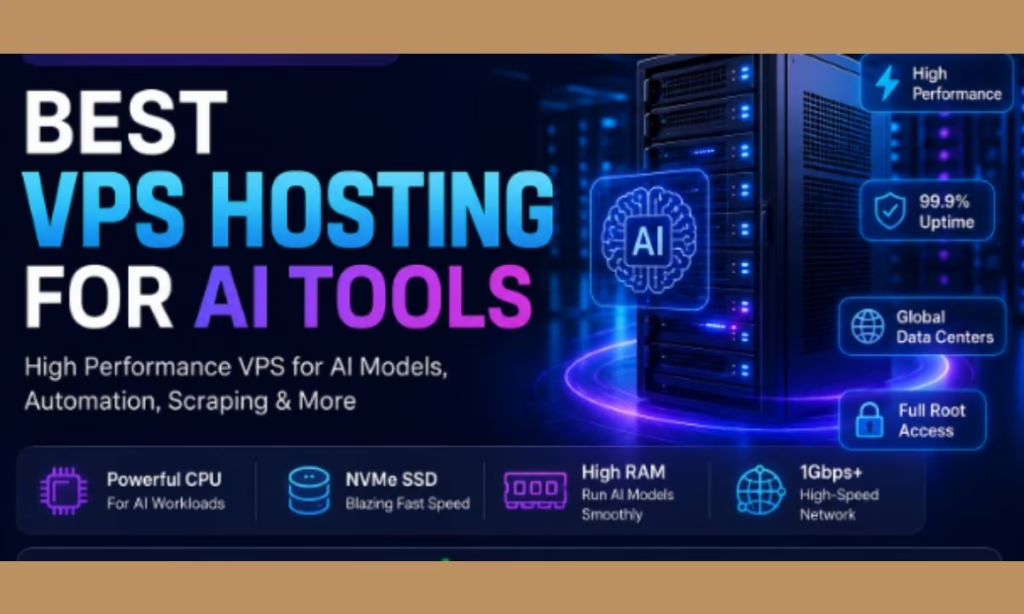
Today, the best Virtual Private Servers (VPS) for AI tools are better than ever. With the rapid growth of AI applications, having good VPS hosting that can manage the rising demands for processing power, speed, and security is vital for your business aiming to stay competitive. Here’s a detailed roundup of the best VPS options to consider for your AI needs.

What Is VPS Hosting?

VPS hosting means a single physical server (Virtual Private Server) that is divided into multiple virtual servers.

Each of these VPS functions independently, which allows you to install custom software and manage its resources without impacting others.

This type of web hosting is very useful and profitable for your business because it gives you personal resources and options that you can manage and control as you like.

Why Choose a VPS for AI Tools?

A VPS offers dedicated resources that are essential for running AI applications smoothly. Unlike shared hosting, a VPS gives you the control and power to manage your environment easily. 

This makes it perfect for you if you are a developer or you have a business that needs to deploy machine learning models, handle big data, or train deep learning algorithms.

What Are The Key Factors to Consider in a VPS for AI?

To choose the best VPS for AI tools, you need to consider these key factors:

1. Performance and Speed: AI applications usually need significant computing power. 

You need to look for a VPS with high CPU performance and enough RAM. SSD storage can further improve speed.

Speed is very important for your business because it improves your user experience, which is crucial for building online credibility and achieving higher search engine rankings. 

2. Scalability: As your AI tools develop, your infrastructure should too. A good VPS will offer you amazing options to scale resources up or down based on your business needs.

This will save you more money, time, and effort!

3. Security: AI often involves handling sensitive data. Choose a VPS provider that emphasizes security with features like DDoS protection, firewalls, and regular backups.

Therefore, high security will allow you to grow your business faster and build powerful credibility online.

4. Support for AI Frameworks: Make sure your VPS is compatible with popular AI frameworks like TensorFlow, PyTorch, and Scikit-learn. 

This compatibility makes deployment easier and boosts productivity.

What Are The Best VPS for AI Tools in 2026?

This year, you can discover these best VPS hosting providers for small businesses:

1. DigitalOcean: The Best VPS Hosting to Consider

Known for its simplicity and developer-friendly features, DigitalOcean’s VPS solutions provide excellent performance for AI workloads. 

DigitalOcean’s flexible resource allocation and competitive pricing make it a top choice to consider.

Here is an overview of some of DigitalOcean’s features to consider:

Scalability and Flexibility

DigitalOcean for AI projects offers you a great ability to scale. As your AI application grows and needs more resources, DigitalOcean allows you to adjust your infrastructure easily. 

Whether you are training machine learning models or running complex algorithms, DigitalOcean provides amazing flexible plans and resource options that can meet your changing requirements.

User-Friendly Interface

DigitalOcean’s easy-to-use control panel makes managing your virtual servers straightforward. 

This allows you to focus on building AI applications instead of getting stuck on complicated setups. 

This feature matters for you if you may lack extensive DevOps knowledge, ensuring everyone can deploy and manage their AI tools effectively.

Cost-Effectiveness

DigitalOcean is also known for its competitive pricing that is perfect for you if you are a startup or small business wanting to use AI technologies without high costs. 

This means DigitalOcean provides cheap plans that offer great value. With clear pricing structures, organizations can plan their budgets for AI projects effectively.

Performance and Reliability

DigitalOcean is known for its strong performance and reliability, which are essential for AI applications. 

With high-performance SSD disks, fast networking, and robust data centers, DigitalOcean ensures that your applications run smoothly. 

This reliability reduces downtime and makes sure your AI solutions are always available to users.

Comprehensive Documentation and Community Support

The best part is that DigitalOcean offers extensive documentation and a supportive community. 

This feature is a great option if you are a developer because you will find many resources, tutorials, and forums that help with setting up and optimizing your AI tools. 

This environment allows you to solve problems quickly and promotes knowledge sharing among users.

Visit DigitalOcean Sales Page

Therefore, DigitalOcean is the best VPS for AI Tools because you will get a powerful and flexible platform for deploying AI tools, making it a great choice for your business. 

2. Hostinger Is Another Best VPS Server for AI Tools

With a range of performance options and data centers worldwide, Hostinger is a great choice for businesses needing fast deployment and reliable access, making it ideal for AI applications.

This means Hostinger is the best VPS for AI Tools because it provides powerful features with a free trial to discover them, such as:

Scalability VPS Hosting

AI applications often need different amounts of resources as they develop. Hostinger VPS allows for easy scalability, so users can adjust their resources, like CPU, RAM, and storage, based on their project needs. 

This is crucial for AI tools that may require more power as data sets grow or model complexity increases.

Performance

Hostinger VPS offers you amazing dedicated resources that are not shared with others. 

This leads to faster response times and better performance for your AI applications. The high-quality hardware used by Hostinger, combined with SSD storage options, ensures quick and efficient data processing.

Control and Customization

With Hostinger VPS, you get full root access to your VPS, which enables you to set up your server to meet your specific needs. 

This flexibility is vital for your AI tools, especially if you are a developer, because you need to install and configure specialized software or frameworks. 

You can also choose your preferred operating system, manage firewall settings, and install the custom libraries or dependencies required for your projects.

Strong VPS Hosting Security

Online Security is a headache concern for your business dealing with sensitive data, including AI tools that may handle confidential information. 

Hostinger VPS offers you strong security features, such as DDoS protection, automatic backups, and regular updates. 

These features help protect your AI applications from potential threats and vulnerabilities.

Cost-Effective Solution

If you are a startup or small business wanting to implement AI solutions, budget limitations can be a significant hurdle.

That’s why Hostinger VPS provides competitive pricing with various plans to suit different budgets. 

Visit Hostinger Sales Page

This makes Hostinger a top VPS hosting provider if you need powerful hosting without overspending.

3. Verpex: Another Best VPS for AI Tools

Offering strong performance and scalability, Verpex provides a reliable environment for deploying AI solutions. 

This means it provides amazing features to powerful AI tools with zero downtime errors, such as:

Performance and Reliability

Performance is crucial to running a VPS for AI tools because you often need a lot of computing power and memory, which Verpex can provide. 

With fast SSD storage and resources that you can adjust as needed, you can easily scale your server capabilities.

 This flexibility ensures that your AI tools run smoothly, whether you are using complex algorithms or managing large datasets.

 User-Friendly Management

Verpex provides a simple management interface that makes server administration easier. 

With straightforward access to settings and configurations, you can manage your VPS easily with limited technical skills!

This will allow you to focus on developing AI solutions and direct your efforts toward innovation instead of server upkeep.

Strong Security Measures

Security is crucial in AI applications because your data privacy matters. That’s why Verpex addresses this with strong security features, including firewalls, DDoS protection, and regular software updates. 

These steps offer reassurance, allowing you to concentrate on your AI projects without worrying about potential security issues.

Competitive Pricing

Verpex is a good VPS with great hosting pricing plans that fit various budgets. This affordability makes it appealing to you, whether you’re a startup or an established company. 

With clear pricing and the ability to scale resources as needed, Verpex is the best virtual private server you need to maximize your investment without overspending.

Customer Support

Verpex VPS hosting is a strong option because it provides an amazing commitment to customer support. 

It also offers you a great support team available 24/7; this offers you help whenever you face challenges. 

This powerful support is especially crucial for your AI business, where timely assistance can significantly impact project timelines and results.

Visit Verpex Sales Page

Therefore, Verpex has established itself as the best VPS for AI tools because it combines dependable performance, easy-to-use interfaces, strong security, competitive pricing, and outstanding customer support. 

Conclusion

Choosing the best VPS for AI tools is crucial to boost your AI efforts easily and advance your business. With DigitalOcean, Hostinger, and Verpex, you can choose the best VPS server hosting to build a powerful AI business.

For more information and personalized recommendations, feel free to contact Ziligma.

Thank you.

Nada 

Ziligma’s manager

Migrate from Shopify to Kinsta

Are you looking to migrate your online store from Shopify to Kinsta? Switching to a managed WordPress hosting service can give you better performance, security, and scalability.

 In this blog post, we’ll guide you through migrating your Shopify store to Kinsta and ensure a smooth transition for your eCommerce business.

Kinsta provides an excellent WooCommerce solution for building a stunning e-commerce website. 

E-commerce is a profitable niche you can leverage to build a powerful online brand using the right strategy.

According to multiple e-commerce statistics, there is a huge demand for thousands of products to market online.

  • 49% of customers start and end their shopping journeys on retailer websites or apps.
  • Over half of customers prioritize fast and reliable shipping.
  • 47% of customers seek assistance via live chat.
  • Smartphones are the top choice for online shopping among 70% of shoppers.
  • 24% of online shopping happens during the holiday season.

This means e-commerce is a great industry that you should leverage to generate real profit.

Why Do You Choose Kinsta?

Kinsta WooCommerce Hosting is a powerful web host that will allow you to generate more benefits, such as:

  • Build a fast e-commerce website that will help you sell your products online.
  • Improve your online store speed by up to 200%.
  • Offer solid online security to your clients.
  • Provide a great user journey for your visitors.
  • Boost your conversion rate.
  • Reach more customers.
  • Build powerful credibility online.
  • Strengthen your online business.
  • Boost your sales and profit.
  • Easily scale your e-commerce business.
  • Save your money, time, and effort.

How to Migrate from Shopify to Kinsta?

To move your online store from Shopify to Kinsta WooCommerce Hosting, you should follow these simple steps:

Step 1: Choose the Right Kinsta Plan

Before starting the migration process, it’s important to select a Kinsta plan that fits your business needs. Kinsta offers different plans for various traffic levels and resource use. Take some time to look through the options and pick the plan that works best for you.

Step 2: Prepare Your Shopify Data

1. Export Your Shopify Data

 Start by exporting your product, customer, and order data from Shopify. Go to the Shopify admin, select the relevant section (Products, Customers, Orders), and use the “Export” feature. This data will be important for your new WordPress site.

2. Backup Your Current Store

Always keep a backup of your Shopify store data before making any changes. This gives you a restore point if something goes wrong during the migration.

Step 3: Set Up Your Kinsta Environment

1. Create a New WordPress Installation

 Log in to your Kinsta dashboard and set up a new WordPress installation. Kinsta’s one-click installation makes this easy.

2. Install eCommerce Plugins

 To create an online store similar to your Shopify setup, install essential WooCommerce plugins like WooCommerce and any other tools you need, like payment gateways or shipping solutions.

Step 4: Import Your Shopify Data to WordPress

1. Use a Migration Plugin

To import your Shopify data into WooCommerce, consider using a migration plugin like Cart2Cart or LitExtension. Follow the plugin’s instructions to make sure your data is imported correctly.

2. Manually Add Content if Necessary

While many migration plugins handle most of the process, you may still need to manually add blog posts, pages, and any other content that didn’t transfer.

Step 5: Design Your New Site

1. Choose a Theme

Pick a WordPress theme that fits your brand and improves user experience. There are many free options available in the WordPress theme repository or from third-party providers that offer paid e-commerce themes of high quality.

2. Customize Your Site

 Use the WordPress customizer to change colors, fonts, and layout settings. Ensure that your new site looks appealing to your existing customers.

Step 6: Test Your New Site

Before redirecting users from Shopify to your new WordPress store, test your new site thoroughly:

1. Check All Functionality

 Make sure that all features, like product pages, shopping carts, and checkout processes, are working properly.

2. Review Mobile Compatibility

Test your site’s responsiveness across multiple devices to ensure a consistent shopping experience for all customers.

Step 7: Redirect Your Domain

Once you’re sure that your new site is fully functional, it’s time to switch your domain:

1. Update DNS Settings

Log in to your domain registrar and update the DNS settings to point to your new Kinsta WordPress installation.

2. Set Up 301 Redirects

Set up 301 redirects from your old Shopify URLs to your new WordPress URLs to keep your SEO rankings and ensure users can access your old links seamlessly.

Step 8: Monitor Performance and Analytics

After the migration is finished, monitor your website’s performance closely. Use Google Analytics and other tools to track user behavior, sales performance, and any issues that may arise.

Fortunately, there are many online apps you can leverage to boost your online store’s performance and generate more profit.

Visit Kinsta WooCommerce Sales Page

Conclusion

Migrating from Shopify to Kinsta can feel overwhelming, but with careful planning and execution, you can successfully move to a strong WordPress platform.

This change not only improves your online store’s performance but also gives you more control and flexibility over your eCommerce operations. 

If you need help during the migration process or have questions about Kinsta’s services, feel free to reach out to Ziligma. 

Take your online business to the next level with Kinsta WooCommerce web hosting today!

So I hope this ” How to migrate from Shopify to Kinsta: A Step-by-Step Guide” will help you to build a stunning WooCommerce website! 

Thank you,

Nadda Ziligma’s manager

Shopify Alternatives

Launching a stunning e-commerce business is not easy because you need to choose the top-rated Shopify alternatives.

This is essential to get more performance, reliability, and scalability of your website, which can directly impact your sales and customer satisfaction. 

According to many e-commerce statistics, a fast-loading website is a must-have for your business to grow and generate more profit:

  • 64% of smartphone users expect a web page to load in 3 seconds or less.
  • The probability of bounce increases 32% as page load time goes from 1 second to 3 seconds. According to Google
  • 79% of online shoppers will avoid an online retailer where they have experienced performance issues.
  • 44% of online shoppers will share their negative experience with other users.

This means you need to build a fast-loading online store, which will boost your sales and your online credibility.

What Are the Benefits of These Shopify Competitors?

These amazing Shopify alternatives will help you to easily make real benefits, such as:

  • Easily create an online store to sell your products
  • Effectively make and manage unlimited online stores
  • Get powerful marketing tools to sell your products online
  • Increase your sales and revenue
  • Easily manage and track your orders and sales
  • Create an amazing journey for your visitors
  • Easily scale your e-commerce business
  • Save your money and time

Therefore, these websites, like Shopify, will allow you to perfectly build stores online and sell your products or services without any monthly fee!

What Are these Top-Rated Shopify Alternatives?

To build a powerful online store, you need to leverage an amazing e-commerce platform without transaction fees, which you can choose from this list:

1. Hostinger: The All-in-One Solution

Hostinger WooCommerce hosting offers a great opportunity to easily create a great eCommerce website and sell your products.

This means you will get all the marketing tools you need to manage your online store and close more deals.

Hostinger WooCommerce helps you build a stunning online store and access hundreds of free and paid WooCommerce extensions, allowing you to customize your store and improve its performance easily.

Discover Hostinger WooCommerce plan review.

That’s why Hostinger is a powerful solution to host your WooCommerce website and easily sell your products online to generate real profit.

Pros:

  • User-friendly interface
  • Wide tool marketplace
  • 24/7 customer support
  • Fully managed maintenance for WooCommerce
  • 24/7 customer support
  • 30-day money-back guarantee
  • Cancel anytime

Cons:

  • Advanced plans for more features
  • Monthly subscription

Visit Hostinger WooCommerce Plans

2. Kinsta WooCommerce Hosting: Great Shopify Alternative

If you need more traffic spikes, Kinsta WooCommerce is a powerful option for building the best online store.

This will help you to easily improve speeds up to 200% to make sure you’re ready for anything with our managed WooCommerce hosting. 

You will also enjoy scalable server resources, rock-solid security, 24/7 support, and more.

Discover the Kinsta WooCommerce plan in this review.

Pros:

  • Traffic spikes
  • Speed-Obsessed Infrastructure
  • Rock Solid Security
  • More scalability
  • Flexible Staging and Deployments
  • Uptime Checks
  • Free Local Dev Tool    
  • Free migration                    
  • 24/7/365 Support

Cons:

  • Best for big business
  • Monthly subscription

Visit Kinsta Woocommerce Plan

3. A2 Hosting (Hosting): Scale with Confidence

Hosting.com is a great choice for growing WooCommerce businesses that expect rapid scaling. 

This WooCommerce hosting provides numerous built-in features to help you manage everything from SEO to marketing your business.

That’s why Hosting.com combines Rocket.net and Cloudflare Enterprise for one reason: speed sells.

With freedom to build your store properly, Hosting.com lets you maximize profits while offering a smooth experience for your customers.

Pros:

  • Many built-in features
  • Auto-scaling infrastructure that grows with demand
  • 99.99% uptime SLA, so you’re always open for business
  • Optimized checkout performance for smooth transactions
  • Payment gateway compatibility with all major providers
  • Nothing goes live until you’re happy
  • Zero downtime, zero data loss

Cons:

  • Monthly subscription

Visit Hosting.com Sales Page

Who can leverage these amazing Shopify alternatives

You can use one of those sites similar to Shopify to quickly design e-commerce websites for businesses such as:

  • E-commerce website
  • Elearning website
  • Small and big e-commerce businesses
  • And much more…

So those Shopify alternatives are powerful e-commerce platforms to quickly build online stores and successfully market your business. 

Are those Amazing Shopify Alternatives Worth Your Investment?

Those Shopify competitors are top online store builders to quickly start your e-commerce business and save more money and time because you will get all the e-commerce tools you ever need to perfectly build websites for e-commerce and provide an amazing user experience.

That means those websites like Shopify are worth your investment because you will get all the features to start your e-commerce business and make real revenue, like Lifetime access with zero monthly fees, great support, no transaction fees, a 30-day money-back guarantee, and much more.

After this amazing Shopify alternatives review, you have all the details you need to easily make the right decision.

Pros & Cons

Pros

  • Easy to use – No skill needed
  • For newbies and experts
  • Great features to easily create an online shopping site 
  • Powerful online security system
  • 30-day money-back guarantee
  • Great Support

Cons

  • Monthly fees

Conclusion

Choosing the right hosting for your e-commerce website can greatly affect your business. Whether you go for an all-in-one solution like Hostinger WooCommerce, the flexibility of Kinsta WooCommerce, or the affordability of Hostingcom.

Each option has its pros and cons. Consider your business needs, technical skills, and budget to find the best all-in-one e-commerce platform.

Ready to elevate your e-commerce website? Make a well-informed choice and get the hosting plan that sets you up for success!

If you need more details, feel free to contact us at Ziligma. Let’s help you turn your e-commerce vision into reality!

Nada

Ziligma ‘s manager

N8Nitro Review

Self-hosted n8n technology is a crucial solution you should consider to strengthen your business. That’s why you need to leverage the best host for n8n self-hosted, such as N8Nitro, which you will discover in this review.

N8Nitro is a powerful self-hosted n8n hosting platform that lets you deploy and manage multiple fully isolated n8n instances without touching Docker or servers.

It also delivers the control of self-hosting with the ease of a managed platform running on high-performance infrastructure. 

This will allow you to easily build profitable online projects, save you more time and effort, and boost your productivity. 

For these reasons, many online hosting statistics state the importance of leveraging this powerful technology:

  • 92% of enterprises adopt multi-cloud strategies to optimize cost and performance
  • As nearly 90% of small businesses without an online presence prepare to launch websites, many are turning to new technologies to simplify the process. 

This means n8n hosting is an amazing technology to leverage and empower your online presence.

What Are the Benefits of N8Nitro?

N8Nitro is a powerful self-hosting solution that helps you to generate real benefits, such as:

  • Deploy multiple fully isolated n8n instances without managing Docker or servers.
  • Offer you managed updates and backups, scalable storage.
  • Save you costly managed hosting fees!
  • Get auto-scaling, monitoring, and analytics from one dashboard!
  • Manage multiple projects.
  • Save you more money, time, and effort.

This makes N8Nitro a powerful hosting platform to easily build a reliable online business.

What is N8Nitro?

N8Nitro is a powerful n8n hosting solution to deploy and manage multiple fully isolated n8n instances without touching Docker or servers, delivering the control of self-hosting with the ease of a managed platform running on high-performance infrastructure. 

Best of all, you can spin up a new isolated n8n workspace in under 60 seconds, scale workloads automatically, and monitor everything from one dashboard while keeping full data control.

This amazing n8n self-hosting platform is designed for no-code agencies, freelancers, and teams managing automations for multiple clients who want production-ready environments without DevOps overhead.

It will also save you 10 to 20 hours of setup time per project and avoid costly managed hosting fees. 

Therefore, N8Nitro is a unique managed n8n hosting service for building and managing multiple online projects with ease and efficiency.

N8Nitro Review 

Product Name: N8Nitro

Founder Name: Yasser Eidrous

Front-End Price: $220.00 – Lifetime deal

Sales Page: Click Here

Guarantee: 30 Day Money Back Guarantee

Level Skill: All levels

Support: Great Support

Recommend: Highly Recommended

N8Nitro’s Key Features

During this n8nitro review, you will get these great features:

1- One-click n8n deployments

  • Launch new instances fast, without Docker, CLI work, or infrastructure setup.

2- Multi-tenant, fully isolated workspaces

  • Run separate environments per client or team to reduce risk and keep deployments clean.

3- Auto-scaling and load balancing

  • Workloads are distributed across N8Nitro’s servers for consistent performance as demand increases.

4- Analytics and insights dashboard

  • Track total and active workflows, execution volume, success rate, average runtime, and performance trends across time ranges.

5- Health monitoring and uptime checks

  • Catch failures early with built-in monitoring, reliability signals, and alerting support.

6- Security and data control by design

  • Workspace isolation, SSL encryption, and managed updates and backups so you keep control without handling the chores.

7- Scalable storage for executions and logs

  • Storage grows with your automations, so workflow history and logs stay seamless.

8- Ticket-based human support and lifetime updates

  • Get help through a structured support channel, plus ongoing updates without surprise upgrade fees

N8Nitro Lifetime Subscription Special Features

In this lifetime N8Nitro deal, you will get these unique features:

  • 1 Workspace
  • 2-8 CPU Cores Auto-Scaling
  • 4-16GB RAM Auto-Scaling
  • Unlimited Elastic Storage
  • 99.99% Uptime SLA
  • Advanced Monitoring Dashboard
  • Real-time Analytics
  • SSL Encryption & Security
  • Global CDN Performance
  • 24/7 Expert Support
  • API Access & Webhooks
  • Lifetime access
  • 30-day Money Back Guarantee
  • You must redeem your code(s) within 60 days of purchase

Who Can Use this Perfect n8n Self-hosted Service Provider?

N8Nitro is a powerful online app you can use to host and manage multiple projects for personal and commercial purposes.

This means N8Nitro is built for many businesses, such as:

  • No-code Builders
  •  Developers
  •  Agencies
  • Scaling Businesses
  • And more

Therefore, N8Nitro is a great self-hosting solution you need to consider to easily boost your performance online.

Is N8Nitro Worth Your Investment?

N8Nitro is an easy-to-use, self-hosted workflow automation platform to help you manage multiple fully isolated n8n instances without touching Docker or a server.

It also offers you managed updates and backups, scalable storage that grows with your automations, and ticket-based human support with lifetime updates. 

This platform saves 10 to 20 hours of setup time per project and avoids costly managed hosting fees. 

This means N8Nitro is worth your investment because it saves you money, time, and effort, it lets you deploy multiple fully isolated n8n instances, and it provides unique features like: lifetime access with zero monthly fees, free updates, great support, 30-day money-back guarantee, and much more.

After this N8Nitro review, you have all the details you need to easily make the right decision.

Pros & Cons

Pros

  • Easy to use – No skill needed
  • For newbies and experts
  • Unlimited Elastic Storage
  • 10-20 hours saved per project
  • Self-hosted power with managed convenience
  • Zero DevOps headaches
  • No recurring hosting costs
  • 99.99% Uptime SLA
  • Advanced Monitoring Dashboard
  • Real-time Analytics
  • SSL Encryption & Security
  • Global CDN Performance
  • 24/7 Expert Support
  • 30-day money-back guarantee
  • One-time purchase of

Cons

  • Limited lifetime subscription subscription
  • You must redeem your code(s) within 60 days of purchase

Visit N8Nitro Sales Page

Conclusion

N8Nitro is an amazing n8n self-hosted service provider to deploy and manage multiple fully isolated n8n instances without touching Docker or servers, delivering the control of self-hosting with the ease of a managed platform running on high-performance infrastructure. 

This makes N8Nitro a powerful enterprise n8n hosting solution you need to leverage because it will save more time, money, and effort.

So I hope this N8Nitro review will help you to make the right decision and start hosting and managing great projects to generate more profit. 

Thank you.

Feel free to leave your comments or suggestions.

Nada

Ziligma’s manager

Best n8n Hosting Providers

In today’s digital world, automation is essential for streamlining processes and boosting productivity. One effective tool that has gained popularity is n8n, an open-source workflow automation platform. But what does n8n hosting mean? How can it help your organization? And what are the best n8n hosting providers? Let’s explore.

What is n8n?

n8n (pronounced “n-eight-n”) is an automation tool that lets users easily connect different apps and services. It offers a user-friendly interface for creating workflows that automate repetitive tasks, making it simpler to manage data and streamline operations. 

With n8n, users can design custom automations without needing extensive coding skills.

That’s why many online statistics emphasize the importance of using powerful hosting technology, which will provide your audience with a unique experience.

  • Website performance remains critical, with 47% of users expecting a site to load in 2 seconds or less.
  • Power issues drive 54% of major data center outages.
  • 68% of businesses report data privacy compliance concerns.

This means you need to build a fast-loading online business, because users want more speed and an amazing online journey.

Why Consider n8n Hosting?

While you can self-host n8n on a local server or cloud platform, there are strong reasons to choose dedicated n8n hosting services:

1. Ease of Setup 

Hosting n8n can be complicated if you need to manage servers, databases, and infrastructure. With dedicated n8n hosting, you can avoid these technical challenges and start right away.

2. Performance Optimization: 

Professional hosting services offer optimized environments specifically designed for n8n, ensuring better performance and reliability. This leads to faster workflow execution and an improved overall user experience.

3. Scalability hosting

As your business expands, so do your automation needs. Dedicated hosting solutions offer scalable options, allowing you to adjust resources based on your changing requirements without downtime.

4. Security and Backups 

Hosting providers prioritize security, implementing measures that may be hard for individuals to handle. 

This includes regular backups, data protection, and compliance with security standards, giving you peace of mind.

5. Support

With professional hosting services, you usually have access to customer support when issues come up. This can be especially helpful for troubleshooting and ensuring your automations function smoothly.

Choosing the Right n8n Hosting Provider

When choosing a reliable hosting for n8n workflows, you should consider the following:

1- Reputation and Reviews

Look for n8n providers with positive feedback and a solid history in hosting services.

This is crucial to building a reliable business online because people share their stories online and on social media.

2- Features Offered

 Make sure the provider supports the specific features you need for your workflows, including integrations with other services.

3- n8n Hosting Pricing

Compare pricing plans to find an option that suits your budget while still meeting your needs.

You should do deep research online to compare and understand the right and the cheap n8n hosting options that suit your business goals.

4- Customer Support

Check the level of customer support available, including response times and expertise.

Web hosting support is very important when you build your online business, because it can save your business from many problems!

What Are The best n8n Hosting Providers?

In this list, you can explore these powerful n8n web hosting companies that focus on reliability, performance, customer support, and pricing.

1. DigitalOcean

DigitalOcean is known for its simple cloud infrastructure and scalability. With strong performance and fair pricing, it is a top choice for developers. Their droplet-based setup makes it easy to launch n8n instances quickly. 

Additionally, with DigitalOcean’s managed databases and other tools, you can easily connect various components.

Pros
  • User-friendly interface
  • Flexible pricing options
  • Excellent community support
Cons
  •  Limited automated backups on basic plans

Visit DigitalOcean Sales Page

2. AWS Lightsail

Amazon Web Services (AWS) Lightsail is an affordable and easy-to-use option for hosting n8n. It offers various plans for different needs with clear pricing. Lightsail’s built-in features, like a static IP and DNS management, simplify running your n8n instance without added complications.

Pros
  • Integrated AWS services
  • Reliable performance
  • Good scalability options
Cons
  • Slight learning curve compared to simpler platforms

3. A2 Hosting (Hosting)

A2 Hosting focuses on fast and reliable shared hosting that suits n8n deployments well. With a commitment to performance, A2’s turbo servers guarantee quicker page loads. 

Hostin.com (or A2 Hosting) provides great 24/7 support, which will help you to fix any n8 hosting errors. 

Pros
  • High-speed performance
  • Reliable customer service
  • Money-back guarantee
Cons
  • Shared hosting may not be ideal for high-traffic needs

Visit Hosting.com Sales page

4. ScalaHosting

Scalahosting’s n8n service is known for its intuitive user interface. Whether you’re a tech novice or a seasoned developer, the platform makes it easy to create and manage workflows. 

It also provides other amazing features like reliable performance, customization options to suit your specific needs, robust integrations, and more.

Pros
  • Competitive pricing
  • Customization option
  • Great integrations
  • Great support
Cons
  • Limited to creating more complex workflows

Visit Scalahosting Sales Page

Conclusion

n8n hosting offers a practical solution for your businesses to leverage automation without the headaches of managing infrastructure. 

By choosing a reliable n8n server hosting, you can make the most of n8n, enjoying benefits like improved performance and strong security.

Whether you’re just starting with automation or you’re an experienced user looking to expand, understanding n8n hosting can help you make better choices. 

I hope these best n8n hosting providers will help you to easily build a stunning online business.

If you have any questions or need help with n8n, please feel free to contact Ziligma Web Apps.

Nada 

Ziligma’s manager

Verpex vs Hostinger

Choosing the best web hosting provider is crucial for your online business because it will impact your online presence and your user experience. That’s why you need to use the best website hosts that can offer you good hosting services, which you will discover in this Verpex vs Hostinger comparison.

In this comparison, you will understand the benefits and the features of Verpex and Hostinger, and which one suits your business needs and goals.  

Verpex vs Hostinger

Verpex Hosting Overview

It is an amazing website hosting provider that is known for its excellent customer service and strong hosting performance.

It also focuses on shared web hosting with user-friendly options that suit you as an individual and as a small business, because it provides a variety of hosting features that will help you to easily build your first website without the complexities.

The best Verpex can offer you lightning-fast loading speeds for your site, no matter the scope of traffic you expect. 

Therefore, Verpex is a powerful hosting company to consider because it provides great features, reliable servers, and transparent web hosting pricing! 

Hostinger Web Hosting Overview 

Hostinger is the recommended web hosting provider to begin with because it has a unique, long-standing reputation in the web hosting market.

This means it has a strong reputation for its affordability and extensive range of hosting plans, including shared, VPS, ecommerce hosting, agency hosting, and cloud hosting.

This makes Hostinger a big website host that aims to cater to a broader audience, from personal projects to large-scale business applications!

This means you can pick the right web hosting plan that suits your business and goals to start marketing your business and generate real profit.

Hosting Performance and Reliability

Both Verpex and Hostinger claim to offer high uptime percentages eve, but real-world performance can vary.

According to users’ reviews and our hosting experience with Hostinger, it is the best hosting solution you can find in the market.  

However, Verpex focuses on its infrastructure, which can offer fast loading times and a solid uptime guarantee.

Therefore, Hostinger and Verpex offer you a high uptime percentage close to 99.9% uptime, which is a benchmark for many in the industry.

Hosting Customer Support

Customer service is a crucial factor you should consider when you choose your web hosting, because it can save your online business.

For these reasons, many web hosting companies differ. Verpex provides a great support service because it offers 24/7 support options through live chat and ticketing systems. 

This will allow you to easily contact them to solve any hosting issues and save your website from downtime errors. 

Hostinger is also offering strong 24/7 customer support with a great live chat support, which helps you to easily fix any hosting problem within a few minutes.

That’s why many users are very satisfied with Hostinger’s customer support.

Web Hosting Pricing and Plans

Verpex provides competitive pricing, especially for shared web hosting plans, which include multiple hosting features like free SSL certificates, easy WordPress installations, free email, and weekly backup.

Visit Verpex Sales Page

However, Hostinger is offering more friendly pricing and more promotional deals. This helps them to get more clients, especially startups and small businesses that seek affordable hosting

Hostinger’s plans are varied to suit multiple projects and businesses that need a flexible web hosting company to easily scale their businesses.

This means you should consider Hostinger as a great web host to leverage because it is worth your investment!

Visit Hostinger Sales Page

Conclusion

After this Verpex vs Hostinger review, you can easily make your decision between these two website hosting providers because you have the details needed to easily choose your hosting company.

However, you should consider your specific needs, budget, and personal preferences when you make your hosting decision.

Thoroughly assess what features matter most to you, and choose the provider that aligns best with your web hosting goals. 

If you need any more details about this Verpex vs Hostinger review, feel free to contact us.

So I hope this Verpex vs Hostinger review will help you to make the right decision and start your online business. 

Thanks,

Nadda