Migrate from Shopify to Kinsta

Are you looking to migrate your online store from Shopify to Kinsta? Switching to a managed WordPress hosting service can give you better performance, security, and scalability.

 In this blog post, we’ll guide you through migrating your Shopify store to Kinsta, ensuring a smooth transition for your eCommerce business.

Kinsta provides an amazing WooCommerce solution to build a stunning e-commerce website. 

E-commerce is a profitable niche you can leverage to build a powerful online brand using the right strategy.

According to multiple e-commerce online statistics, there is a huge demand for thousands of products to market online.

  • 49% of customers start and end their shopping journeys on retailer websites or apps.
  • Over half of customers prioritize fast and reliable shipping.
  • 47% of customers seek assistance via live chat.
  • Smartphones are the top choice for online shopping among 70% of shoppers.
  • 24% of online shopping happens during the holiday season.

This means e-commerce is a great industry that you should leverage to generate real profit.

Why Do You Choose Kinsta?

Migrating from Shopify to Kinsta can feel overwhelming, but with careful planning and execution, you can successfully move to a strong WordPress platform.

Kinsta WooCommerce Hosting is a powerful web host that will allow you to generate more benefits, such as:

  • Build a fast e-commerce website that will help you sell your products online.
  • Improve your online store speed up to 200%.
  • Offer solid online security to your clients.
  • Provide a great user journey for your visitors.
  • Boost your conversion rate.
  • Reach more customers.
  • Build a powerful credibility online.
  • Strengthen your online business.
  • Boost your sales and profit.
  • Easily scale your e-commerce business.
  • Save your money, time, and effort.

How to Migrate from Shopify to Kinsta?

To move your online store from Shopify to Kinsta WooCommerce Hosting, you should follow these simple steps:

Step 1: Choose the Right Kinsta Plan

Before starting the migration process, it’s important to select a Kinsta plan that fits your business needs. Kinsta offers different plans for various traffic levels and resource use. Take some time to look through the options and pick the plan that works best for you.

Step 2: Prepare Your Shopify Data

1. Export Your Shopify Data

 Start by exporting your product, customer, and order data from Shopify. Go to the Shopify admin, select the relevant section (Products, Customers, Orders), and use the “Export” feature. This data will be important for your new WordPress site.

2. Backup Your Current Store

Always keep a backup of your Shopify store data before making any changes. This gives you a restore point if something goes wrong during the migration.

Step 3: Set Up Your Kinsta Environment

1. Create a New WordPress Installation

 Log in to your Kinsta dashboard and set up a new WordPress installation. Kinsta’s one-click installation makes this easy.

2. Install eCommerce Plugins

 To create an online store similar to your Shopify setup, install essential WooCommerce plugins like WooCommerce and any other tools you need, like payment gateways or shipping solutions.

Step 4: Import Your Shopify Data to WordPress

1. Use a Migration Plugin

To import your Shopify data into WooCommerce, consider using a migration plugin like Cart2Cart or LitExtension. Follow the plugin’s instructions to make sure your data is imported correctly.

2. Manually Add Content if Necessary

While many migration plugins handle most of the process, you may still need to manually add blog posts, pages, and any other content that didn’t transfer.

Step 5: Design Your New Site

1. Choose a Theme

Pick a WordPress theme that fits your brand and improves user experience. There are many free options available in the WordPress theme repository or from third-party providers that offer paid e-commerce themes of high quality.

2. Customize Your Site

 Use the WordPress customizer to change colors, fonts, and layout settings. Ensure that your new site looks appealing to your existing customers.

Step 6: Test Your New Site

Before redirecting users from Shopify to your new WordPress store, test your new site thoroughly:

1. Check All Functionality

 Make sure that all features, like product pages, shopping carts, and checkout processes, are working properly.

2. Review Mobile Compatibility

Test your site’s responsiveness across multiple devices to ensure a consistent shopping experience for all customers.

Step 7: Redirect Your Domain

Once you’re sure that your new site is fully functional, it’s time to switch your domain:

1. Update DNS Settings

Log in to your domain registrar and update the DNS settings to point to your new Kinsta WordPress installation.

2. Set Up 301 Redirects

Set up 301 redirects from your old Shopify URLs to your new WordPress URLs to keep your SEO rankings and ensure users can access your old links seamlessly.

Step 8: Monitor Performance and Analytics

After the migration is finished, monitor your website’s performance closely. Use Google Analytics and other tools to track user behavior, sales performance, and any issues that may arise.

Fortunately, there are many online apps you can leverage to boost your online store’s performance and generate more profit.

Visit Kinsta WooCommerce Sales Page

Conclusion

Migrating from Shopify to Kinsta can feel overwhelming, but with careful planning and execution, you can successfully move to a strong WordPress platform.

This change not only improves your online store’s performance but also gives you more control and flexibility over your eCommerce operations. 

If you need help during the migration process or have questions about Kinsta’s services, feel free to reach out to ziligma. 

Take your online business to the next level with Kinsta WooCommerce web hosting today!

So I hope this ” How to migrate from Shopify to Kinsta: A Step-by-Step Guide” will help you to build a stunning WooCommerce website! 

Thank you,

Nadda Ziligma’s manager
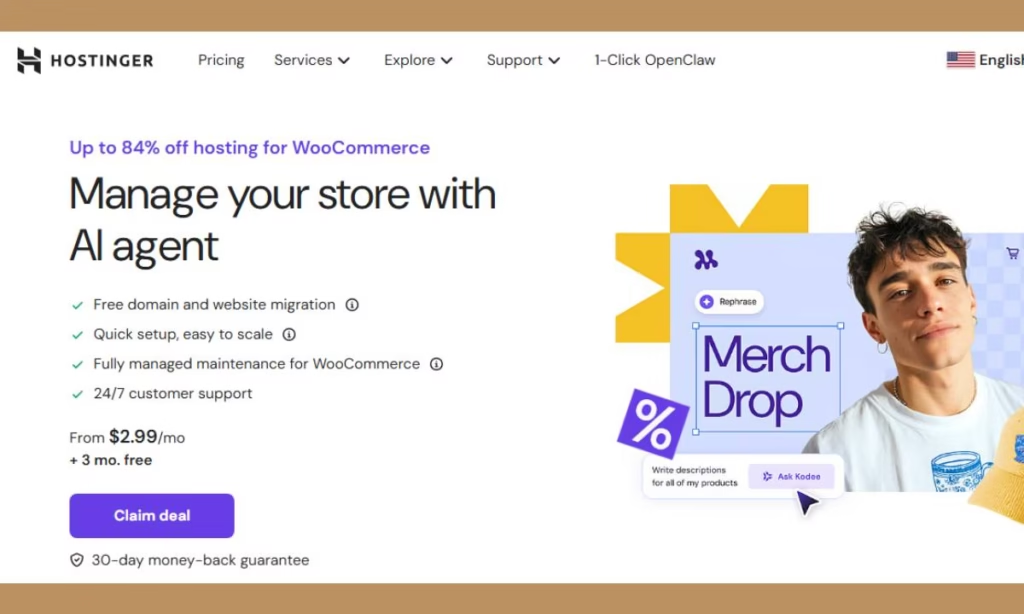
Hostinger WooCommerce Hosting

Building a stunning online store is crucial for your success because it enables you to create an amazing journey for your visitors. That’s why you need the best web hosting for your e-commerce website, such as Hostinger WooCommerce hosting, which you will discover in this review.

Hostinger WooCommerce hosting is a powerful option to consider when building your e-commerce website!

The e-commerce industry is a great investment you should take because there are huge opportunities to make real benefits, according to these statistics:

  • A third of customers spent less than $200 on online purchases.
  • 49% of customers start and end their shopping journeys on retailer websites or apps.
  • Over half of customers prioritize fast and reliable shipping.
  • Smartphones are the top choice for online shopping among 70% of shoppers.

Therefore, an e-commerce business is a profitable niche to consider, given the strong demand for real profits.

What Are the Benefits of Hostinger WooCommerce Hosting?

Building a powerful WooCommerce store is an amazing seo tool to easily make real benefits, such as:

  • Easily build a great WooCommerce website.
  • Perfectly manage your WooCommerce site.
  • Provide an amazing online journey for your visitors.
  • Access great options to secure your store online.
  • Increase your sales and revenue.
  • Save your money and time

Thus, Hostinger WooCommerce hosting is a powerful option to consider because it provides all the plugins and tools you need to easily manage your online store.

What’s Hostinger WooCommerce Hosting?

Hostinger WooCommerce hosting provides a great opportunity to easily build a stunning eCommerce website and sell your products.

This will offer you all the marketing tools you need to manage your online store and close more deals.

For these reasons, WooCommerce is a great online platform to build your online store and get access to hundreds of free and paid WooCommerce extensions, which allow you to easily customize your store.

For these reasons, WooCommerce is a great solution to leverage to build great e-commerce websites. You should just choose the best hosting to host and launch your online store.

That’s why you should use Hostinger to host your WooCommerce website, because it offers you all the e-commerce features and options you need to easily sell your products online and generate real money. 

WooCommerce Hostinger hosting Review

Product Name: Hostinger WooCommerce Hosting 

Founder Name: Hostinger 

Front-End Price: Starts from $2.99 Monthly  – 3 Months For Free

Sales Page: Click Here

Guarantee: 30 Day Money Back Guarantee

Level Skill: All levels

Support: Great Support

Recommend: Highly Recommended

Hostinger WooCommerce Hosting’s Features 

Hostinger provides amazing WooCommerce features and options, such as: 

  • Manage your store with the AI agent
  • Free domain and website migration
  • 5 mailboxes per website – free for 1 year
  • Create up to 50 websites
  • Sell up to 1000 products and services, schedule appointments
  • Sell custom merch with built-in Printful integration
  • Offer 100+ payment methods to reach more customers
  • Keep 100% of your profits with zero transaction fees
  • Turn clicks into customers with a link in bio
  • Drive sales with custom discount codes and gift cards
  • Grow faster with tools for SEO, email, and marketing your business
  • Track performance with live analytics
  • Build your store in minutes with AI Website Builder
  • Upload images and generate descriptions with an AI product generator
  • Design your brand identity fast with an AI logo maker
  • Create and send email campaigns with AI in a few clicks
  • Quick setup, easy to scale
  • Fully managed maintenance for WooCommerce
  • 24/7 customer support
  • 30-day money-back guarantee
  • Cancel anytime

So these are the main features you will get in this best WooCommerce hosting during this limited offer!

However, Hostinger provides an additional plan, Cloud Startup with AI, to help you upgrade if you want more advanced features.

Who Can Use this WooCommerce Web Hosting?

You can use WooCommerce Hostinger hosting to perfectly build a powerful online store for many online businesses, such as:

  • Freelancing
  • Web design
  • Web developing
  • Agency
  • E-commerce website
  • Elearning website
  • Online marketing
  • And much more…

Therefore, Hostinger provides a powerful WooCommerce hosting to easily manage your online stores using the power of AI.

What Users Are Saying About this Best WooCommerce Host?

 Febri was amazing – Sherie

“Febri was amazing! I struggled for a week trying to figure out my issue, and 20 minutes with him and all was resolved. Thank you Febri and thank you Hostinger!”

Diego – Theresa Potgieter

“Diego, from Hostinger was patient and answered all my questions professionally and gave me advise.”

The total opposite of Bluehost – Ahmed Ali

“The total opposite of Bluehost, Hostinger is just a great ISP, stable service, rich features, fast speed, great Ai Support; I dont need to really speak to an agent. On the contrary, I was with Bluehost for nearly 10 years, in the last 5 years their services detonated to zero, they mess with the back end a lot without informing customers, timeout of Mail servers is a common, blocking of SEO bots is a common, they had turned my life into nightmare, no technical support, cases remain opened for months without resolution, with Hostinger I have 100% complete piece of mind. Finally their rates are just excellent, I recommend everyone to consider them.”

Great help – Stephen

“Great help, prompt, efficient and managed to resolve the issue that I had. wonderful service.”

Smooth Experience with No Errors – Nehad Ulfat

“While I was facing 5xx error in Namecheap, after switching to Hostinger, the error solved immediately.” 

Is Hostinger WooCommerce Hosting Worth Your Investment?

Hostinger is the best web hosting for woocommerce you should leverage because it provides a powerful hosting service that enable you to build fast-loading ecommerce website.

This means you will get powerful options to easily build and manage your store using AI technology.

You will also get hundreds of free WooCommerce extensions, and you can easily customize the store, which will boost your store’s performance.

That means WooCommerce Hostinger hosting is worth your investment because you will get great features and AI tools to build and manage your WooCommerce store, such as AI tools, daily backup, analytics, CDN to boost your website speed, free domain for one year, easy to scale, fully managed maintenance, 24/7 customer support, a 30 day-money-back guarantee, and more.

After this Hostinger WooCommerce hosting review, you have all the details you need to easily make the right decision.

Pros & Cons

Pros

  • Easy to use – No skill needed
  • For newbies and experts
  • Manage your store with the AI agent
  • Free domain and website migration
  • 5 mailboxes per website – free for 1 year
  • Create up to 50 websites
  • Free domain for one year
  • Easy to scale
  • Offer 100+ payment methods to reach more customers
  • Keep 100% of your profits with zero transaction fees
  • Fully managed maintenance
  • 24/7 customer support
  • 30-day money-back guarantee
  • Cancel anytime

Cons

  • Monthly subscription

Visit Hostinger’s sales page

Conclusion

Hostinger WooCommerce hosting is the best web hosting for WooCommerce, because it enables you to easily build a stunning e-commerce website.

This means you will get all the e-commerce features and options you need to easily sell your products online and generate real profit. 

That’s why WooCommerce Hostinger hosting is the best alternative to many other web hosting WooCommerce providers in the market!

So I hope this Hostinger WooCommerce hosting review will help you to make the right decision and start your e-commerce business.  

Feel free to leave your comments or suggestions.

Nada

Ziligma’s manager