TaskMagic Review

Do you want to automate your web browser and save your time and effort? Are you ready to easily do your browser tasks? Automating your web browser is a great way to boost your productivity, as it helps you focus on other big-business tasks that will bring you more profit. That’s why you need to use the perfect browser automation tool, like TaskMagic, which you will discover in this review.

TaskMagic is a powerful web browser automation tool that records a workflow and turns it into an automation that runs on virtually any website with ease and accuracy.

Automation task is crucial for your business because they can boost your productivity and make your business more profitable, according to many deep statistics:

  • 54% of the workforce believes that they would save more than 5 hours by using automation tools.
  • 91.24% of security leaders are expected to adopt automated cybersecurity tools to safeguard their organization’s infrastructure.

This means you need to consider automation apps within your company, because your competitors use them.

For these reasons, you should leverage TaskMagic.

What Are the Benefits of TaskMagic?

TaskMagic is an amazing online app to generate great benefits, such as:

  • Easily Automate real browser actions like clicking, typing, copying, pasting, and navigating.
  • Build custom automations by simply recording yourself doing the task once!
  • Use ready-made automations for popular tools and social platforms in one click!
  • Get rich data from web pages to power outreach on LinkedIn, Instagram, and more.
  • Get AI suggest automation opportunities, so you save time without hunting for them.
  • Strengthen your online business.
  • Increase your sales and revenue.
  • Save your money, time, and effort.

These are the main benefits you will generate from using this automation browser.

What Is TaskMagic?

TaskMagic is an amazing web browser automation tool that records a workflow and turns it into an automation that runs on virtually any website.

The best, you do not need any professional skills, coding knowledge, or use any API or any complex setup.

This means it is an easy-to-use online app to make automated tasks from your browser and let AI do the rest!

You can also use ready-made and AI-generated automations for outreach, ops, and web admin across almost any site.

Watch this TaskMagic video for information.

Therefore, TaskMagic is a perfect online app to automate your browser’s activities without code, without APIs!

TaskMagic Review – The Perfect Automation Browser

Product Name: TaskMagic

Found Name: Jeremy Redman

Front-End Price: $89.00 – Lifetime Subscription

Sales Page: Click Here

Guarantee: 30 Day Money Back Guarantee

Level Skill: All levels

Support: Great Support

Recommend: Highly Recommended

What Are the Features of This Browser Automation Tool?

During this TaskMagic review, you will get amazing features to easily automate your browser activities, such as:

Common Features:

  • Browser native automation:

Automates what happens on web pages, including clicking, typing, copying, pasting, and navigating.

  • Record and replay workflow builder:

Build automations by recording your real process once, whether it takes minutes or hours.

  • AI-generated automations:

Describe what you want, and get automations created for you and delivered directly to your inbox.

  • Works where APIs do not:

No dependency on app integrations or limited action libraries. If a human can do it, TaskMagic can automate it.

  • Ready-made automations:

Drop in proven workflows for popular platforms and web tools with one click.

  • Web data extraction for outreach and ops:

Pull data from pages and use it to power messaging, lead research, inventory checks, and more.

  • Team workspaces and sharing:

Collaborate across unlimited teammates, manage multiple workspaces, and share automations with stakeholders.

  • Fast recovery when flows break:

Websites change. Instead of complex debugging, re-record and get a fresh working flow in minutes.

  • Community support

Tap into the TaskMagic community for ideas, troubleshooting, and inspiration.

These are the common features you will get in all TaskMagic’s plans.

For MaskMagic Tier 1 features, you will get:

  • All common features above.
  • 1 user per workspace.
  • 10 file downloads.
  • 2 tags.
  • 2 custom steps.
  • Unlimited workspaces.
  • 30-day Money Back Guarantee.
  • One-time payment.

These are the main features you will get in Tier 1. 

However, if you need more advanced features, TaskMagic provides multiple plans from Tier 1 to Tier 4.

So you should make your decision and get this lifetime offer before it expires.

Who Can Use this Amazing Web Browser Automation Tool?

You can leverage Taskmagic for many online businesses, such as:

  • Founders and operators who want to eliminate repetitive admin tasks.
  • Sales and growth teams are doing outreach, lead research, profile checks, and follow-ups across web platforms.
  • Marketers and social teams managing posting, engagement workflows, and platform routine tasks!
  • E-commerce teams handling inventory checks, listing updates, and repetitive back-office actions inside dashboards.
  • Agencies that need reliable repeatable processes across many client tools and portals!
  • Virtual assistants and support teams who want to multiply output without multiplying clicks.
  • And more.

Thus, TaskMagic is a powerful online app to discover, because it automates your browser activities and saves you more time and effort.

How This Automate Web Browser Work?

  1. Record your workflow

Click “Add Automation,” then do the task like you normally would. TaskMagic captures each browser action step by step.

  1. Review and refine

See every action as it’s recorded, stop anytime, and adjust the flow if needed.

  1. Replay in the browser

Run the automation and watch it complete the same steps automatically, across the same sites and tools.

  1. Schedule or trigger runs

Set it to run when you want, so the work happens in the background while you focus elsewhere.

  1. Share with your team

Organize automations in workspaces, collaborate with teammates, and reuse workflows across projects.

What Users Are Saying About This Amazing Taskmanager?

Awesome Software

Taskmagic is a fantastic tool for automations. It’s easy to use and has so many functions and uses. The team is great and keeps the community updated and they also implement user requests. They continuously improve the product and keep adding value. Definitely worth the purchase! inspired991

TaskMagic is one of the most interesting automation tools in my toolkit

I’ve been using TaskMagic for a few months now and I love what they are doing with open-source software. What sets it apart from other platforms like Zapier or Make is its screen recording-based automation system where you can simply record your screen actions for TaskMagic to replicate. brian712

TaskMagic took over 60% of my work – and I couldn’t be happier

When I bought Tier 4 of TaskMagic, I wasn’t just looking for a tool—I was betting on a vision. And it paid off. The team behind TaskMagic? They’re not just building software—they’re building something with heart. Every question I’ve had was answered. Every doubt, clarified. sileo.ivan

Miss This and You’ll Be KICKING Yourself! PULL OUT YOUR WALLET!

I have Tier 5 for TaskMagic, and I’m absolutely blown away! This service is by far the easiest and most intuitive automation tool I’ve used. The community is also a huge bonus. They use Skool to keep everyone engaged, and the founders are incredibly active and helpful. www.BizListSell.com

It’s like having access to Alladin’s genie!

We are absolutely thrilled with TaskMagic! Getting in early and upgrading to Tier 5, plus purchasing 100 extra hours of cloud computing, was a fantastic decision. TaskMagic is an essential tool for any online business, even if they don’t realize it yet. With a bit of creativity, TaskMagic can tackle any automation challenge a business encounters.  ManuDrums

I’m Disappointed (For Not Knowing About This Tool Earlier, LOL)

In just a few hours of use, I was able to understand the dynamics of TaskMagic. The ease of adding Webhooks or any other functionality at different stages of the process is remarkable. TaskMagic then scrapes the data from the site and puts it into a spreadsheet. I am very excited and highly recommend this tool! rogerio.costa

Is TaskMagic Cloud Worth Your Investment?

TaskMagic is a powerful web browser automation tool that records a workflow and turns it into an automation that runs on virtually any website without code, without APIs, and without wrestling with complex setup.

This makes it a must-have tool to save your time and effort, and boost your computer to the next level.

This means TaskMagic is worth your investment because you will get a lifetime subscription, a one-time payment, unlimited workspaces, and more.

After this TaskMagic review, you have all the details you need to easily make the right decision.

Pros & Cons:

Pros:

  • Easy to use – No skill or coding needed!
  • For newbies and experts.
  • Unlimited workspaces.
  • Community support.
  • 30 money back guarantee.
  • A one-time payment, no subscriptions, no hidden fees.

Cons:

  • Limited lifetime deal.

Visit TaskMagic Sales Page

Conclusion:

A powerful web browser automation tool that records a workflow and turns it into an automation that runs on virtually any website without code, without APIs, and without wrestling with complex setup.

This means you should make your decision and get this lifetime subscription before this offer expires.

I hope this TaskMagic review will help you make the right decision and easily automate your browser activities. 

Feel free to leave your comments or suggestions.

Nada

Ziligma’s manager

Robomotion RPA Review

Repetitive business tasks can consume your time, money, and effort. That means you need another perfect solution to fix those repetitive tasks and save your team time and effort. You need to automate those tasks by using Robomotion RPA, which you will discover in this review.

Robomotion RPA is a perfect robotic process automation bot to automate all your business tasks with ease and accuracy.

This enables you to automate web or desktop applications that don’t have an API with cross-platform robots that work on Mac, Linux, and Windows.

Therefore, robotic process automation is a useful process you should implement within your business because it will easily boost your profits, according to these automation statistics:

  • 68% of employees have too much work to handle daily.
  • Automation and AI are reported to take up 10-25% of banking tasks.
  • Over 64% of global manufacturing activities can be automated.
  • 76% of companies use automation to standardize daily workflows, making routine tasks faster and more consistent.
  • 62% of companies report three or more major process inefficiencies that could be solved through workflow automation.
  • 58% of organizations automate reporting and planning processes, improving decision-making with real-time data.
  • 61% of businesses that implement sales automation tools see ROI within six months.
  • 80% of sales teams report higher lead quantity when using workflow automation in their CRM systems.

Thus, RPA automation is a must-have business app for your company because it will save you money, effort, and time, which allows your business to be more productive.

That’s why you should consider Robomotion RPA!

What are Robomotion RPA’s benefits?

Robomotion RPA is a great marketing solution for your business to fix the headache of repetitive business tasks and bring more benefits, such as:

  • Easily deal with daily business tasks.
  • Increase your company’s productivity.
  • Generate more leads and sales.
  • Improve your company’s performance.
  • Boost your revenue.
  • Build a powerful brand.
  • Save your money and time.

So, Robomotion RPA is an amazing RPA solution that will help you automate repetitive tasks and boost your company’s productivity and competitiveness.

What’s Robomotion RPA?

Robomotion RPA is a robotic process automation bot to automate all your business tasks easily and efficiently.

So you can automate web or desktop applications that don’t have an API with cross-platform robots that work on Mac, Linux, and Windows.

Watch Robomotion’s video presentation.

Therefore, Robomotion is a great robotic process automation tool to perfectly automate web and desktop applications to streamline your workflow.

Robomotion RPA Review:

Product Name: Robomotion RPA

Co-Founder Name: Faik Uygur 

Sales Page: Click Here

Front-End Price: $109 (Tier 1) – Lifetime deal!

Level Skill: All levels

Support: Fast Support

Recommend: Highly Recommended

Robomotion RPA ’s Features:

Robomotion RPA is a powerful RPA bot to automate repetitive tasks and generate more profit using amazing features, such as:

  • Users 2
  • Production robots 2
  • Application robots 5
  • Flows 25
  • Robot scheduling 30 minutes
  • Versions
  • 3-month audit logs
  • 3-month job logs
  • AI agent
  • Chat assistant
  • Integrations: Excel, Pabbly Connect, Webhooks, WhatsApp, and WordPress.
  • Lifetime access to Robomotion RPA
  • All future Startet plan updates
  • 60-day money-back guarantee.
  • One-time purchase of.

So these are the main features you will get in this limited lifetime subscription. 

This means you should take action if you want to profit from this limited offer before this deal expires.

Who can leverage this robotic process automation tool 

Robomotion RPA is a perfect RPA robot to effectively automate your repetitive data tasks and easily grow your company. 

So you can also use those RPA robots for many businesses, such as:

  • Content creation.
  • Marketing agency.
  • E-commerce business.
  • Crypto business.
  • Developer.
  • Online marketer.
  • And much more…

Therefore, Robomotion RPA is a great RPA solution for your business to boost your productivity via automating repetitive tasks.

What Users Are Saying about this RPA Platform?

Good Support and Value for Money. – Avinash.Katta

“I was able to automate browser tasks, Excel/Word tasks, and scraping, where I usually waste hours on.

Pros –

Scrape Data for Competitive Research – Robomotion can open websites, extract data, and store it in Excel/CSV.

Automate Repetitive Desktop Tasks – If your workflow involves Excel, Word, PDFs, or desktop apps, Robomotion can automate them.

Automatically Upload/Repost Content to Multiple Platforms – If you post content every day, you can automate.

Cross-platform support: Mac, Linux, and Windows.

Ready-to-use automation templates to help you get started.

Ability to schedule bots by minutes, hours, days or weeks.

Low-code flow designer: drag & drop with optional scripting (JS) for advanced logic.

Multi-step flows: you can build workflows that do many internal tasks in one automation project.

Cons –

Not built for absolute beginners – Let me be honest: if you are completely non-technical, you will feel lost in the beginning.

There’s a learning curve.

First-time setup can feel overwhelming – Your first few flows will confuse you.

I struggled a bit, and many users have reported the same.”

This is another NO-BRAINER! – RossSivertsen

“I started using Robomotion in December of 2021 when it first came out on AppSumo, I was looking for a cost-effective alternative to UiPath. – RossSivertsen

And it was a great product then as it is outstanding now.

Robomotion provides essential RPA features in a very approachable and easy-to-use package. Its visual workflow builder is easy to understand, deploy, and develop in.

I’ve seen the product improve and expand since then. I think it’s one of the best opportunities available on AppSumo. If you compare this to UiPath, there’s no brainer for buying this app. You need to run, not walk, to go get this before it expires.

I’ve upgraded to the highest tiers twice and now I’ve upgraded again to the tier 6. This was an easy call for me in automating work for my clients.”

Indispensable tool – hamsini

“I’ve been using Robomotion RPA to run automations on my computer, and honestly, it’s been a game changer for me. Processes that were manual and would take days just literally takes a second!

There is a learning curve but setting things up is pretty easy – however it is helpful if you are slightly technical or willing to learn. Personally, I don’t have a programming background but a little AI and javascript and some strong sense of programming logic will do the trick. I rely mostly on their ‘function’ node, which takes things up several notches – lets you accomplish virtually anything you can think of. Everything just works—I haven’t had issues with things breaking or stopping randomly.

What I really like is how well it connects with AI stuff – I’ve got it connected to Straico. That part was simple to get going, and now a lot of repetitive tasks just happen in the background without me having to think about them!

The support is great – they are active on discord and have helped resolve any issues straightaway.

Overall, I’m extremely happy with Robomotion RPA. If you want something that just works and saves you time, I’d definitely recommend giving it a shot – do not pass this up!!”

Deal Terms & Conditions:

  • Lifetime access to Robomotion RPA.
  • All future Starter Plan updates.
  • If the Plan name changes, the deal will be mapped to the new Plan name with all accompanying updates.
  • No codes, no stacking; just choose the plan that’s right for you.
  • You must activate your license within 60 days of purchase.
  • Ability to upgrade between 6 license tiers while the deal is available.
  • Ability to downgrade between 6 license tiers within 60 days of purchase.

Is Robomotion RPA Worth Your Investment?

Robomotion RPA is a powerful robotic automation that will help you automate web and desktop applications to streamline your workflow.

This robotic automation will save your business much money, time, and effort, and increase your company’s productivity and competitiveness.

Robomotion RPA is also the best alternative to UiPath because it’s easy to use and includes a lifetime plan with all future updates and more features.

That means it’s worth your investment because it avoids boring repetitive tasks such as collecting data, entering user info, and so on.

After this Robomotion RPA review, you can easily make the right decision that suits your company’s strategy.

Pros & Cons

Pros

  • Easy to use – No skill needed.
  • For newbies and experts.
  • Integrations: Excel, Pabbly Connect, Webhooks, WhatsApp, and WordPress.
  • Lifetime access to Robomotion RPA.
  • All future Startet plan updates.
  • No code, no stacking. Just select the plan that’s right for you.
  • 60-day money-back guarantee.
  • One-time purchase of.

Cons

  • Limit offer.
  • You must activate your license within 60 days of purchase.

Visit Robomotion RPA Sales Page

Conclusion

Robomotion RPA is an amazing marketing solution to automate repetitive tasks and increase your productivity because it offers powerful RPA bots to easily automate web and desktop applications to streamline your workflow.

That means it’s worth your investment because it includes lifetime access, plan updates, and more features that will generate more profit.

So I hope this Robomotion RPA review will help you make the right decision that will help you grow your company fast.

Feel free to leave your comments or suggestions.

Nada

Ziligma’s manager

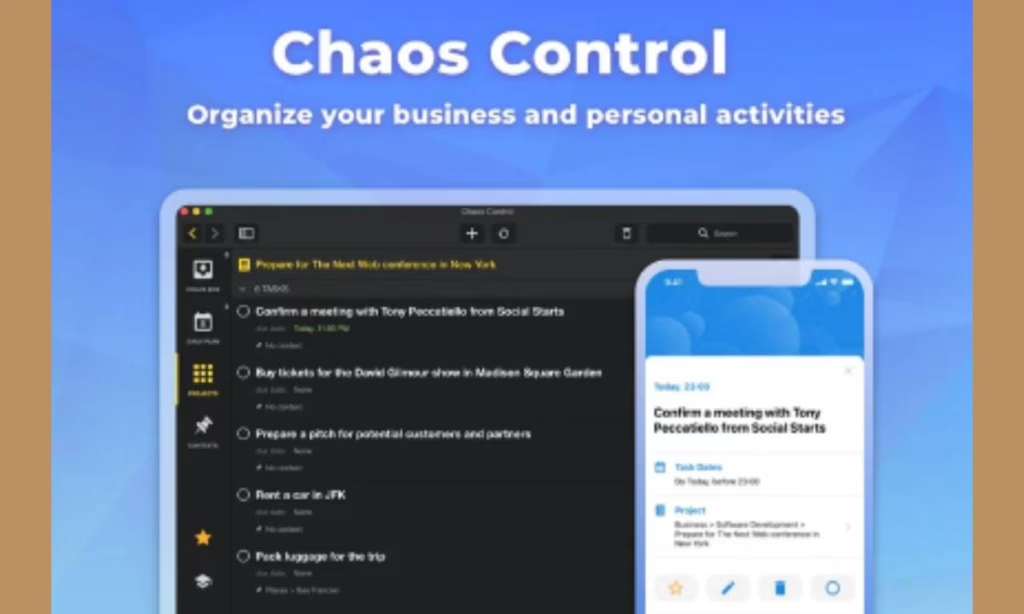
Chaos Control Review

Do you need a powerful app to organize your daily tasks? Are you overwhelmed by your to-do list? Organizing your daily tasks is crucial for scaling your business. That’s why you need the best app for a to-do list, like Chaos Control, which you will discover in this review.

Chaos Control is an excellent online app that helps you manage your goals, to-do lists, and tasks with ease and efficiency.

This will enable you to boost your productivity and generate more sales and profits.

For these reasons, many online statistics focus on using a powerful online app to manage your to-do lists and tasks with efficiency:

  • Seventy-seven % of high-performing project teams utilize effective project management software.
  • 54% of the workforce believes that they would save more than 5 hours by using automation tools.
  • 61% of companies provide project training.

This means you should invest in the perfect online app to boost your productivity and save your time and effort.

What Is Chaos Control?

Chaos Control is an amazing task management software manage your goals, to-do lists and tasks.

Chaos Control is the best app for to-do lists, helping you manage your goals, tasks, and to-do lists with ease and efficiency.

This means you can easily achieve your goals, manage complex projects, and take your business to the next level.

This makes Chaos Control a powerful online software to perfectly organize and manage your daily tasks and achieve your goals with ease.

What Are the Benefits of This Task Manager?

With Chaos Control, you will generate great benefits, such as:

  • Manage and organize your daily to-do lists.
  • Keep your task lists accessible and organized.
  • Easily organize and manage complex projects.
  • Set clear and actionable goals.
  • Easily adjust your goals and plans.
  • Sync your data across all major online platforms.
  • Boost your productivity.
  • Strengthen your online business.
  • Increase your sales and revenue.
  • Save your money, time, and effort.

These are the main benefits you will get from the Chaos Control during this review.

Chaos Control Review – Amazing to-Do List App:

Product Name: Chaos Control

Found Name: Dmitriy Tarasov

Front-End Price: $99.00 (Plan 1)– Lifetime Deal

Sales Page: Click Here

Guarantee: 60 Day Money Back Guarantee

Level Skill: All levels

Support: Great Support

Recommend: Highly Recommended

What Are the Features of this Task Management Software?

During this Chaos Control review, you will get amazing features to easily organize and manage your daily tasks, such as:

  • 3 licenses.
  • Create an unlimited number of projects, tasks, contexts, and folders.
  • Sync your data across iOS, Android, Windows, and Mac.
  • Gain full control of your schedule with features like Daily Plan, Chaos Box, and Contexts.
  • Plan complex activities and achieve goals with projects and categories (folders).
  • Get all further updates and personal-use features for free (exclusive for AppSumo customers).
  • Export any list to a printable and shareable PDF.
  • All plan updates.
  • 60-day money-back guarantee.
  • Lifetime access to Chaos Control.
  • One-time payment. 

These are the main features you will enjoy during this special lifetime deal.

This means you should make your decision and profit from this lifetime subscription.

Who Can Use this Amazing Day Planning App?

You can use Chaos Control for many businesses, such as:

  • Freelancing
  • Web design
  • Web developing
  • Agency
  • E-commerce business
  • Elearning business
  • Startup 
  • Project managing
  • Small and big business
  • Online entrepreneur
  • And much more…

Thus, Chaos Control is a crucial online app to discover because it will boost your productivity and streamline your business, which will get you more profits.

What Users Are Saying About This Powerful Task and Project Management Software?

Chaos Under Control – J&K

The best independent label in the market. Run with dedication and genuine enthusiasm. Products made by fans for fans. Items all of the highest quality. Fast shipping and excellent prices. Buy with 110% confidence.

Great label/distro – David Waterworth

I’ve used Chaos Control a few times now and it’s always five star service.

Great communication and they always seem to get their hands on some real gems in the DIY space.

Highly recommended.

Anything they have released so far were awesome – Takeshi Evolstak

Anything they have released so far were awesome, and I’m looking forward to any of their future releases. One of the best D.I.Y. UK punk label. Support & respect from Japan

A great little label – John H

A great little label. A wide and varied selection of punk releases on both cd and vinyl. Well worth an investment of your time and your money. Recommended!

Belter DIY record/cd company – Andy Rose

Absolute belter DIY record/cd company. Proper punk rock ethos. They do it all for next to nothing. If I was still doing my band I would choose these to put my music out.” source: Trustpilot

Is Chaos Control Cloud Worth Your Investment?

Chaos Control is the best app for organising and managing your daily tasks with powerful features to enhance your productivity with ease.

This enables you to achieve goals and maintain order in both your business and personal life.

With Chaos Control, you can easily manage complex projects, keep your task lists accessible and organized, stay synced everywhere, boost productivity, and more.

Therefore, Chaos Control is worth your investment, as you will get amazing features to enhance your productivity, including free updates, a lifetime subscription, a one-time payment with zero monthly fees, a 60-day money-back guarantee, and more.

After this Chaos Control review, you have all the details you need to easily make the right decision.

Deal Terms & conditions:

  • All plan updates.
  • 60-day money-back guarantee.
  • Lifetime access to Chaos Control
  • One-time payment. 
  • You must redeem your code(s) within 60 days of purchase

Please note: This deal is not stackable!

Pros & Cons:

Pros:

  • Easy to use – No skill or coding needed!
  • For newbies and experts.
  • Easily organize and manage your daily tasks.
  • Export any list to a printable and shareable PDF.
  • All plan updates.
  • 60-day money-back guarantee.
  • Lifetime access to Chaos Control.
  • A one-time payment, no subscriptions, no hidden fees.

Cons:

  • Limited lifetime deal.
  • You must redeem your code(s) within 60 days of purchase.
  • This deal is not stackable.

Visit Chaos Control Sales Page

Conclusion:

Chaos Control is an amazing task manager that will enable you to organize and manage your goals, to-do lists, and tasks with ease and accuracy.

This will help you to achieve goals and take your business to the next level, because it provides powerful features with free updates, a lifetime subscription, 60 day money-back guarantee, and more.

I hope this Chaos Control review will help you make the right decision and start improving your productivity. 

Feel free to leave your comments or suggestions.

Nada

Ziligma’s manager
Stackby Review

Automating repetitive tasks is very profitable for your business because it will save you more money, time and effort. That’s why you should use the perfect task automation software such as Stackby, which you will discover in this review.

Stackby is an amazing work management software to boost your productivity and get more profits because it is a flexible and collaborative workspace that brings ease of use of spreadsheets, functionality of databases, and connects to popular services via no-code API connectors.

It’s also a powerful database with over 25+ unique column data types, you can build your perfect relational database. Evolve it into a powerful custom solution for your teams or business with ever-increasing capabilities. Pull data from popular services, visualize your data, and connect to over 2,000 apps. You’re the pilot of this ship!

So Stackby is a powerful workflow management tool to create, organize, and automate tasks of your business, which will help you to quickly grow your business.

That’s why task automation software like Stackby is very useful because many business automation statistics state the importance of using automation tools:

  • 51% of companies use automation for cost savings.
  • 97% of employers plan to increase the use of recruiting technology.
  • 31% of businesses have fully automated at least one function.
  • 76% use automation for standardizing daily workflows, 58% for data reporting, and 36% for regulation and compliance.
  • 88% of small business owners say automation enables competition with larger companies.
  • 65% of knowledge workers are less stressed due to automating manual tasks.

Therefore, automating tasks is very crucial for your company because it will generate more profits for your company.

That means you should implement Stackby within your business because it will save you more money, time, and effort.

What are Stackby’s benefits?

Stackby is a powerful  task automator to easily make real benefits, such as:

  • Build anything
  • Organize any data
  • Create, organize, edit, and automate your team’s workflows
  • Automatically sync data 
  • Collaborate with spreadsheets, databases, and no-coding automations in a flexible workspace
  • Build your custom database from scratch
  • Easily manage your repetitive tasks
  • Increase your sales and revenue
  • Save your money and time

Thus, Stackby is a perfect teamwork management tool to enhance your company and generate more benefits.

What’s Stackby?

Stackby is a unique task automation software to easily manage your business with a flexible and collaborative workspace that brings ease of use of spreadsheets, functionality of databases, and connects to popular services via no-code API connectors.

With over 25+ unique column data types, Stackby allows you to build your perfect relational database. Evolve it into a powerful custom solution for your teams or business with ever-increasing capabilities. Pull data from popular services, visualize your data, and connect to over 2,000 apps. You’re the pilot of this ship!

Therefore, Stackby is a great marketing software that allows you to easily create a work management platform with customizable spreadsheet-style databases, API connectors, and no-coding automations. 

Stackby review

Product Name: Stackby 

Founder Name: Rachit Stackby

Front-End Price: $99.00 – Personal Plan Lifetime deal

Sales Page: Click here

Guarantee: 30 Day Money Back Guarantee

Level Skill: All levels

Support: Great Support

Recommend: Highly Recommended

Stackby’s features – Personal Plan

Stackby is an amazing online spreadsheet and database platform with great features such as: 

  • Build and achieve anything you want
  • Single user
  • Unlimited guests
  • Stacks: 15
  • Rows per stack: 3,500
  • Attachment space per stack: 4GB
  • File Upload Limit: 5MB
  • Revision history: 3 months
  • Max number of devices: unlimited
  • Use it on the Web, Mobile, or even on Desktop with a Chrome Extension
  • Updates included
  • Lifetime access to Stackby
  • One-time purchase of

So these are the main features you will get in this online platform during this limited deal!

However, you can get more advanced features in the Stackby Economic Plan for a 2-year subscription!

Who can use this online app?

Stackby is a unique workday app to easily create and manage anything for any online business, such as:

  • Content creation
  • Freelancing
  • Web design
  • Web developing
  • Agency
  • Marketing agency
  • Project manager
  • E-commerce business
  • Small and big business
  • Online marketing
  • And much more…

So you can leverage Stackby to easily create, collaborate, and automate anything, which will enhance your business’s performance and save you more money, time, and effort.

What users are saying about this workflow software?

Using Stackby is fun – Suat Eker 

“ Although it comes with some limitations, using stackby is fun. Please watch demos before you buy because it addresses very specific needs. At this price you won’t regret buying it.”

Very satisfied – Ki Ho Kwon 

 “There are various programs for organizing data. But this program is special. It has various advantages and is convenient to use. I use it every day. And very satisfied.”

Will make life better – Frank Pratt Jr

“Stackby is an insane amalgam of genius drenched in time saving practicality sauce. The concept is so original and groundbreakingly productive that if you spend the time needed to learn the platform and implement it into your business/life you will develop a healthy addiction to automation that will make life better.” 

Is Stackby worth your investment

Stackby is a unique work management software to easily keep your data, teams, and workflows in sync with flexible spreadsheet-style databases. And efficiently create, collaborate, and automate anything within your business.

That means Stackby is a powerful online platform with endless possibilities because you can easily create a work management platform with customizable spreadsheet-style databases, API connectors, and no-coding automations. 

Therefore, Stackby is worth your investment because it is a unique workday app to easily create, customize, collaborate, and automate anything you like.

In addition, you will get lifetime access to the Stackby Personal plan with zero monthly fee, free updates, unlimited devices, and much more.

After this Stackby review, you have all the details you need to easily make the right decision.

Pros & Cons

Pros

  • Easy to use – No skill needed
  • For newbies and experts
  • Build and achieve anything you want
  • Best to use on a browser: Google Chrome or Firefox
  • Access options: desktop or mobile
  • Max number of devices: unlimited
  • Use it on the Web, Mobile, or even on Desktop with a Chrome Extension
  • Updates included
  • Lifetime access to Stackby
  • One-time purchase of

Cons

  • Limited offer
  • Redeem your code within 30 days of purchase
  • Once your license is redeemed, all sales are final

Visit Stackby’s sales page

Conclusion

Stackby is a powerful online app to easily keep your data, teams, and workflows in sync with flexible spreadsheet-style databases. And create, collaborate, and automate anything within your business!

That’s why Stackby is the best alternative to many other workflow software in the market, like ClicUp, Monday, and more.

So I hope this Stackby review will help you make the right decision and start creating and automating anything. 

Thanks

nadda

Feel free to rate Stackby

Pabbly Connect Review

Boosting your business productivity is very profitable because it will save you more money, time and effort. It can also make your company more competitive which will get you unlimited profits. That’s why you should implement with your business the perfect business management platform such as Pabbly Connect that you will discover in this review.

Pabbly Connect is an amazing business management software to easily connect your favorite business applications within minutes and see goodbye to manual work.

That means Pabbly is a perfect workflow automation software to automate your business tasks and save your time and effort because it allows you to integrate 2,000+ available business marketing tools.

This workflow automation will also get you more profits as these online marketing automation statistics state:

  • 76% of companies use marketing automation.
  • 10% of customer journeys are fully automated.
  • 91% of marketers say marketing automation helps them achieve their objectives.
  • Automated emails generate 31% of all email orders.
  • Marketers who use automation are 46% more likely to report having an effective marketing strategy

Therefore, workflow management software is very important for your company because it helps you to effectively increase your company’s productivity and competitiveness.

That’s why you should leverage Pabbly Connect because it will help you to easily integrate any business apps you want and quickly set up perfect automation task! 

What are Pabbly Connect’s benefits

Pabbly Connect is a unique marketing automation tool to easily generate real benefits such as:

  • Easily connect any business apps you want
  • Easily create unlimited number of workflows
  • Perfectly automate business tasks of your company
  • Automating repetitive business tasks
  • Send marketing data across different apps in real time
  • Boost your business’ productivity and competitiveness
  • Easily master business automation
  • Increase your sales and revenue
  • Save your money and time

So Pabbly is a great automation software to quickly connect and automate your business tasks which save you more time and effort.

What ’s Pabbly Connect

Pabbly Connect is an automation platform that helps you connect and send data across different apps in real time.

With this automation tool, you can easily connect your favorite business applications (you can connect 2,000+ business apps) within minutes and say goodbye to manual work.

Pabbly Connect also offers you Triggers and Internal Tasks for free which you won’t find in other automation tools.

Those free Triggers and Internal Tasks will help increase your business’ performance and save you more money, time and effort.

For more details, you can watch this Pabbly Connect ’s video

So Pabbly Connect is a perfect management software business to efficiently connect any business apps you need and automate your tasks that will save you the hassle of using multiple business tools.

Pabbly Connect review

Product Name: Pabbly Connect 

Founder Name: Pankaj & Neeraj Agarwal

Front-End Price: $249.00 for Standard Plan – Lifetime deal

Sales Page: Click here

Guarantee: 30 Day Money Back Guarantee

Level Skill: All levels

Recommend: Highly Recommended

Pabbly Connect’s features – Standard Plan

Pabbly Connect is the best software for project management with amazing features such as: 

  • Unlimited operations
  • 10 workflows
  • Two-Step workflows
  • Unlimited free Internal Tasks
  • Instant webhook
  • Unlimited premium apps
  • Unlimited websites
  • Formatters
  • Re-execute workflows
  • Shared folders
  • 2,000+ app integrations
  • Two Factor Authentication (2FA)
  • Enhanced security   
  • supports all the popular apps for CRM, marketing, E-commerce, helpdesk, payments, web forms and much more
  • Free video tutorials to easily master automation
  • Free software updates
  • Lifetime access to Pabbly Connect
  • 30 day money back guarantee
  • One time purchase of

So these are the main features you will get in this Standard Plan during this limited deal!

However, Pabbly Connect provides more plans (Pro Plan and Ultimate Plan) to help to upgrade and get more advanced features.

How does Pabbly Connect work?

Pabbly Connect is an easy to use task automation software. You should just follow these simple steps:

  1. Start building an automation workflow by setting up triggers and actions.
  2. Select the apps you would like to integrate into the workflow.
  3. Enable your workflow and start saving countless hours of manual work!

Who can leverage this business management platform

You can use Pabbly Connect to quickly connect any business apps you want and easily manage your businesses such as:

  • Freelancing
  • Web design
  • Web developing
  • Agency
  • Online entrepreneur 
  • Ecommerce business
  • Elearning business
  • Small and big business
  • Online marketing
  • And much more…

So you can leverage Pabbly Connect to efficiently connect any business software and increase your productivity and competitiveness.

What users are saying about this business management platform

I highly recommend Pabbly – Juan Colicchio , LGG Media

“ I moved from Zapier to Pabbly. We’re using ~1.6M tasks per month on Pabbly, and only 150k tasks are billable per month. I highly recommend Pabbly x2 !!!!! “

I have never had to pay a monthly subscription – Benjie Malinao, Automate8

“If you love Zapier but hate its expensive monthly subscription fee, then this is the answer! I have never had to pay a monthly subscription free for Zap subscription after I discovered the application existed!”

 Wonderful Zapier alternative – Kaman Lai 

“Not only it is an wonderful Zapier alternative. Their support is amazing! New & old apps update almost everyday, You will never look back!”  

Is Pabbly Connect worth your investment

Pabbly Connect is a powerful marketing automation platform to easily connect any business tool you need and manage set up business automation tasks without coding.

You will also get 8, 396+ video tutorials to easily master automation and creating advanced workflows in no time! 

So every week you will get 100+ automation tutorials to easily teach you new ways to automate your business using Pabbly Connect.

You will get exclusive bonuses such as:

  1. 990+ Ready-to-use social media automation workflows
  2. 220+ Ready to use Automation Workflows
  3. 101+ Best Business Automation Collections
  4. Free software updates

That means Pabbly Connect is worth your investment because you will get amazing features to easily connect any business tool and automate your business, including free updates, free video tutorials, lifetime access with zero monthly fee, 30 day money back guarantee and more.

After this Pabbly Connect review, you have all the details you need to easily make the right decision.

Pros & Cons

Pros

  • Easy to use – No skill needed
  • For newbies and experts
  • Schedule Workflows
  • Advance Workflows                         
  • Delay Workflows
  • Connect Any Application 
  • Email Parser   
  • Iterator
  • Unlimited operations
  • Free video tutorials to easily master automation
  • Free software updates
  • Exclusive bonuses
  • Lifetime access to Pabbly Connect
  • 30 day money back guarantee
  • One time purchase of

Cons

  • Limited offer

Visit Pabbly Connect sales page

Conclusion

Pabbly Connect is the best software for project management and connects any business apps and then you can easily automate your business tasks and boost your sales and revenue.

That’s why Pabbly Connect is the best alternative to many other service business management software in the market like Zapier.

So I hope this Pabbly Connect review will help you to make the right decision and start automating your business and making more profits.  

Thanks

nadda

Feel free to rate Pabbly Connect